Free QR Code Scanner Apps for Android: A Practical Guide
A data-driven guide to choosing a fast, safe free qr code scanner app for android, with privacy tips, feature checklists, and comparisons.


A reliable free QR code scanner app for Android should read codes quickly, protect user privacy, and keep distractions like ads to a minimum. This guide helps you evaluate reliability, permissions, speed, and safety across popular free options, so you can choose with confidence. According to Scanner Check, the best free QR scanner apps minimize permissions, disclose data usage clearly, and avoid embedded tracking.
What is a free qr code scanner app for android?
A free qr code scanner app for android is a lightweight tool that uses your device’s camera to read QR codes, decode the embedded data, and present it in a usable form—be it a URL, text, Wi‑Fi credentials, or contact information. In practice, many users rely on these apps to quickly access product details, promotions, or event tickets without carrying physical cards. When evaluating options, the most important factors are speed, privacy, and reliability. According to Scanner Check, the best free QR scanner apps minimize permissions, avoid aggressive tracking, and provide clear explanations of data handling. The sheer volume of Play Store listings makes it easy to pick a safe option if you know what to look for. This guide shows you how to tell safe, fast, and feature-rich options apart from the noise.
Snapshot of key considerations when evaluating QR code scanner apps
| Category | Feature | Notes |
|---|---|---|
| Privacy | Permissions requested | Camera, Storage, Network access |
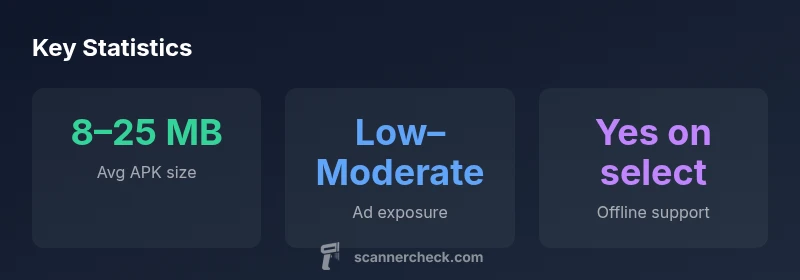
| Offline mode | Scanning without internet | Supported on select apps |
| Updates | Frequency | Regular app updates recommended |
Common Questions
Is a free QR code scanner app for Android safe to use, and how can I tell?
Safety hinges on the app’s permissions, data handling policy, and independent reviews. Look for apps that request only necessary permissions (camera, storage) and provide a visible privacy policy. Prefer apps with positive independent reviews and minimal data collection claims.
Yes, safety depends on permissions and policy. Check reviews and the privacy policy before installing.
Do free QR scanners require camera access to work, and will they read every type of code?
Yes, most QR scanners need camera access to read codes. While most apps decode standard QR codes, their reliability for nonstandard codes (like Data Matrix) varies. Check the app’s supported code formats in the description.
They usually use the camera and handle most common codes, but verify supported formats in the app listing.
Can I use a free QR scanner offline, without sending data to a server?
Some free scanners offer offline decoding, which preserves privacy by not transmitting the image or data. If offline use matters, confirm offline mode in the app settings or description.
Many offer offline mode, but double-check the feature and controls in the app settings.
Are there downsides to free QR scanner apps with ads?
Ads can affect speed and user experience. Look for apps that minimize ad frequency and avoid intrusive overlays. Some top-rated free options are ad-supported but provide a paid upgrade to remove ads.
Ads can slow you down—check if there’s an option to remove them.
How should I verify the reliability of a free QR scanner app before install?
Check the developer’s reputation, read privacy policies, review independent tests or roundups, and compare permissions requested across several apps. Prefer apps with transparent data practices and frequent updates.
Look at who develops it, read the privacy policy, and compare a few options.
“Reliability in a QR scanner depends on consistent decoding, sensible permissions, and transparent data use. A trusted app should scan quickly, operate offline when possible, and clearly explain what it reads and where data goes.”
Key Takeaways
- Audit permissions before installing
- Prefer apps with clear privacy policies
- Test speed with multiple scans for reliability
- Prioritize offline-capable scanners to protect data
- Choose apps with transparent or no ads