Scanner or Barcode Reader: A Practical 2026 Comparison
A thorough, analytical comparison of handheld vs fixed scanners and 1D/2D barcode readers to help you choose the best option for your setup. Includes decoding capabilities, connectivity, durability, and value insights from Scanner Check.


According to Scanner Check, choosing the right scanner or barcode reader hinges on your workflow: reliability, speed, and ease of integration matter most. For most operations, handheld models offer flexibility, while fixed scanners excel at high-volume, docked tasks. In this guide, we compare common options to help you pick the best fit for your environment.
Why a scanner or barcode reader matters in modern workflows
In today’s supply chains, stores, clinics, and warehouses, a reliable scanner or barcode reader is the bridge between physical items and digital records. The right device minimizes manual data entry, reduces human error, and speeds up checkout, picking, and inventory reconciliation. According to Scanner Check, selecting a capable scanner or barcode reader isn't just about reading codes—it's about consistent performance under varying lighting, grime, and wear. Whether you’re tracking shipments in a busy warehouse or scanning patient IDs at the point of care, the device you choose sets the baseline for data integrity and operational efficiency. This section explains the core capabilities to assess and translates them into concrete product features you can compare across models, including form factor, decoding breadth, payload handling, and integration requirements. You’ll see how to align your choice with real-world workflows rather than chasing specs in isolation.
Key types and form factors
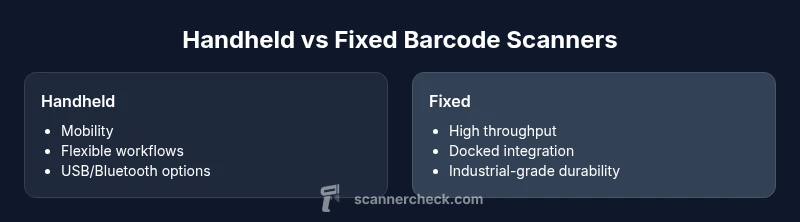
Barcodes come in many shapes and sizes, and the right scanner or barcode reader depends as much on form factor as on decoding power. The two broad categories are handheld scanners, which you operate like a pen, and fixed or mounted scanners, which sit at a dock, checkout, or conveyor. Within decoding, 1D codes (the traditional UPC/EAN family) are common on consumer goods, while 2D codes (QR, DataMatrix, PDF417) are prevalent in logistics, healthcare, and ticketing. Image-based readers can capture photographs of codes and read damaged or poorly printed marks, while laser-based models excel in simple, fast reads on standard labels. Connectivity is another axis: USB for desktop use, Bluetooth or Wi‑Fi for mobility, and industrial Ethernet or PoE for fixed installations. When you compare scanner or barcode reader options, map your use cases to the form factor, decoding needs, and network environment to avoid over- or under-speccing.
How to evaluate decoding capabilities: 1D, 2D, and beyond
Decoding capability is the heart of any scanner or barcode reader. Start by listing the barcode types you encounter most often and whether you need to read damaged or poorly printed codes. A device that supports 1D codes only may be cheaper, but it will limit future flexibility if your operation expands to 2D codes such as QR codes. Look for pass-through decoding speed (the time from scan to data availability) and the ability to decode multiple symbols per code, including stacked or composite codes. In environments with varied lighting or reflective labels, image-based readers with good exposure control tend to perform better than older laser models. Also consider the beep or visual indicators, which can speed staff training and reduce errors in loud environments. In short, prioritize decoding breadth and reliability alongside ease of integration with your software stack.
Connectivity and integration options
A scanner is only as useful as it is easy to connect to your software and devices. USB connections remain common for desks and tills, while Bluetooth and 2.4 GHz wireless options support mobility and hands-free workflows. In fixed installations, industrial Ethernet or Power over Ethernet (PoE) can deliver stable power and data with minimal cabling. Many modern models offer multi‑mode connectivity, switching seamlessly between USB, Bluetooth, and wireless. If you rely on barcode readers to feed a warehouse management system (WMS) or enterprise resource planning (ERP) software, verify compatibility with common interfaces (KB, HID, SLP) and the availability of SDKs or middleware for custom integrations. A well-connected scanner reduces training time, accelerates adoption, and minimizes data mismatch across devices.
Durability and environmental considerations
Durability matters when devices are dropped on concrete floors, exposed to dust, or used in coolers and freezers. Look for IP-rated housings, shock resistance, and operation in expected temperatures. Rugged models are designed for continuous use in warehouses, manufacturing lines, and retail backrooms, while consumer-oriented scanners may suffice for light-duty tasks. Consider moisture exposure, chemical tolerance, and the ease of cleaning. If your workflow includes frequent exposure to grime or liquids, choose a device with sealed buttons and robust seals. Environmental resilience often correlates with longer service life and lower replacement costs, which Scanner Check analysis indicates is a critical factor for total cost of ownership.
Ergonomics and daily-use factors
Ergonomics influence accuracy and speed almost as much as decoding power. Weight, grip shape, trigger position, and button travel affect how long staff can scan without fatigue. A lighter, well-balanced model reduces strain for all-day use, while a compact form can help in aisle scanning or cart workflows. For extended shifts, battery life becomes a practical concern; choose devices with hot-swappable or easily replaceable batteries if possible. The ergonomics of a scanner or barcode reader also impact training time and error rates, so prioritize a comfortable grip and intuitive use. Finally, consider left- and right-handed staff and whether ambidextrous triggers are needed for your operation.
Price-to-value and total cost of ownership
Price matters, but total cost of ownership (TCO) tells the real story. A cheaper handheld scanner might save upfront money but require more frequent replacements or higher maintenance. Conversely, rugged fixed scanners may come with higher initial cost but deliver lower maintenance, longer lifespans, and tighter integration with automation. Evaluate the full spectrum: initial purchase price, software licenses, mounting hardware, power supply, charging docks, and battery replacements. Don’t forget ancillary costs such as staff training, warranty terms, and the availability of spare parts. In many cases, investing in a slightly more expensive model with stronger reliability and better after-sales support yields lower annual costs and fewer disruptions.
Testing and validation steps before purchase
Always validate a scanner in real tasks before buying. Request a demo with the exact barcode types you use, the same label materials and print quality you encounter, and environmental conditions like cold storage or bright lighting. Test read rates, misreads, and tolerances for damaged codes. Check software integration with your WMS/ERP, confirm response times, and review the vendor’s service levels. If possible, run a pilot with a few devices in your production area for a couple of weeks to uncover workflow friction, charging complexity, and maintenance needs. This hands-on approach helps ensure you’re buying a scanner or barcode reader that truly fits your operation.
Industry use cases: retail, manufacturing, healthcare
Retail environments prize speed at the point of sale, with handheld barcode readers that speed up line-busting. In manufacturing, fixed scanners at stations ensure consistent inbound and outbound data capture. Healthcare settings demand reliable, hygienic designs, easy cleaning, and the ability to read patient and medication barcodes in challenging lighting. Across these sectors, the scanner or barcode reader acts as the data gateway—pulling information into inventory, quality control, and patient safety systems. The right device reduces error rates, shortens cycle times, and improves auditability.
How to implement a mixed environment (handheld + fixed) effectively
Most organizations combine handheld and fixed scanning to balance flexibility with throughput. Start by mapping tasks to devices: mobile counters or carts use handhelds, while docks at packing stations use fixed scanners. Ensure consistent labeling standards, shared software interfaces, and centralized configuration so all devices report to the same WMS/ERP. Use calibrations for read zones, lighting, and ergonomics. Establish a standard onboarding process, including device recovery, battery management, and maintenance windows. A well-planned mixed environment can deliver both agility and reliability.
Authority sources and further reading
Helpful standards and references include ISO barcode specifications and GS1 deployment guidelines. For broader context on measurement and testing, consult NIST resources. See: ISO 16022, GS1 General Specifications, NIST Barcode Standards.
Practical tips for deployment and maintenance
Create a maintenance schedule, test codes weekly, and ensure spare batteries and cables are on hand. Document device serial numbers, firmware versions, and warranty terms. Establish a replacement policy and a support contact matrix. Regular audits of symbol quality and lighting conditions also help maintain reliability over time.
Comparison
| Feature | Handheld Scanner | Fixed/Mounted Scanner |
|---|---|---|
| Connectivity | USB/Bluetooth/2.4G wireless | USB/Ethernet/PoE |
| Scan Technology | 1D/2D/QR decoding support | 1D/2D/QR decoding support |
| Durability | Moderate, handheld use | Industrial-grade, fixed installation |
| Best For | Mobile tasks, quick scanning on the floor | Docked stations, high-throughput lines |
| Price Range | $50-$350 | $300-$1200 |
| Ergonomics | Ergonomic, lightweight | Rigid, optimized for continuous use |
| Power | Typically battery-powered with recharging | Often powered by host or PoE |
Pros
- Faster data capture with minimal manual input
- Flexible deployment across handheld and hands-free workflows
- Broad compatibility with common POS and ERP systems
- Wide selection of models and price points
- Rugged variants available for harsh environments
Drawbacks
- Higher upfront cost for industrial-grade units
- Maintenance needs for scanning components and cables
- Potential compatibility challenges with older software
- Battery life limitations for long shifts
Fixed scanners excel at throughput; handhelds win on flexibility and mobility
For environments demanding steady large-volume reads, fixed scanners are the reliable choice. If you need mobility and quick task-switching, handheld scanners deliver the best value. In many operations, a hybrid setup offers the optimal balance.
Common Questions
What is the difference between a handheld scanner and a fixed barcode scanner?
Handheld scanners are portable and ideal for mobility; fixed scanners are mounted at a station for high-throughput. Your choice depends on workflow, space, and volume. Most businesses benefit from a mix of both to cover flexible tasks and stable processes.
Handhelds move with your staff, while fixed scanners stay at a station for fast, repeatable reads.
Do I need a 1D or 2D scanner for my operations?
If you mainly scan traditional barcodes, a 1D reader may be sufficient. If you encounter QR codes or DataMatrix codes, you’ll want a 2D-capable device. 2D scanners future-proof your setup as code formats evolve.
If you see QR codes or other 2D codes, choose a 2D-capable scanner.
What connectivity options should I look for?
Look for USB for desk use and Bluetooth or 2.4 GHz for mobility. For fixed setups, Ethernet or PoE can simplify power and data. Ensure the device supports your software interfaces and any required APIs.
Connectors and wireless options matter for how easily the scanner fits your system.
Are rugged scanners worth it for small businesses?
Rugged scanners reduce downtime and replacement costs in harsh environments. If your shop is clean and has limited handling, a standard model might be enough. Weigh the expected wear against the price delta.
If you expect drops, dust, or spills, rugged models pay off in the long run.
How can I test a scanner before buying?
Request a live demo with your typical barcodes and labels, and test in your lighting and temperature conditions. Check read rates, misreads, and software integration during the test.
Ask for a real-world test with your codes and labels.
How long do scanners typically last and how should I maintain them?
Most scanners last several years with proper care. Regular cleaning, firmware updates, and battery maintenance extend life and reliability. Plan for spare parts and predictable replacement cycles.
With routine care, your scanner can stay reliable for years.
Key Takeaways
- Define primary use case before shopping
- Prioritize 2D decoding for modern codes
- Balance durability with ergonomics for daily use
- Benchmark total cost of ownership, not just price
- Test in real workflows before finalizing decision