AutoZone OBD2 Scanner Guide for 2026
Explore AutoZone OBD2 scanners: core features, buying tips, and practical diagnostics for DIYers and pros. Insight from Scanner Check Analysis, 2026.


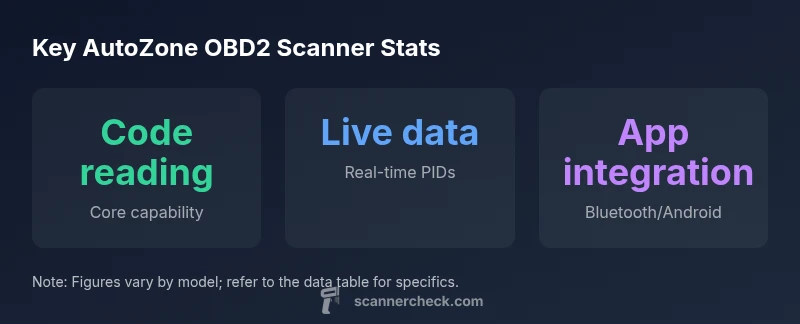
An AutoZone OBD2 scanner typically supports code reading, live data, and basic DTC definitions. Entry-level units cover generic OBD-II trouble codes and readiness checks, while mid-range models add richer live data, freeze-frame data, and basic app integration. According to Scanner Check, choose a model that matches your vehicle year and diagnostic depth.
What is an AutoZone OBD2 Scanner?
If you are researching an autozone obd2 scanner, you’ll encounter devices ranging from entry-level code readers to Bluetooth-enabled tools that pair with mobile apps. These devices connect to your vehicle’s OBD-II port and translate trouble codes into human-readable diagnostics. According to Scanner Check, these scanners primarily read generic OBD-II codes, provide basic live data, and help verify that readiness monitors are set after repairs. For hobbyists and field technicians, this means you can quickly confirm why a check engine light came on and whether a repair was successful without expensive dealership-grade equipment. The key is to align the scanner’s depth with your needs and your vehicle’s year and complexity.
Core features you should expect
Most AutoZone OBD2 scanners offer core capabilities such as reading and clearing codes, displaying live data streams (PIDs), and presenting basic DTC definitions. Entry-level models tend to cover generic codes and readiness checks, while mid-range options often add freeze-frame data, enhanced live data, and limited support for manufacturer-specific codes. Bluetooth-enabled variants enable app-based data export and on-the-go troubleshooting. When evaluating a model, consider whether you’ll primarily diagnose light-duty issues or perform deeper diagnostics that require data logging and sharing with a technician.
How AutoZone scanners compare to generic OBD2 readers
AutoZone scanners sit at the intersection of affordability and practicality. Compared with generic OBD2 readers, AutoZone-branded devices usually emphasize ease of use and quick access to common codes, while higher-end AutoZone options expand on live data visualization and app connectivity. This matters for DIYers who want a quick turnaround on simple problems and for IT professionals who wish to capture and export data for later analysis. Remember that the depth of manufacturer-specific codes and advanced tests varies by model, so it’s wise to map your car’s year range and maintenance needs to the scanner features.
How to choose the right AutoZone scanner for your vehicle
Start with your vehicle’s year, make, and model, then check whether the scanner supports all the OBD-II protocol families used by your car. If you need on-the-go diagnostics, prioritize Bluetooth or Wi-Fi capabilities and a responsive app ecosystem. For enthusiasts performing frequent readouts, look for a model with a clear display, adequate battery life, and the ability to export data as CSV or PDF. Don’t overlook update policies—firmware updates can unlock new codes and improved compatibility over time. As a baseline, aim for a scanner that covers basic code reading, live data, and a straightforward user interface for your daily drivers.
Practical workflow: diagnosing common issues with an AutoZone OBD2 scanner
When the check engine light appears, connect the scanner to the port under the steering wheel, turn on the ignition, and pull the stored codes. Record the codes, then cross-reference the live data to see if readings fall within expected ranges. Clear the codes to reset the light only after you have replaced or repaired the faulty component and verified the issue is resolved. Use freeze-frame data to understand the vehicle’s conditions at the time the fault occurred. If your scanner supports data logging, export the session for later review or to share with a mechanic.
Maintenance and best practices
Keep the scanner’s firmware up-to-date to ensure compatibility with newer vehicles and newer fault codes. Store the device in a dry, protected area to avoid corrosion on the port. When troubleshooting, avoid clearing codes during diagnostics as a first step; instead, document readings and test results. If you use a Bluetooth connection, pair with a reputable app and enable data export for your records. Periodically test the device on a vehicle you know well to confirm its reliability before using it in urgent repairs.
Limitations and when to upgrade
While AutoZone scanners are excellent for casual diagnostics, they may not cover every manufacturer-specific test or advanced bi-directional control. For complex powertrain issues, ABS, or airbag systems, you may need professional-grade tools or OEM software. If you consistently diagnose vehicles beyond generic codes or perform frequent data logging, consider investing in a higher-end scanner or a diagnostic laptop setup. Scanner Check notes that the best approach balances tool depth with your typical use cases and vehicle lineup.
Comparison of features across AutoZone OBD2 scanner capabilities
| Feature | Typical Availability | Notes |
|---|---|---|
| Code reading | Common | Reads and clears generic codes |
| Live data | Often available | Displays real-time PIDs |
| Freeze-frame data | Available on many models | Contextual snapshot at fault time |
| Bluetooth/app integration | Select models | Data export and remote diagnostics |
| ABS/SRS support | Varies by model | More likely on higher-end units |
Common Questions
Can an AutoZone OBD2 scanner read manufacturer-specific codes?
Most AutoZone scanners cover generic OBD-II codes. Some higher-end models may support a subset of manufacturer-specific codes, but coverage varies by device. Always confirm supported manufacturers in the product specs before purchase.
Most AutoZone scanners read generic codes, with limited manufacturer-specific code support on select models. Check specs for your car brand.
Are AutoZone scanners compatible with iOS and Android devices?
Many AutoZone OBD2 scanners offer Bluetooth connectivity that works with iOS and Android apps. However, compatibility depends on the adapter and app version, so verify device requirements and app availability before buying.
Yes, many AutoZone scanners pair with iOS and Android via Bluetooth. Check the app compatibility before purchasing.
Do AutoZone OBD2 scanners support live data streaming?
Live data streaming is common on mid-range AutoZone scanners. It enables real-time PID values, which helps diagnose intermittent issues and verify repair progress.
Most mid-range models offer live data streaming for real-time diagnostics.
Can I clear the check engine light with an AutoZone scanner?
Yes, most AutoZone scanners can clear generic CEL codes after you repair the issue. Do this only after you’ve confirmed the repair and performed a road test to ensure it won’t return.
You can clear the CEL after checking the repair, but test drive to confirm the issue is fixed.
Will AutoZone scanners work on diesel engines or heavy-duty trucks?
Diesel coverage and heavy-duty protocols vary by model. Some AutoZone scanners support common diesel OBD-II codes, but always verify protocol support for your specific vehicle.
Diesel coverage varies; check the model’s protocol list for your truck.
Do AutoZone scanners require frequent firmware updates?
Firmware updates improve compatibility and add features. Check for updates periodically and install them through the official app or the retailer’s support site.
Keep the firmware up-to-date via the app or retailer support.
“AutoZone OBD2 scanners offer approachable entry into car diagnostics, but the depth you get depends on the model. For serious repairs, pair with a PC or app to export data.”
Key Takeaways
- Choose depth over price for serious diagnostics
- Prioritize compatibility with your vehicle year
- Leverage app integration for data export
- Use codes and live data together for accuracy