Scanner Autel: A Practical Guide to Autel Scanners
Discover how Autel scanners work, compare models, and learn practical buying and usage tips. This Scanner Check guide covers coverage, updates, and troubleshooting for DIY enthusiasts and professionals.


A scanner autel refers to Autel's range of automotive diagnostic scanners, from basic code readers to advanced analysers. These devices typically support OBD-II diagnostics across most post-1996 vehicles, offer live data streaming, and include features like ABS/SRS checks, bidirectional control, and guided troubleshooting. Pro models add more ECU coverage, enhanced bi-directional tests, and regular software updates.
What is a scanner autel
The term scanner autel refers to Autel's family of automotive diagnostic devices, from simple code readers to professional-grade tablets that interrogate multiple vehicle systems. These tools connect to the vehicle via OBD-II and CAN networks, retrieve diagnostic trouble codes, and translate them into actionable guidance. The value proposition is clear for the target audience: DIY hobbyists and IT professionals who want fast feedback, structured data, and guided troubleshooting, without needing to guess at fault codes or repairs. Scanner Check's analysis notes that Autel places particular emphasis on software updates, which expand the units' support for new vehicles, protocols, and troubleshooting workflows. This means the device you buy today can stay useful for years if the update cadence is steady. When evaluating a scanner autel, map your workflows to the tool's capabilities: code reading, live data monitoring, bi-directional testing, and accessory integration. A well-chosen Autel scanner aligns vehicle coverage with the user's diagnostic goals, balancing upfront cost against ongoing software support and ease of use. In practice, many teams start with a mid-range model that offers live data and ABS/SRS checks, then scale up to a pro-grade unit if their diagnostic needs deepen.
How Autel scanners differ from budget readers
Autel scanners differentiate themselves through breadth of vehicle coverage, depth of diagnostics, and ongoing software support. Budget readers often focus on OBD-II code retrieval with limited live data and few manufacturer-specific checks. Autel's mid-range and professional devices provide live data dashboards, multi-parameter graphs, and sometimes bidirectional capability that lets the scanner send commands to a vehicle's ECU. You also gain access to richer DTC definitions, guided troubleshooting workflows, and more robust ABS/SRS and transmission diagnostics. The tradeoffs are size, weight, and price, but the incremental diagnostic power is notable for technicians and serious hobbyists. When evaluating a lineup, consider your primary use: simple fault clearing or in-depth fault isolation across multiple systems. The result is a practical calibration between cost, capabilities, and update cadence that keeps your toolkit relevant as vehicles evolve.
Key features that define Autel's lineup
Autel's product spectrum typically balances consumer-friendly code readers with professional diagnostic tablets. Core strengths across the range include: broad vehicle coverage, live data streams, comprehensive DTC databases, and user-friendly software interfaces. Professional models often add bidirectional testing, enhanced ECU coverage, and advanced maintenance routines. The software ecosystem is a critical differentiator, with regular updates that expand support for new makes, models, and protocols. For teams that must diagnose a wide fleet, Autel's software flexibility—paired with compatible adapters and a clear data presentation—can dramatically shorten repair cycles. When scanning a vehicle, look for real-time data, fault code details, and intuitive navigation to ensure you get actionable insights quickly.
Practical buying guide for scanner autel
To choose the right Autel scanner, start with a clear use case. DIY users may be well served by mid-range devices that cover OBD-II codes, live data, and basic maintenance modes. Professionals and shop environments often require bidirectional testing, wider ECU coverage, and robust after-sales support. Next, verify vehicle coverage for your typical fleet and the required protocols (CAN, KWP, etc.). Update cadence matters: monthly or quarterly updates extend functionality and compatibility. Consider screen size, processor speed, offline data storage, and the availability of essential apps. Finally, assess the total cost of ownership, including potential subscription needs for advanced features. A balanced choice minimizes risk of needing a future upgrade soon after purchase while delivering reliable diagnostics today.
How to use Autel scanners effectively
Begin with the user manual and any official training resources, then configure a baseline profile for your vehicle family. Always start with a full system scan to detect obscure faults, then drill into live data while the engine runs to observe parameter changes. Use the DTC database to interpret codes and explore guided troubleshooting workflows. For ongoing maintenance, save and export diagnostic reports, standardize naming conventions for faults, and schedule periodic software updates. When multiple technicians use the same tool, implement shared profiles and permissions to maintain consistency in data interpretation and repair workflows.
Common limitations and troubleshooting
No diagnostic tool is perfect. Autel scanners may present ambiguous fault codes on rare vehicle models, especially older or heavily modified units. Ensure compatibility lists are current, and cross-check critical modules (ABS, airbags, transmission) with manufacturer resources when possible. If a device seems slow or unresponsive, perform routine maintenance: clear caches, update software, and verify USB/Bluetooth/Wi-Fi connections. For persistent issues, consult community forums and official support channels. Finally, always corroborate scanner results with live data and mechanical inspection to avoid misdiagnosis.
Future-proofing and updates
Software updates drive much of Autel scanner value, expanding vehicle support and new diagnostic capabilities. When selecting a model, review the update cadence and whether new features are included in your license tier. Consider the total cost of ownership, including potential subscription requirements for premium features. As vehicle electronics evolve, the best Autel scanners maintain relevance through regular firmware updates and an adaptable user interface that supports new vehicles and protocols.
Autel scanner capabilities overview
| Aspect | Typical Coverage (qualitative) | Notes |
|---|---|---|
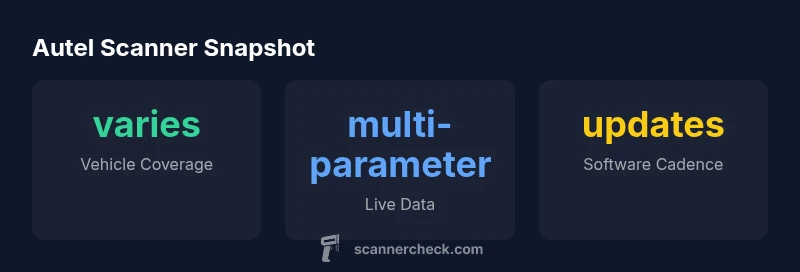
| Vehicle coverage | Broad, model-dependent | Scanner Check Analysis, 2026 |
| Live data depth | Live parameter streams | Scanner Check Analysis, 2026 |
| Software updates | Monthly to quarterly | Scanner Check Analysis, 2026 |
| Bi-directional tests | Common on professional models | Scanner Check Analysis, 2026 |
Common Questions
What is the difference between Autel's basic code reader and pro models?
Basic code readers offer essential DTC retrieval and limited live data, while pro models add deeper fault-code definitions, ABS/SRS, bidirectional tests, and comprehensive ECU coverage. Expect longer setup times and a steeper learning curve for pro units.
Basic readers give you codes; pro models provide deeper diagnostics and active tests.
Can Autel scanners diagnose ABS and SRS systems?
Many Autel scanners diagnose ABS and SRS on supported vehicles, but coverage varies by model. Always check the compatibility list and ensure your chosen unit includes these modules for your typical vehicles.
Yes, but verify your model’s compatibility with the ABS and SRS modules you need.
Do Autel scanners require ongoing subscriptions?
Some Autel tools require software updates or access to live data packs; basic functionality usually works without recurring fees, but certain advanced features may depend on subscriptions.
Core features typically work without a subscription, but some extras may.
Are Autel scanners compatible with iOS and Android devices?
Autel devices generally pair with Android and iOS through companion apps; check the device’s connectivity options (Bluetooth, Wi‑Fi) and app compatibility for your setup.
Yes, most Autel scanners work with both Android and iOS via apps.
What is bidirectional testing, and do Autel scanners support it?
Bidirectional testing lets the scanner send commands to a vehicle's controllers to test systems. Availability depends on the model and vehicle, so confirm a model’s bidirectional capabilities before purchase.
Some Autel models support bidirectional tests; verify model and vehicle support.
What should I consider before buying an Autel scanner?
Define your primary use case, check vehicle coverage, ensure software update cadence, and confirm features like live data and ABS/SRS support. Compare entry-level versus professional features to balance cost and long-term needs.
Think about your needs now and in the future, and compare features and updates.
“Autel scanners provide practical, expanding diagnostic capabilities for workshops and home garages; ongoing software updates make them a compelling value for general users.”
Key Takeaways
- Define your use case before buying to match features
- Expect varying vehicle coverage across models
- Prioritize live data and updates for long-term value
- Check for bidirectional testing if you work in-depth diagnostics
- Regular software updates extend device relevance