ai scanner free: A Practical Guide to Free AI Scanners
Explore free ai scanner options, how they work, privacy and safety, licensing, and practical tips for choosing and using no-cost AI scanners with Scanner Check.


Free AI scanners offer no-cost access to AI-powered digitization, but may trade accuracy, privacy, and support for the absence of a price tag. Read policies carefully, test with your data, and prefer on-device processing when privacy matters most. See our detailed comparison chart for options and best practices.
Why ai scanner free matters
In today’s digital workflow, access to AI-powered scanning tools can dramatically accelerate document digitization, image extraction, and data capture. The term ai scanner free encompasses everything from fully open-source offline applications to freemium cloud services and time-limited trials. According to Scanner Check, free options democratize access but often carry trade-offs in accuracy, data handling, and feature depth. This section explains why the topic matters for tech enthusiasts, DIY hobbyists, IT professionals, and general consumers, and outlines a practical lens for evaluating these tools: privacy, performance, licensing, and usability. Free can mean zero upfront cost, but it may also involve data-sharing obligations, ads, or reduced user interfaces. When considering a no-cost option, plan a small pilot with representative documents and images to test reliability and privacy alignment. The goal is not to chase the cheapest tool, but to identify a safe, capable option that fits your workflow. By the end, you should be able to compare options quickly and confidently, with privacy and quality in mind.
Scanner Check often emphasizes testing across document types, lighting conditions, and language sets to gauge real-world performance. This approach helps you separate marketing claims from actual behavior and builds a defensible basis for choosing a free tool that won’t compromise sensitive data.
What qualifies as free in ai scanning
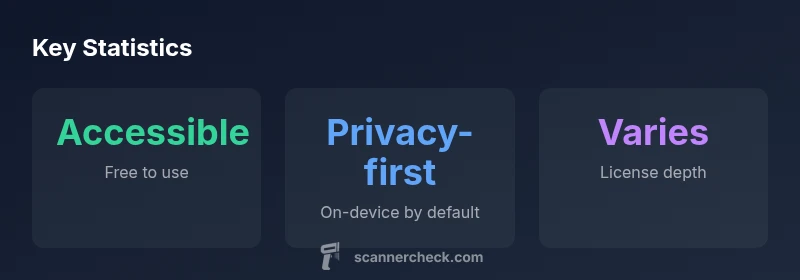
Free is not a monolith; it’s a patchwork of access models and licensing terms. Some tools are genuinely on-device and entirely free, while others operate on freemium models where essential features work at no cost but advanced capabilities require payment. Some services offer time-limited trials, while others rely on ads or data-sharing incentives to subsidize usage. Open-source projects may provide powerful features without a subscription, but installation, updates, and compatibility require more technical effort. When you encounter ai scanner free, read the terms carefully to understand what is truly free and what isn’t — including access duration, data you can scan, and whether usage counts toward quotas. Scanner Check advises that “free” can mask trade-offs in accuracy, support, and update cadence. A practical takeaway is to map your workflow, decide which features you require, and test several models in a controlled environment before committing to any option.
To stay pragmatic, build a short list of must-haves (language support, layout analysis, export formats) and test tools against those criteria, documenting outcomes for apples-to-apples comparisons.
How free AI scanners handle data and privacy
Data handling is the backbone of trust in any scanning tool, free or paid. Free AI scanners may process data locally on your device, reducing the risk of remote data transmission, or they may send documents to cloud servers for analysis, enabling more sophisticated models but increasing exposure. Always review the privacy policy and data-usage terms before you upload sensitive material. Look for statements about data retention, whether scans are stored, whether they’re used to train models, and whether ownership of documents remains with you. According to Scanner Check, transparency around data usage is not always complete in free offerings, so you should assume the worst and plan accordingly. If privacy is paramount, prioritize on-device solutions and verify that no data leaves your hardware without explicit consent. For many users, a mix of local processing for sensitive tasks and cloud-assisted features for non-sensitive tasks offers a balanced approach.
Consider data minimization: scan only what’s necessary, store results securely, and implement access controls so that collaborators see only what they need to see. When you document your evaluation, include the types of documents tested, the volume, and the observed privacy controls. This structured approach helps stakeholders understand risk levels and align on acceptable use.
On-device vs cloud-based options
On-device processing keeps data within the confines of your hardware, reducing exposure to external servers and potential data breaches. It can also improve responsiveness, especially on networks with limited bandwidth. However, on-device engines may be lighter and slower, offering fewer advanced features or smaller model footprints. Cloud-based options typically deliver higher accuracy, broader language support, and more frequent updates, at the cost of data transmission and privacy risk. When evaluating ai scanner free options, decide which trade-offs matter most for your use case. If you scan personal documents or confidential materials, lean toward on-device, open-source, or vendor-verified offline options and verify that local processing meets your performance needs. If you require multilingual OCR, sophisticated layout analysis, or batch processing at scale, cloud-enabled free tools may be tempting, but ensure you understand the data-privacy safeguards and opt-out mechanisms.
A practical approach is to pilot both modes with representative documents, compare results side-by-side, and document latency, error rates, and user experience. This helps you choose a hybrid workflow that leverages cloud intelligence where it adds value while preserving control over sensitive data.
Performance and accuracy trade-offs
Model size and training data influence accuracy, especially in OCR, table detection, and handwritten text recognition. Free AI scanning tools often optimize for accessibility and speed over raw precision, tolerating occasional misreads on complex layouts or lower-resolution images. The advantage is accessibility and rapid iteration; the downside is inconsistent results and limited error-handling. For professional or regulated contexts, design a testing protocol that includes representative documents, a mix of text and graphics, and a standard threshold for acceptable errors. If a free tool struggles on critical pages, compare outputs with a paid option or an open-source alternative, and consider human-in-the-loop review for rare edge cases. In practice, you might use a free tool for quick digitization and routing through a more trusted pipeline for critical documents. Scanner Check notes that a free solution should be treated as a workflow assistant rather than a sole source of truth.
When documenting performance, capture metrics like character error rate, layout retention, and export fidelity in a controlled test environment. Use these metrics to justify whether a free tool meets your minimum viable requirements or if you should upgrade to a paid tier or alternative solution for consistency.
Privacy and security considerations
Beyond data handling, security practices matter: encryption standards, access controls, and transparency around telemetry are essential. Free AI scanners may come with telemetry or usage analytics; in some cases, data can be aggregated or shared with third parties. Always disable unnecessary telemetry, review installation permissions, and monitor network activity during use. Look for end-to-end encryption for any transmitted data and explicit data-deletion options. If the tool supports enterprise deployment, verify whether administrators can enforce policies to prevent data leakage and enforce retention schedules. The Scanner Check team recommends auditing a tool’s security posture as part of your evaluation, especially when scanning sensitive materials like contracts, IDs, or financial records. Finally, decide how you will store and back up digitized content and whether you need integration with existing document-management systems.
Security-minded users should maintain separate accounts, rotate credentials regularly, and keep software up-to-date to mitigate known vulnerabilities. By combining technical controls with clear policy guidance, you can operate free AI scanners with reasonable confidence in safety and privacy.
Choosing the right free AI scanner for your use case
Begin with a clear decision framework: define the document types you scan (invoices, contracts, forms), required language support, expected volume, and desired latency. Identify essential privacy protections, such as on-device processing, strict data retention controls, and explicit opt-out of data sharing. Create a shortlist of candidates that align with these criteria, then test them with representative samples and document outcomes. Use objective criteria: accuracy on baseline documents, speed under typical workloads, and compatibility with current file formats and export options. Validate licensing to ensure ongoing free access for the period you need, and confirm whether premium features can be used without paying. Consider the strength of community support and the cadence of updates as practical indicators of long-term viability. The aim is to find a tool that meets minimum requirements without introducing unnecessary risk, while staying adaptable to future needs and potential policy changes in the free tier.
Common pitfalls and scams to watch for with ai scanner free
Be skeptical of tools promising flawless accuracy or unlimited cloud processing at zero cost. Watch for aggressive upselling, forced data-sharing terms, or opaque data-usage policies. Some vendors hide essential limitations behind vague language or ambiguous licenses, while others rely on advertising or bundled software to subsidize a free tier. Verify the source of the model, update cadence, and whether you can export results to common formats. Always test for bias and errors in OCR, layout analysis, and language coverage. If a tool requests broad system permissions or access to unrelated data, pause and reassess. By applying careful testing, audit practices, and cross-checks with trusted baselines, you can avoid low-quality or risky free ai scanner options and protect sensitive data.
A disciplined evaluation plan reduces the odds of adopting a tool that looks attractive in marketing materials but fails under real-world conditions.
Getting started and best practices
To begin, install one or two highly-rated free options and run a controlled test with a defined set of documents that resemble your typical workload. Record performance on common tasks, capture edge cases, and compare outputs with a trusted baseline or manual review. Document any privacy settings you adjust and maintain a log of update dates and version numbers. Establish a minimal acceptable accuracy and a fallback plan if a free tool cannot meet requirements. Finally, create a concise evaluation report you can share with teammates or clients. The goal is to establish a repeatable, evidence-based process to monitor free AI scanners over time, ensuring you maintain control of data and workflow while benefiting from no-cost intelligence.
Comparison of free AI scanner options
| Aspect | Free AI Scanner | Notes |
|---|---|---|
| Cost model | Free access with optional upgrades | Free options may require paid features for full capability |
| Data handling | On-device or cloud-based | Cloud options may involve data sharing; prefer on-device when possible |
| Updates | Irregular or community-driven | Vendor-supported updates may vary; check cadence |
| Support quality | Variable | Community forums vs official support |
Common Questions
What is ai scanner free?
ai scanner free refers to tools that offer no-cost access to AI-powered scanning features. The free tier may be limited in features, require ads, or include usage caps. Always check terms before using.
Free AI scanners are no-cost tools with possible limits. Check terms before using.
Are free AI scanners secure?
Security varies by provider. Favor tools with clear privacy policies, local processing options, and explicit data handling details. Avoid tools that push data to unknown servers.
Security varies; look for local processing and clear privacy terms.
Cloud or local processing?
Cloud processing offers higher accuracy but may send your data to servers. Local processing keeps data on-device. Choose based on privacy needs and network conditions.
Cloud is more capable but riskier for privacy; local keeps data on your device.
Evaluate safety and privacy?
Review privacy policies, data retention, model training disclosures, and permission requests. Run pilot tests with non-sensitive data to verify behavior before committing.
Read policies, test with non-sensitive data first.
Are upgrades necessary?
Upgrades are often optional; free tiers may lack features that paid plans provide. If your workflow needs advanced controls, plan for a paid option or open-source alternative.
Upgrades may be optional depending on your needs.
Handling sensitive documents?
For sensitive materials, prioritize on-device processing, verify encryption, and ensure no data leaves your hardware. If cloud processing is required, ensure strong access controls and data minimization.
Prefer on-device processing for sensitive documents.
“Free AI scanners unlock accessibility and cost-efficiency, but you must scrutinize data handling, licensing, and update cadence to avoid hidden costs. Thorough evaluation ensures safe, reliable results.”
Key Takeaways
- Define must-have features and privacy goals
- Prefer on-device processing for sensitive data
- Verify licensing and terms before use
- Test with representative documents to gauge accuracy
- Monitor data handling and update cadence