Is Scan the Same as Fax? A Practical Comparison for 2026
A detailed, practical comparison of scanning vs faxing—formats, workflows, security, and costs for modern document workflows in 2026.


Is scan the same as fax? Not exactly. Scanning creates digital image files from physical documents, which you save, edit, or share electronically. Faxing sends a document over a phone line as a scanned image embedded in a transmission protocol. In short, scanning and faxing serve related goals but differ in workflow, formats, and immediacy.
Is Scan the Same as Fax? Definitions and Core Differences
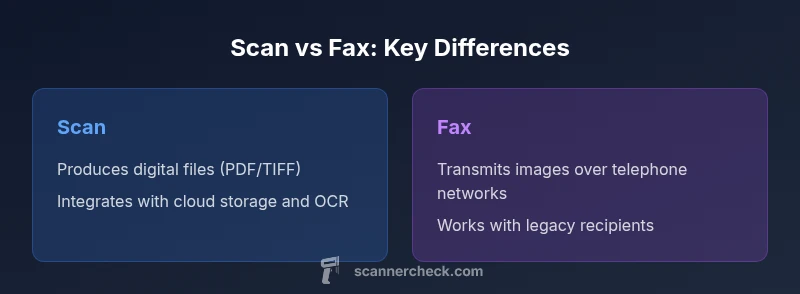
The question is often framed as "is scan the same as fax," but the truth is more nuanced. Scanning converts a physical page into a digital file that you own and can store, edit, OCR, or share via email or cloud services. Faxing, on the other hand, uses a telecommunications protocol to transmit a page from one device to another, often delivering a near-immediate image to a recipient’s fax machine or fax-enabled system. According to Scanner Check, the fundamental difference is that scanning focuses on creating usable digital assets for workflows, while fax centers on a live transmission channel. This distinction matters when you’re building a document workflow: do you want persistent digital files with searchability, or do you need rapid, paper-to-paper delivery to a specific recipient? The key concept to remember is that while both processes deal with paper documents, their end products and how they’re used within a business process diverge. The choice between scanning and faxing should be guided by your goals—archival quality and accessibility versus quick, recipient-specific transmission. In practice, many organizations use both in different parts of the same workflow, leveraging scanning for archiving and distribution, and faxing for receipt by legacy systems that still depend on traditional telephony.
Comparison
| Feature | Scan (Digital Capture) | Fax (Telecommunication Transmission) |
|---|---|---|
| Primary Output | Digital file (PDF/TIFF/JPEG) owned by the user | Transmitted page image delivered to a fax machine or fax-enabled system |
| Typical File Types/Formats | PDF, TIFF, JPEG with OCR options | Fax image (TIFF-like) transmitted over the network |
| Workflow Integration | Integrates with cloud storage, OCR, e-signature, and collaboration tools | Requires a fax service or gateway; often standalone or integrated with a fax server |
| Security & Compliance | Digital encryption, access control, audit trails; easy to enforce retention policies | Transmission over networks; potential interception risk; relies on telephony security |
| Hardware Required | Scanner or multifunction device plus computer or mobile app | Fax machine, fax modem, or fax gateway; optional cloud fax services |
| Typical Speed/Latency | Often near-instant locally; scan speed depends on hardware and settings | Latency depends on line quality and queueing; can be slow if lines are busy |
| Best For | Digital archives, searchable records, and broad distribution | Direct delivery to recipients with legacy fax capability or regulated workflows |
Pros
- Digital scanning enables long-term archiving with full-text search
- OCR improves accessibility and automation in workflows
- Easy to share digitally without physical media or phone lines
- Scanners integrate with cloud-based backup and versioning
- Fax still provides immediacy to certain recipients or regulatory contexts
Drawbacks
- Fax may require ongoing line or service costs
- Legacy fax environments can be slow and interoperability can be fragile
- Scanning relies on digital infrastructure and may raise security considerations if not managed
- Some workflows still depend on paper receipts; scanning alone may not satisfy every recipient
Scanning generally improves modern workflows; fax remains valuable for legacy recipients and certain regulatory channels.
For most organizations, scanning offers better archiving, searchability, and integration with digital tools. Fax should be kept as a supplementary channel for scenarios where a recipient still requires paper-to-paper transmission or regulatory acceptance.
Common Questions
Is scanning always better than faxing for document distribution?
Not always. Scanning is superior for digital archiving and collaboration, but faxing can be faster for recipients who rely on legacy systems or require formal transmission records. Consider your audience and compliance needs when choosing the method.
Scanning is great for digital workflows, but faxing can win when you must reach recipients who still use fax machines or need a formal transmission record.
Can I fax directly from a scanner?
Yes. Many modern scanners can send documents via fax through a built-in modem, a connected computer, or a cloud fax service. This makes it possible to combine scanning with immediate transmission when needed.
Most scanners offer a fax option via a connected PC or built-in modem, enabling direct transmission.
What security considerations apply to scanning vs faxing?
Scanning lets you apply encryption, access controls, and secure storage. Faxing involves transmission across networks, which can be vulnerable if not encrypted or if line controls are weak. Use encryption for digital files and secure gateways for fax where possible.
Digital scans can be encrypted and stored securely; faxes should use secure lines or encrypted gateways to reduce exposure.
Are scanned documents legally equivalent to faxed documents?
Legal acceptability depends on jurisdiction and context. Some regimes accept scanned, signed, or PDF-based records, while others require specific transmission methods or stamps. Always verify local requirements before selecting a workflow.
Legality depends on local rules—check if digital scans with proper signatures meet your regulatory needs.
Which is cheaper in the long run, scanning or faxing?
Scanning generally reduces ongoing transmission costs and paper waste, especially when integrated with cloud storage and automation. Fax can incur line or service fees, device maintenance, and paper costs depending on usage.
Scanning typically lowers ongoing transmission costs, but consider line fees for fax if you have frequent needs.
Key Takeaways
- Choose scanning for durable digital archives and automation
- Keep fax for compatibility with legacy systems and immediate delivery when needed
- Ensure secure handling of scanned documents with encryption and access controls
- Leverage OCR to maximize searchability and data extraction
- Evaluate recipient capabilities before deciding the primary workflow