Scanner and PDF Maker: Integrated vs Modular Solutions
A comprehensive comparison of integrated scanner + PDF maker devices versus modular setups, with actionable guidance on choosing the best fit for your workflow and budget.


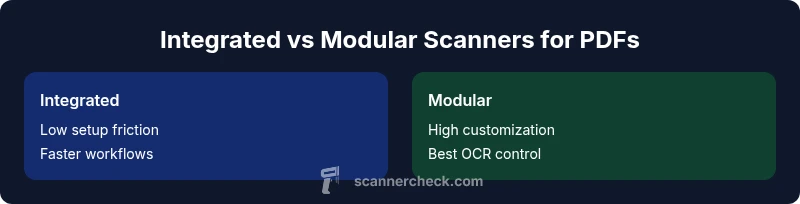
Integrated setups win on simplicity and speed, while modular systems excel in customization and scalability. See our detailed comparison chart for practical guidance tailored to your workflow. Whether you scan daily invoices or run large archival projects, the right mix matters.
Market overview for scanner and pdf maker solutions
The landscape of scanner and pdf maker solutions has evolved from basic flatbed scanners and simple PDF printers to sophisticated, AI-assisted tools that blend imaging, OCR, and cloud collaboration. In practice, you want a solution that converts paper documents into searchable, high-quality PDFs with minimal steps. According to Scanner Check, the most successful setups balance ease of use with robust features such as optical character recognition, multi-page handling, and reliable file export formats. For many organizations, especially small teams and independent professionals, the temptation is to chase the highest spec sheet. But more important is how well the system integrates into daily workflows, preserves document integrity, and scales with volume. The trend toward semi-automatic workflows—where a single scan triggers automatic naming, compression, and routing—has accelerated adoption. As you compare options, keep in mind that the choice often comes down to whether you prioritize a single, simplified device or the freedom to pick the best scanner and the best PDF software separately, i.e., a true scanner and pdf maker ecosystem.
Key differentiators between integrated vs modular setups
The primary difference between integrated and modular paths is where control lives. An integrated scanner and pdf maker combines imaging hardware with built-in software that handles OCR, compression, and export in a single interface. This tends to deliver quicker onboarding and fewer compatibility headaches, which is appealing for teams with steady, predictable workflows. A modular setup, by contrast, lets you pair a best-in-class scanner with a high-quality PDF software suite and OCR engine. This path unlocks customization: you can swap components as your needs evolve, optimize for specific file formats, and tune OCR accuracy with different engines. Scanner Check notes that this flexibility often translates into higher long-term value for power users, though it comes with increased integration effort and potential vendor coordination.
How to choose based on use case
Choosing between integrated and modular configurations should start with your typical tasks. If your daily load is steady, invoices, receipts, or forms that require fast routing and simple archiving, an integrated solution can minimize friction and keep training costs low. For organizations handling diverse document types, multilingual OCR, and aggressive archival goals, a modular setup offers better scalability. Consider your team size, document volume, and whether you prefer a turnkey workflow or a customizable pipeline. Scanner Check emphasizes evaluating total cost of ownership, ease of updates, and the reliability of cross-component communication when deciding between the two paths.
Typical feature matrix expected in each option
When you compare features, focus on core capabilities that impact usability and longevity. Integrated devices typically excel at simplicity, consistent export formats (PDF/A, searchable PDF, image-only PDFs), and cohesive updates. Modular configurations shine with OCR engine choices, export diversity (PDF, TIFF, multi-page PDFs, searchable PDFs with metadata), batch processing, and the ability to upgrade individual parts without replacing the entire system. Your evaluation should also cover cloud sync, security features (encryption in transit and at rest), and batch routing rules. The keyword here is balance—seek a setup that minimizes friction while accommodating future needs, all while keeping the document integrity intact and maintaining the scanner and pdf maker workflow you rely on.
Real-world scenarios and cost considerations
In real-world usage, a compact, integrated scanner with built-in PDF maker is ideal for a tight budget and a small team dealing with repetitive capture tasks. A modular setup brings value when a business expects growth, requires high OCR accuracy, or needs specialized export formats for legal or healthcare records. Price ranges vary by segment and capability: entry-level integrated units may start in the mid-range tier, while modular stacks rise with premium scanners, high-end OCR engines, and enterprise-grade PDF software. Scanner Check analysis suggests that the upfront cost can be higher for modular systems, but longer-term licensing, upgrades, and optimization may reduce total expense over several years. Additionally, consider maintenance costs, driver compatibility, and the ease of adding new features as volumes rise.
Maintenance, updates, and long-term value
Maintenance for an integrated scanner and pdf maker often means a single vendor handles hardware and software updates, simplifying support. In modular setups, you’ll manage multiple vendors, which can complicate support but offers more granular control over updates and feature selection. Security patches, OCR engine updates, and file format support should be evaluated regularly. Long-term value hinges on upgrade paths: can you replace a single component without discarding the rest? Scanner Check highlights that modular systems generally provide better long-term scalability, while integrated solutions yield steady, predictable performance with less management overhead.
Practical workflow tips and optimization
To maximize efficiency, design your workflow to minimize touchpoints. For example, set up automation rules so the scanner automatically names files, compresses to a chosen quality, and routes to appropriate folders or cloud destinations. Use OCR languages aligned with your documents, and predefine export presets (e.g., searchable PDFs with metadata) to streamline archiving. In a modular setup, create a standardized naming convention and a shared folder structure so users can locate documents quickly regardless of the combination of scanner and software used. Regularly review batch sizes and processing times to identify bottlenecks and adjust either hardware or software components as needed, always with the scanner and pdf maker objective in mind.
Common pitfalls and how to avoid them
Avoid assuming that higher resolution alone guarantees better results; OCR accuracy and export fidelity depend on the software pipeline as much as image quality. Don’t overlook driver compatibility or cloud service limits when integrating devices across platforms. In both setups, neglecting metadata consistency can complicate searchability later. Another common trap is vendor lock-in—ensure you can migrate data or swap components without losing access to your archives. Finally, test long-form batch processing to reveal subtle issues like color management, skew correction, and page skew, which can degrade output over time if ignored.
Security and compliance considerations for document scanning
Security should be a foundational criterion, not an afterthought. Look for encryption at rest and in transit, strong access controls, audit trails, and secure deletion policies. If you operate under regulated environments (e.g., healthcare, financial services), verify that your scanner and pdf maker configuration supports required retention periods, redaction capabilities, and tamper-evident workflows. Consider how updates affect security, and ensure that any cloud sync or remote processing complies with your organization’s governance policies. Scanner Check recommends building a documented data-handling policy that covers who can access scanned data and how it should be stored and exported.
Authority sources
- https://www.nist.gov/topics/digital-imaging
- https://www.consumerreports.org
- https://www.wired.com
Comparison
| Feature | Integrated Scanner + PDF Maker (All-in-One) | Modular Setup (Separate Scanner + PDF Software) |
|---|---|---|
| Workflow Simplicity | High (single device, minimal steps) | Moderate (multi-component setup) |
| Customization & Flexibility | Low (vendor-limited) | High (choose best scanner + software) |
| OCR & Text Quality | Good (vendor-integrated) | Excellent (depends on OCR engine) |
| Export & File Formats | Broad support with presets | Wide formats and advanced options |
| Total Cost of Ownership | Moderate upfront; bundled software; potential ongoing fees | Higher upfront; scalable licensing; potential lower long-term costs |
| Upgrade path & Future-proofing | Lower flexibility | Better future-proofing with modular ecosystem |
| Best For | Small teams, fast deployments | Power users, customization and growth |
| Reliability & Support | Unified support from a single vendor | Split support across hardware and software vendors |
Pros
- Streamlined setup and fewer moving parts
- Predictable support with a single vendor
- Lower initial training costs and faster onboarding
- Fewer integration headaches for small teams
Drawbacks
- Limited customization if built-in PDF maker is basic
- Potential vendor lock-in and higher upgrade costs
- OCR quality tied to integrated software may be less adaptable
- Upgrading hardware could require replacing the entire system
Integrated solutions are best for quick, simple workflows; modular setups excel for customization and growth.
If you prioritize ease of use and fast setup, choose an integrated scanner + PDF maker. If you need advanced OCR tuning, format flexibility, and scalable growth, a modular approach is superior. The Scanner Check team recommends evaluating your document types, volume, and long-term needs before deciding.
Common Questions
What is a scanner and pdf maker, and how do they differ from standalone scanners or PDF editors?
A scanner and pdf maker combines image capture with built-in or closely integrated software to produce PDFs, often including OCR and basic editing features. It differs from a bare scanner paired with separate PDF software by offering a streamlined, potentially simpler workflow and faster output. The choice hinges on your need for convenience versus customization.
A scanner with PDF maker combines capture and PDF output in one workflow, usually easier to set up than separate tools.
Is an integrated solution cheaper than a modular setup in the long run?
Integrated solutions often have lower upfront friction, but ongoing software licenses or cloud services can add to the total cost. Modular setups can be cost-effective over time if you upgrade components selectively and avoid unnecessary bundled licenses.
Upfront cost is not the only factor; ongoing fees and upgrade paths matter for total cost.
Can I mix brands for a modular setup and still get good results?
Yes, mixing brands is common in modular configurations. The key is ensuring compatibility between the scanner, OCR engine, and PDF software. Test integration points, drivers, and update cycles before committing.
Mix brands if you test compatibility and updates first.
What features should I prioritize in a PDF maker for archival purposes?
Prioritize OCR accuracy, searchable text, reliable multi-page handling, metadata support, compression options, and PDF/A compliance for archival stability. Ensure the workflow preserves document integrity across long-term storage.
Look for reliable OCR, searchability, and archival-grade formats.
How important is OCR language support in a scanner and pdf maker setup?
Language support is crucial if you work with multilingual documents. A robust OCR engine with accurate recognition across languages reduces manual correction and speeds up indexing.
Choose OCR with strong language support for your document mix.
Are there security considerations I should plan for with scanning and PDFs?
Yes. Look for encryption, access controls, audit trails, and secure storage/export options. Ensure data handling complies with legal and regulatory requirements for your industry.
Security features like encryption and access controls are essential.
Key Takeaways
- Assess your document volume and complexity before choosing
- Prioritize OCR quality and export formats for long-term usability
- Consider total cost of ownership, not just upfront price
- Modular setups excel in scalability and customization
- Integrated solutions reduce setup friction and vendor coordination