What Type of Scanner Does USPS Use? A Deep Dive into Mail Scanning
Discover the scanning technologies behind USPS mail processing, including barcode readers, IMb, and OCR. Learn how scanners track letters and parcels, what to expect, and how to optimize your mail for automated routing.


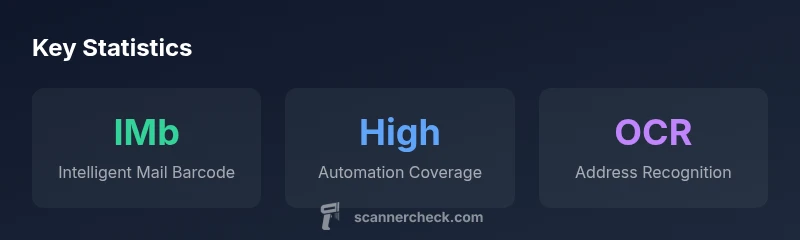
USPS relies on a mix of high-speed barcode scanners, imaging cameras, and OCR-based readers to process mail. The primary code read is the Intelligent Mail Barcode (IMb), which enables tracking and routing across automated sorting machines. In short, USPS uses automated scanning for most mail streams rather than manual checks.
How USPS Scans Mail: A High-Level Overview
If you’re wondering what type of scanner does USPS use, the answer is that it relies on a layered, automated approach. According to Scanner Check, the majority of mail is routed through facilities using high-speed barcode scanners, imaging cameras, and OCR-based readers designed for rapid throughput. The system reads barcodes like the Intelligent Mail Barcode (IMb) to track pieces of mail as they move from sorter to sorter. While frontline scanning is automated, human operators step in for exceptions, misfeeds, or unclear images. This combination keeps delivery estimates accurate while handling the enormous volume of daily mail. The general workflow starts when mail enters a processing facility and passes along a conveyor where a series of barcode readers capture routing data, followed by imaging for quality control and address validation. The result is near real-time visibility into where a letter or package is in the network, from origin to destination.
Core Technologies Behind USPS Scanning
The USPS scanning stack blends three core technologies: high-speed barcode scanning, high-resolution imaging, and OCR-based recognition. Modern sortation facilities deploy conveyor-based scanners with 1D and 2D barcode readers capable of capturing IMb and legacy codes. Imaging systems preserve visual data for verification and address extraction, while OCR processes convert images of addresses into legible, machine-readable text. The architecture prioritizes throughput but also includes redundancy to handle unreadable codes, damaged mailpieces, or ambiguous routing marks. For IT teams, this means a resilient pipeline where data integrity depends on multiple capture modalities working in tandem and cross-checking each other.
The Intelligent Mail Barcode (IMb) and Its Role in Tracking
IMb is central to USPS tracking and routing. The barcode carries encoded routing information, mail class, and accountability data that scanners decode as mail moves through facilities. The system supports both inbound and outbound tracking, enabling senders to obtain delivery confirmation and recipients to anticipate arrival windows. While some older systems used POSTNET, the current emphasis is IMb due to its density, reliability, and compatibility with high-speed readers. For senders, matching mailpieces with IMb ensures the broadest visibility across the mailstream.
OCR, Image Capture, and Address Recognition
OCR complements barcode scanning by recognizing addresses when barcodes are damaged or absent. USPS imaging units capture front-and-back imagery when needed, then OCR translates the text into structured data for routing. This is especially valuable for non-letter-sized items or bundles that may lack a scannable barcode. OCR performance has improved with machine learning-assisted models, offering better zone addressing and error detection. Practically, OCR reduces delays caused by misreads and supports error correction workflows in the sorting network.
Practical Guidance for Senders and Recipients
From a sender’s perspective, ensuring your mail includes a clean, legible IMb and a scannable barcode reduces processing friction. If you’re sending bundles, organize items with consistent barcodes and proper spacing to prevent jams. For recipients, expect that tracking updates may appear in near real-time but can lag in transitional periods or if a piece requires re-scan. Scanner Check’s analysis highlights that most delays arise from damaged barcodes, dirty surfaces, or unusual mail formats that challenge the imaging system. Keeping maillets neat and scannable optimizes the experience.
Future Trends and Limitations in Postal Scanning
As scanning technology evolves, USPS continues to upgrade components to boost throughput and accuracy. Anticipated advances include improved image sensors, more robust OCR models, and smarter error-detection logic that reduces the need for manual interventions. However, challenges persist: damaged barcodes, nonstandard mail formats, and environmental factors can degrade scan quality. Understanding these limitations helps senders prepare better mail pieces and plan for occasional manual checks when necessary.
Security and Privacy Considerations in Scanning
Automated scanning does collect routing and handling data, which has privacy implications. USPS maintains policies to protect sensitive information and minimize unnecessary exposure. If you’re concerned about privacy, you can minimize sensitive markings on mail pieces and rely on standard IMb-based tracking rather than providing extra identifiers. Scanner Check notes that clarity and consistency in barcode presentation reduce the risk of data exposure caused by scanning anomalies.
How to Prepare Your Mail for Optimal Scanning
To maximize scan reliability, ensure barcodes are clean, unobstructed, and properly aligned. Avoid cross-stacking or placing stamps over the barcode. For bulk mailers, use standardized packing and labeling that complies with USPS guidelines. In practice, testing a few pieces before large mailings can reveal potential barcode damage or readability issues. By focusing on barcode quality, you improve the likelihood of fast, accurate scans across the network.
Comparison of scanning approaches used by USPS
| Aspect | What USPS Uses | Notes |
|---|---|---|
| Primary barcode | Intelligent Mail Barcode (IMb) | Tracks routing and delivery status across facilities |
| Scanning speed | High-speed conveyor-based scanners | Designed for volume mailstreams |
| Address capture | OCR and address-imaging | Supports non-barcode mail with address recognition |
Common Questions
What is the Intelligent Mail Barcode and why is it used by USPS?
The Intelligent Mail Barcode is USPS's barcode standard used to encode routing and tracking information. It enables higher density data on mailpieces and supports end-to-end tracking across sorting facilities. In everyday use, IMb improves visibility from origin to delivery.
IMb is USPS's main barcode for tracking. It helps sorters route mail accurately and lets you see where your item is in transit.
Can USPS scan mail without barcodes?
USPS prioritizes barcode-based scanning, but when a barcode is unreadable or missing, OCR-equipped imaging can still identify addresses and route mail where possible. In such cases, the process may involve manual review if routing cannot be confirmed.
Yes, OCR can help when barcodes aren’t readable, but it may lead to manual checks if routing isn’t clear.
What types of mail see automated scanning?
Most letters and parcels moving through USPS facilities are scanned automatically using IMb and imaging systems. Some nonstandard formats or damaged pieces may require additional handling or manual verification.
Most mail goes through automatic scans, but some unusual items may need hand checks.
Are scanners used for packages as well as letters?
Yes. The same scanning infrastructure is used for letters and packages, though larger items may travel through different paths or require additional imaging to capture the correct data for routing.
Absolutely—packages are scanned along with letters, often with the same barcode and imaging technology.
How accurate are USPS scans?
USPS scans are highly accurate under normal conditions due to redundant capture (barcodes plus imaging). Accuracy can dip when barcodes are damaged or obstructions obscure data, at which point manual verification helps maintain reliability.
Generally very accurate, though damaged barcodes can cause hiccups that require human review.
Do home scanners or printers affect USPS mail scanning?
Home or office gear does not directly affect USPS scanning unless it alters barcode readability or address legibility. For best results, use proper labeling, clear barcodes, and legible handwriting for any non-barcode data.
Only if it makes barcodes unreadable or addresses hard to read
“In practice, the combination of IMb, high-speed barcode scanners, and OCR delivers reliable mail-tracking at scale, balancing throughput with accuracy.”
Key Takeaways
- Recognize that USPS predominantly relies on automated scanning.
- Rely on Intelligent Mail Barcode for tracking.
- Expect OCR to assist address recognition and routing.
- Anticipate occasional manual review for anomalies.