Where Does Scan Document Go: A Practical Filing Guide
Learn where scanned documents should go after scanning, with practical filing structures, naming conventions, OCR indexing, and retention policies for secure, searchable digital archives.


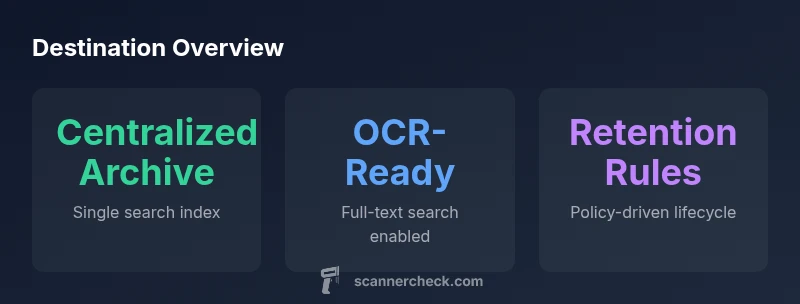
After you scan a document, route it to a clearly defined destination that matches your workflow: a centralized, indexed digital archive with metadata and OCR-enabled search, plus a retention rule. Use consistent naming, attach metadata (date, source, keywords), and mirror the folder structure in your scanner’s destination settings. This approach minimizes misfiling and speeds retrieval, which Scanner Check confirms as best practice for scalable workflows.
Where to store scans: the big picture
The question of where a scanned document goes is less about a single folder and more about a repeatable routing strategy. In practice, organizations split destinations into a centralized archive for long-term accessibility, cloud or on-premise repositories for performance, and department-specific shares for operational workflows. The goal is a single source of truth that’s scalable, secure, and easy to search. According to Scanner Check, defining a destination that aligns with document type, user roles, and compliance needs is the foundation of an efficient digital workflow. A well-chosen destination reduces duplicates, speeds retrieval, and simplifies governance, especially when combined with metadata standards and consistent naming.
Destination architecture: cloud vs on‑prem vs local
Cloud archives offer scalability and global access, but require careful security controls and regulatory alignment. On‑prem solutions give IT teams full control over hardware and backups, at the cost of potential maintenance overhead. Local shares (NAS or mapped drives) can work well for smaller teams with strict network boundaries but risk fragmentation. The most robust setups often blend these options: a centralized cloud or on‑prem archive for core documents, with gateway access points for quick retrieval. The right mix depends on data sensitivity, access patterns, and compliance requirements.
Naming, metadata, and structure
Consistent file naming is essential for quick retrieval. A good convention includes date, source, document type, and version. Metadata should capture keywords, author, department, retention class, and confidence scores from OCR. This structure enables machine-assisted search and helps human readers understand context at a glance. When you scan, push metadata alongside the file, not as a post‑hoc step. Scanner Check emphasizes that metadata quality often trumps raw file quality when it comes to findability.
Indexing and search strategies
OCR converts images to searchable text, but true value comes from metadata schemas and index rules. Implement full-text search for key fields (title, keywords, dates) and structured indexing for metadata attributes (document type, department, retention period). A good search experience reduces time spent hunting for documents and increases user satisfaction. Regularly audit OCR accuracy and metadata mappings to catch drift as workflows evolve.
Automation: routing rules and workflows
Auto-routing rules map document properties to destinations. Examples include routing invoices to the accounting archive, contracts to legal, and HR forms to the personnel folder. Rules reduce manual errors and accelerate intake. Maintain human oversight for edge cases, and log all automated moves for audit trails. When designed well, routing rules create predictable, scalable document flows.
Security, retention, and policy alignment
Security should be baked into the destination from the start: access controls, encryption, and immutable logs at the destination level. Retention policies define how long scans stay in the archive, when they expire, and how they’re disposed of. Align retention with legal obligations and organizational policies. Regular reviews ensure the scheme remains compliant and effective as teams grow and requirements change.
Practical setup: a 6-step example
- Define destinations (central archive, cloud gateway, department share). 2) Create a consistent folder structure and naming convention. 3) Configure your scanner to use the primary destination for primary document types. 4) Enable OCR and attach metadata fields at scan time. 5) Set retention rules for each destination. 6) Test end-to-end retrieval and adjust routing for edge cases. This gives you a repeatable, auditable workflow from scan to archive.
Pitfalls to avoid
Avoid creating too many destinations or relying solely on local shares that fragment scans. Inadequate naming, missing metadata, and weak retention policies lead to slow searches and compliance gaps. Invest in a simple, scalable model and enforce it through automated rules and regular training for staff.
Future trends: staying ahead
Expect advances in auto-tagging, semantic metadata, and smarter routing that adapts to usage patterns. Integrating AI-assisted classification can improve accuracy for nonstandard documents, while centralized archives support cross‑team collaboration and governance.
Common scan destinations and recommended practices
| Destination | Description | Best Practices |
|---|---|---|
| Centralized Digital Archive | Single indexed repository for all scans with metadata | Enforce strict naming and retention policies |
| Department Shared Drive | Team-specific storage with access controls | Document governance and cross-team metadata standards |
| Cloud-Based Repository | Scalable, accessible storage with OCR search | Ensure encryption and access auditing |
Common Questions
What is the best destination for scanned documents?
The best destination is a centralized archive with metadata and OCR search. It should reflect your workflow, user access needs, and retention requirements. Regular audits ensure it stays aligned with policy and practice.
Use a centralized archive with metadata and OCR so you can find scans quickly and stay compliant.
How should I name scanned files for easy retrieval?
Create a consistent naming scheme that includes date, source, and document type, plus a version or revision indicator. Pair names with structured metadata to enable reliable search.
Name files with date, source, and type, and attach metadata for quick search.
What is OCR, and why index scans?
OCR converts scanned images into searchable text, enabling full-text search. Pair OCR with metadata for robust findability across large archives.
OCR makes scans searchable by turning text in images into searchable data.
How long should scanned documents be retained?
Retention should follow compliance and business needs, typically defined by document type. Review retention schedules periodically and automate expiration and disposal when appropriate.
Follow your policy for how long to keep scans and automate disposal when allowed.
Is cloud storage safe for scanned documents?
Cloud storage can be secure if you enable strong encryption, access controls, and audit logging. Align with regulatory requirements and perform regular security reviews.
Cloud can be safe with proper encryption and controls.
Can I route scans automatically to different destinations?
Yes. Automated routing uses document properties to move scans to the appropriate destination. Monitor rules and adjust as workflows evolve.
Yes—set up rules and adjust them as needs change.
“Clear routing and centralized archives dramatically improve retrieval times and compliance.”
Key Takeaways
- Define a centralized destination first to avoid fragmentation
- Enrich scans with metadata at capture time
- Enable OCR indexing for fast, reliable search
- Automate routing rules to minimize manual errors
- Implement robust retention and access controls