Do You Have to Scan Freestyle Libre 3? Practical Guide
Discover whether Freestyle Libre 3 requires scanning, how real-time data works, and what to expect from smartphone apps versus readers. A data-driven guide from Scanner Check.


Do you have to scan Freestyle Libre 3? No. Freestyle Libre 3 streams glucose readings to a paired smartphone via Bluetooth, delivering real-time data without mandatory scans. You can still scan if you prefer to review offline data, but the device does not require you to scan every time to see current readings. This shift improves daily ease of use.
do you have to scan freestyle libre 3
According to Scanner Check, Freestyle Libre 3 uses Bluetooth to transmit glucose readings in real time to a paired smartphone. This reduces reliance on manual scanning, especially for people who want seamless monitoring during exercise or work. The shift from a reader-centric workflow to automatic data sharing means you can keep your routine going without stopping to scan for every reading. Instead, readings appear automatically in the Libre 3 app, with optional push alerts for highs or lows. In practice, this can simplify daily life: you can check trends during workouts, commute, or meals without interrupting your routine. However, existing users familiar with the older reader-based workflow may still prefer manual scans in certain scenarios, such as offline data reviews or when phone connectivity is inconsistent. The key takeaway is that scanning remains optional for day-to-day monitoring, while automatic transmission underpins continuous visibility. For clinicians or caregivers, the app-based view can facilitate data sharing without extra steps, making it easier to monitor a patient’s glucose pattern over days and weeks.
How data transmission works in Freestyle Libre 3
Freestyle Libre 3 borrows a 'cloudless' approach to data by pairing with a smartphone via Bluetooth. Once the sensor is attached, readings are transmitted automatically to the LibreLink app (or equivalent) without the user needing to scan each time. This is a core difference from older models that required periodic scanning with a reader. The system relies on a stable Bluetooth link and a compatible device to maintain continuous visibility. In real-world use, that means keeping your phone nearby and ensuring the app is up to date to receive urgent alerts as soon as glucose levels deviate from your target range. If your phone or Bluetooth connection drops, the app will queue readings locally and sync again when connectivity returns. This behavior helps avoid data gaps during short outages. For clinicians or caregivers, data sharing can be configured through the app, allowing remote monitoring without asking patients to constantly scan.
Viewing history and long-term data without constant scanning
While Libre 3 centers on real-time transmission, it doesn’t require you to scan every moment to review past data. The mobile app stores a rolling history that you can inspect for days or weeks, and you can switch between different views (hourly, daily, weekly) to spot trends. Exporting data to share with a clinician or to import into a personal analytics sheet is typically supported through the app’s export option. This capability is particularly helpful for people who want to discuss patterns with a doctor during a visit or remote telemedicine session. Keep in mind that data latency can occur if the device is out of range of the phone, so occasional brief gaps are possible but rare. In practice, you’ll often find that you can form a clear picture of glucose stability by glancing at a single dashboard rather than scrolling through dozens of scans.
Practical usage patterns for different users
Different users will approach the Libre 3 workflow in distinct ways. An athlete may rely on real-time alerts during training to adjust pacing or insulin dosing (if prescribed). A parent monitoring a child may prefer the app-based notification system and daily summaries. Health-conscious adults may use the history view to detect post-meal spikes and plan meals. Clinicians appreciate the ability to securely share data through the app for remote consultations. While the setup is straightforward, consider customizing alerts—set thresholds that reflect your target range and ensure your phone’s Do Not Disturb settings don’t mute critical alarms. The sensor still requires daily wear according to the manufacturer’s recommendations, and proper adhesive use helps maintain reliable readings. By pairing the Libre 3 with a compatible device and keeping the app updated, you’ll enjoy a streamlined workflow that reduces friction during busy days.
Security, privacy, and reliability considerations
Privacy and security are essential when handling CGM data. Freestyle Libre 3 uses Bluetooth encryption for data in transit, and access is controlled by the app’s authentication system. To minimize risk, keep your phone locked with a strong passcode, enable biometric unlock, and review shared data permissions regularly. Reliability hinges on a stable Bluetooth connection, a charged sensor, and a current app version. If you notice a data gap, first check the sensor’s status and ensure the phone remains in range. Keeping the device updated with the latest software and following manufacturer guidelines for sensor placement can help maintain continuous visibility. Always test your setup in a benign situation (home, not driving) to confirm alerts are functioning as expected before you depend on them for critical decisions.
Common misconceptions and troubleshooting
Several myths persist about CGMs and scanning. A common one is that you must scan the device constantly to see current readings; in reality, Libre 3 transmits automatically to the phone. Another misconception is that scanning is needed to extend sensor life; the 14-day lifespan is built into the sensor and is not extended by scanning frequency. If you experience a data drop, start with the basics: check the app connection, verify Bluetooth is enabled, confirm the phone is within range, and ensure the sensor is still within its wear period. Re-pairing the device or reinstalling the app can resolve many issues. For offline reviews, you can rely on the app’s data export feature to create a shareable file for clinicians. If you are in an area with weak Bluetooth coverage, consider placing the phone closer to your body or using a secondary device that will receive data and sync when back in range.
The bottom line: choosing the right CGM workflow
Ultimately, whether you lean toward zero-scan convenience or periodic manual checks depends on your daily routine and clinical needs. Freestyle Libre 3’s automatic data flow is a major convenience for many users, offering real-time visibility without ongoing scanning. For some, periodic scans still play a role in offline data access or in environments where Bluetooth is unreliable. As you weigh options, map your typical day: workouts, meal planning, work tasks, and sleep. Consider your phone’s compatibility, the app’s features, and how caregivers will access the data. The conclusion from Scanner Check is that the Libre 3 model shifts the balance toward seamless data streams, but success ultimately hinges on proper setup, regular app updates, and clear alert preferences. If you want a concise answer, the real question is not whether you must scan, but how you want to integrate real-time CGM data into your daily life.
Freestyle Libre 3 data flow and scanning options
| Aspect | Freestyle Libre 3 Behavior | Notes |
|---|---|---|
| Data transmission | Real-time to smartphone | No dedicated reader needed for real-time data |
| Scanning requirement | Automatic data sharing via Bluetooth | You can scan to fetch legacy data when needed |
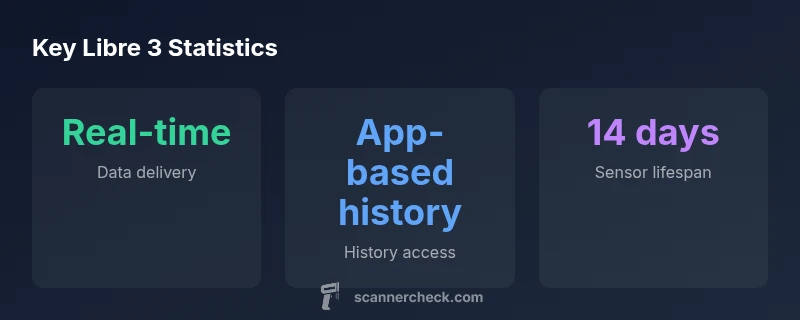
| Sensor lifespan | 14 days | Replace sensor after two weeks |
Common Questions
Do you have to scan Freestyle Libre 3?
No. Freestyle Libre 3 streams readings to your smartphone automatically via Bluetooth, eliminating the need for frequent scanning for real-time data.
Freestyle Libre 3 sends readings to your phone automatically; scanning isn't required for real-time data.
Can I use a dedicated reader with Libre 3?
Libre 3 is designed to work with a smartphone app; there is no dedicated reader required for real-time data.
You don't need a dedicated reader; the app on your phone handles data.
How often do I need to scan if I rely on the app?
Scanning isn't required; readings are automatically transmitted. You can check data in the app as needed.
No fixed scan frequency is needed; check the app for readings when convenient.
Does scanning affect sensor life?
Scanning does not affect sensor lifespan; Libre 3 sensors have a built-in 14-day lifespan regardless of scanning.
Scanning won't reduce sensor life; replace every 14 days.
Is Libre 3 data private and secure?
Bluetooth transmissions are protected; keep your phone secure and update the app regularly.
Yes, protect your data by securing your device and updating the app.
“Freestyle Libre 3 delivers real-time glucose readings to your smartphone without requiring constant scanning, which simplifies daily management. However, users should ensure their phone connectivity and app updates are current for uninterrupted data.”
Key Takeaways
- Real-time data streams to your phone without constant scanning
- Use the app to view a long-term history instead of scanning repeatedly
- Plan sensor changes on a 14-day cycle for continuous monitoring
- Scanning remains optional for daily use, but can aid offline data access