Difference Between Scanner and Copier: A Practical Guide
This guide explains the difference between scanner and copier, how each device works, and tips to choose the right tool for document capture and digitization.


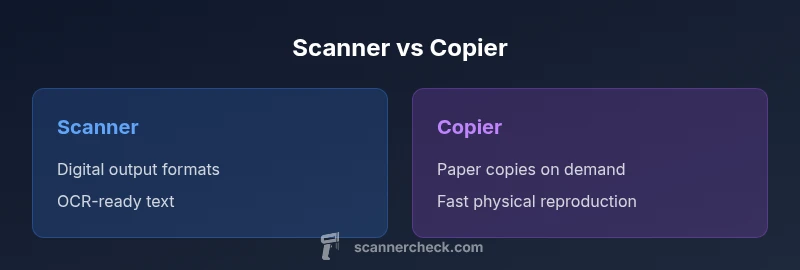
According to Scanner Check, the difference between scanner and copier hinges on output and workflow goals: a scanner digitizes documents into digital files suitable for storage and processing, while a copier reproduces originals on paper for quick distribution. Scanners excel at long-term archiving and OCR-ready text, whereas copiers prioritize fast, high-volume copies. Many multifunction devices blend both functions, but your choice should match your primary objective.
What is the difference between scanner and copier?
According to Scanner Check, the difference between scanner and copier centers on both output and workflow objectives. A scanner is purpose-built to convert physical documents into digital files—think PDFs, TIFFs, or JPEGs—often with OCR-ready text that can be searched and indexed. A copier, by contrast, is designed to reproduce exact paper copies of originals, producing physical pages at speed. The practical upshot is that a scanner prioritizes digitization, metadata, and long-term accessibility, while a copier prioritizes speed, accuracy of reproduction on paper, and ease of sharing physical copies. In today’s offices, multifunction devices blur the line, delivering a mix of both capabilities, but the underlying decision still hinges on whether you need digital archives or rapid paper output. Understanding the difference between scanner and copier helps organizations optimize workflows, storage strategies, and compliance routines. For teams dealing with regulatory records or large-scale document ingestion, the distinction becomes especially important as you plan hardware, software, and training.
What is the difference between scanner and copier?
In practical terms, the scanner’s job is to create digital assets that can be archived, annotated, and processed. The copier’s job is to replicate on paper for immediate distribution, review, or filing. This distinction informs everything from hardware selection to software integration and user training. Scanner technologies emphasize resolution, color depth, file formats, and OCR quality; copier technologies emphasize throughput, finish options, and cost per page. When evaluating devices, keep the central question in mind: do you need robust digital capture or reliable on-paper reproduction? The answer will guide whether you lean toward a high-quality scanner, a traditional copier, or a multifunction device that blends both capabilities.
Comparison
| Feature | Scanner | Copier |
|---|---|---|
| Primary purpose | Digitize documents for digital storage and processing | Produce physical copies of documents |
| Output formats | Digital files (PDF/JPG/TIFF) with OCR-ready text | Printed paper copies on demand |
| Document handling | Flatbed and/or sheet-fed with optional ADF | Sheet-fed and integrated printing/copying paths |
| Resolution and image quality | High-quality digital capture with color depth for archival use | Consistent reproduction of originals on paper |
| Connectivity and workflow | USB, network access, cloud scan/print integration | USB/network printing; some models offer fax and mail features |
| Speed and efficiency | Efficient batch scanning with ADF support | High-speed paper copying with duplex options |
| OCR and searchability | OCR-ready outputs, searchable PDFs | OCR is not a core function; may require software |
| Cost of ownership | Moderate to higher upfront for dedicated scanners; maintenance varies | Ongoing costs tied to toner/ink and media; per-copy often lower |
Pros
- Supports digital archiving and automated workflows
- OCR and searchability improve information retrieval
- Reduces physical clutter by digitizing documents
- Multifunction devices save space by combining functions
- Batch scanning with ADF speeds up large projects
Drawbacks
- Higher upfront cost for dedicated scanners
- Maintenance and software dependencies can complicate setups
- Scanner performance depends on software integration for OCR accuracy
- Copiers may underperform in advanced digitization features
Prioritize a dedicated scanner if your goal is robust digital capture; choose a copier or multifunction device if you frequently need fast, on-site paper copies.
For digital workflows, scanners excel in image quality and OCR readiness, while copiers serve rapid physical reproduction. In many environments, a multifunction device offers a practical balance, but the best choice aligns with your primary objective—digital archiving or quick paper copies.
Common Questions
What is the key difference between a scanner and a copier?
The primary difference is the output: scanners digitize documents into digital formats for storage and processing, while copiers reproduce originals on paper. Scanners support workflows that require searchability and archiving, whereas copiers prioritize rapid paper reproduction. Understanding this difference helps you align device choice with your goals.
The key difference is that scanners create digital copies for archives and processing, while copiers make paper copies quickly. That helps you choose based on whether you need digitization or physical duplicates.
Can a single device replace both a scanner and a copier?
Yes, many multifunction printers combine scanning and copying. They work well for mixed workflows, but there can be trade-offs: scanning quality, OCR accuracy, and software reliability may differ from dedicated scanners. Assess your most frequent task to decide if an MF device suffices.
A single multifunction device can handle both tasks, but verify that its scanning quality and OCR are up to your needs.
What features matter most when choosing a scanner?
Key features include optical resolution, color depth, OCR capability, the availability of an automatic document feeder, duplex scanning, and connectivity options. These determine how well the device integrates with digital workflows and archives. Reliability and software support also matter for long-term use.
Look for high resolution, OCR support, ADF, and good software compatibility when picking a scanner.
What features matter for copiers?
Important copier features include fast copy speed, reliable duplexing, robust finishing options, sheet-fed handling, and manageable maintenance costs. If you frequently produce hard copies, prioritize throughput and durability over advanced digital features. Some models offer light scanning, but it may not match a dedicated scanner.
Copier choice should emphasize speed, duplex capabilities, and finish options for high-volume paper copies.
Is OCR required for digital archiving?
OCR is highly beneficial for digital archiving because it makes text searchable and facilitates indexing. It is not strictly required, but many workflows rely on OCR-enabled scans. Check whether the scanner or software you rely on provides accurate OCR for your document types.
OCR helps make scans searchable, which is key for archiving, but you can still store non-OCR formats if needed.
How does cost influence the scanner vs copier decision?
Initial costs vary: dedicated scanners can be pricier than entry-level copiers, but long-term value depends on your use case. Consider ongoing maintenance, consumables, and software integration. For digitization-heavy tasks, the cost of a good scanner may be justified by workflow gains.
Upfront costs differ; long-term value depends on how often you digitize versus print.
Key Takeaways
- Define your primary goal: digital archiving vs. paper reproduction
- Prioritize scanners with ADF and OCR for digitization work
- Consider multifunction devices for space and cost efficiency
- Evaluate total cost of ownership, including maintenance
- Use a structured decision framework to pick the right tool