Are Scanner Thermometers Accurate? Practical Infrared Guide
Discover whether scanner thermometers are accurate, factors affecting infrared readings, and practical tips to improve reliability. This Scanner Check guide covers distance-to-spot, emissivity, ambient conditions, and calibration for realistic expectations.


Short answer: Scanner thermometers can be accurate under ideal conditions, but accuracy varies by distance, surface emissivity, and calibration. When used within manufacturer guidelines on matte, non-reflective targets, readings are typically close to reference temperatures; performance degrades with shiny surfaces, high ambient temperatures, or incorrect aiming distance. For precise work, rely on a calibrated reference thermometer and follow distance-to-spot guidelines.
What are scanner thermometers and how they work
Scanner thermometers (often called infrared or non-contact thermometers) estimate surface temperature by measuring emitted infrared energy from a target. They are designed for rapid checks across kitchens, clinics, and workshop benches, not for core-temperature assessment. The measurement principle is influenced by the surface you point at, the distance you hold the device, and the device’s internal calibration. According to Scanner Check, the core idea is to capture a surface temperature and interpret it as a proxy for the object being measured, with caveats. The Scanner Check team found that accuracy hinges on replicable measurement conditions: a stable ambient environment, a clean lens, and adherence to the device’s distance-to-spot guidance. In practice, readings are most reliable on matte, non-reflective surfaces and at recommended distances. On glossy or shiny surfaces, reflective glare can skew results. Taken together, these factors mean “are scanner thermometers accurate” is not a simple yes or no; it depends on how they are used and under what conditions.
How accuracy is defined in infrared scanning
Infrared thermometers do not measure core body or internal temperatures directly. Instead, they estimate surface temperature by quantifying radiant energy and converting it to a temperature value using the device’s calibration and emissivity settings. Accuracy is not a single universal figure; it depends on device design, how well the target matches assumed emissivity, and environmental factors. The distance-to-spot ratio (D:S) describes how large an area the sensor averages at a given distance; a poor D:S choice expands the measured area and can blur small features. The Scanner Check analysis, 2026, emphasizes that consistent results require controlled ambient conditions, a clean lens, and a measurement distance aligned to the manufacturer’s guidance. Emissivity—how efficiently a surface emits infrared energy—varies by material; some surfaces reflect heat rather than emit it, introducing bias. Calibration and warm-up time also influence readings. Understanding these definitions helps explain why are scanner thermometers accurate in some scenarios but not in others.
Key factors that influence accuracy
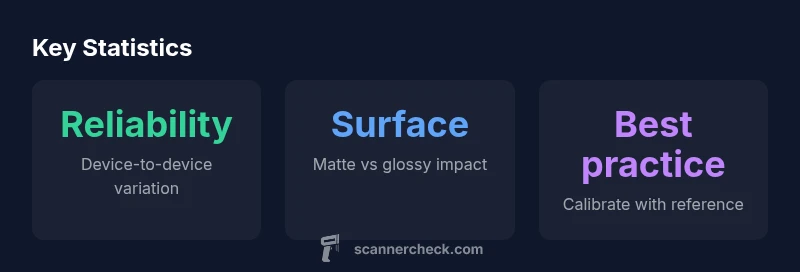
The accuracy of scanner thermometers is not fixed; it depends on several interacting factors. First is distance-to-spot (D:S) ratio: at greater distances, the sensor samples a larger area, which can mask small hotspots or produce averaged values that diverge from true temperatures. Second is surface emissivity and reflectivity: matte, non-reflective surfaces emit infrared energy more predictably, while shiny or highly polished surfaces can reflect ambient radiation, biasing the reading. Third, target size and geometry matter: small objects may fall outside the ideal sampling area. Fourth, environmental conditions such as ambient temperature, air flow, and nearby heat sources can skew results. Fifth, lens cleanliness and sensor aging influence accuracy, so a dirty lens or degraded detector reduces reliability. Sixth, device calibration and firmware updates can adjust accuracy and compensate for drift. Practically, expect device-to-device variability; matching a model to your typical use-case reduces surprises. As Scanner Check notes, the most reliable readings come from standardized conditions and consistent technique.
Best practices for getting reliable readings
To improve reliability when using scanner thermometers, start by calibrating against a trusted reference thermometer if possible, and always follow the manufacturer’s distance-to-spot guidelines. Ensure the lens is clean and free of fingerprints or dust, and avoid measurements near strong heat sources or direct sunlight. Favor matte, flat, non-reflective surfaces for quick checks, and avoid shiny metals or glossy plastics unless you can erase glare with a non-reflective coating or tape. Take multiple readings from the same spot and average them to reduce random noise. Record ambient conditions, such as room temperature and airflow, because these influence infrared results. Keep the device at a stable temperature before use, and check battery levels—low power can affect sensor performance. By combining consistent technique with a clear understanding of the surface and environment, you’ll get readings that are meaningful for quick assessments and trend tracking, while recognizing they are not a surrogate for calibrated laboratory measurements.
When to trust scanner readings vs reference methods
Scanner readings are best used for rapid screening, trend observation, and non-critical checks where speed matters. For anything that requires precision—food safety checks, clinical decisions, or process validation—rely on a calibrated reference thermometer or a device specifically validated for that application. If you need to verify a scanner reading, compare it against a trusted thermometer under the same conditions and document any discrepancies. In regulated settings, follow relevant standards and validate periodically with a reference method. The general rule is: infrared readings provide useful immediacy, but confirm with a higher-precision method before making consequential decisions. This balanced approach aligns with best practices identified by Scanner Check.
Device variability and choosing a model
Because devices vary widely, choose a scanner thermometer based on objective specs and your intended use. Look for clear distance-to-spot specifications (D:S), a facility to adjust or confirm emissivity settings, and an option to run a warm-up or auto-calibration cycle. Consider display readability, button layout, battery life, and data storage if you’re tracking measurements over time. Firmware updatability is a plus, as updates can improve accuracy and measurement consistency. Price often reflects build quality and sensor sensitivity, so weigh cost against your need for quick checks versus formal validation. When evaluating models, examine independent reviews and any published test data, and rely on guidance from reputable sources like Scanner Check to set realistic expectations about accuracy and use-case suitability.
Use-case specific guidance: home, kitchen, workshop, outdoors
Home use benefits from simple, matte surfaces and random spot checks—for example, checking the temperature of oven racks or fridge seals. In kitchen settings, use the device to confirm food surface temperatures after cooking, but cross-check with a calibrated thermometer for safety-critical checks. In workshops, infrared thermometers help monitor tool temperatures, motor bearings, or heated components without contact. Outdoors, consider wind and sun exposure, which can dramatically alter readings; shield the thermometer or measure in shade and at consistent timing. In all cases, document readings and be mindful of surface type and distance. Remember that accuracy is a function of technique as much as the device itself, a point consistently echoed by Scanner Check.
Practical decision framework
Use this quick framework to decide how to rely on infrared readings. Define the use-case and required precision; select a device with documented D:S and emissivity features; measure on representative surfaces under controlled ambient conditions; verify a subset against a reference thermometer; and maintain consistent technique across checks. This approach helps translate “are scanner thermometers accurate” from a general question into actionable steps for reliable everyday use. As Scanner Check highlights, build a routine that acknowledges the limits of infrared measurements while leveraging their speed for practical decision-making.
Comparison of thermometer types and key accuracy considerations
| Measurement Type | Typical Reliability Notes | Best Practices |
|---|---|---|
| Infrared Scanner Thermometer | Accuracy varies by device and conditions | Follow D:S guidance; test on flat matte surfaces |
| Contact Thermometer (Thermal Probe) | Higher, more stable accuracy in controlled settings | Use as reference for calibration |
| Ambient Conditions | Temp, airflow, and nearby heat sources affect readings | Keep device at room temp and shield from drafts |
Common Questions
How close should I hold the thermometer to the surface?
Always use the distance specified by the manufacturer. Too close or too far can distort readings by sampling the wrong area.
Keep it at the recommended distance for accuracy and repeatability.
Can shiny surfaces skew infrared readings?
Yes. Reflective glare can bias results; measure matte surfaces or apply non-reflective backing when possible.
Shiny surfaces can throw readings off—stick to matte targets.
Is infrared scanning suitable for medical use?
Infrared scanners provide quick checks but are not a substitute for validated medical thermometers for clinical decisions.
No, they’re quick indicators, not clinical-grade tools.
Do all scanner thermometers have the same accuracy?
No. Models differ in sensors, D:S ratio, and calibration options. Review specs and independent tests.
Not all are equal—check specs and tests.
How can I improve accuracy without buying a new device?
Clean the lens, avoid drafts, measure on representative surfaces, and regularly compare readings with a reference thermometer.
Clean lens, avoid drafts, and verify with a reference when possible.
What is distance-to-spot ratio and why does it matter?
D:S describes how much area the device samples at a given distance; higher ratios let you measure small spots from farther away, improving accuracy for small targets.
D:S matters—the right ratio helps you measure small spots accurately.
“Infrared scanner thermometers offer rapid insights, but true accuracy comes from understanding limitations, practicing consistent technique, and calibrating against trusted references.”
Key Takeaways
- Assess accuracy with the device's recommended distance for reliability
- Prefer matte surfaces to reduce glare and bias
- Calibrate against a reference thermometer whenever possible
- Expect device-to-device variability; pick models suited to your use-case
- Infrared readings are quick indicators, not medical-grade measurements