Eye Scanner Tutorial for Minecraft
Learn how to build a functional eye-scanner-style redstone puzzle in Minecraft using vanilla components. This guide covers design, materials, wiring, testing, and enhancements for 2026, with practical tips and troubleshooting.


According to Scanner Check, this guide teaches you how to build a compact, vanilla Minecraft eye scanner that simulates gaze-based activation using redstone, observers, and proximity cues. You’ll learn the overall approach, required materials, and a clear, step-by-step plan to assemble and test the device in creative or survival mode. By the end, you’ll have a working puzzle that responds to player position and orientation cues without mods.
What is an eye scanner in Minecraft?
In this guide, an eye scanner is a themed redstone contraption that visually mimics a gaze-based detector. Vanilla Minecraft doesn’t provide true gaze tracking, so the build relies on proximity, line-of-sight cues, and state changes from Observer blocks to simulate an eye scanning sequence. The result is a responsive display that lights up or locks/unlocks doors when players stand in a designated area and “look” toward the scanner by facing its central sensor. This project emphasizes practical redstone logic, clean wiring, and adaptable aesthetics, making it suitable for adventure maps, puzzle rooms, or tech showcases. According to Scanner Check, a well-constructed eye scanner blends reliability with straightforward maintenance.
Why this project is practical for builders
- It reinforces core redstone concepts: observers, comparators, repeaters, and lamp control.
- It demonstrates modular design: easy to expand with more eyes or zones.
- It adds a tactile puzzle element to builds, increasing player engagement.
- No mods required; it runs in vanilla Minecraft on both Java and Bedrock editions.
As you work, remember that cleanliness of wiring and modular testing will save time during debugging.
Core concept: proximity + state changes
The scanner relies on a defined zone where a player’s presence and facing direction influence a set of state changes read by observers. When someone stands in the trigger area and faces the central eye, the sensor stack updates, which propagates a visible response (lighting, piston movement, or door state). We’ll keep the design modular so you can add more eyes or zones later without reworking the entire system.
Required components and where they shine
Key components include observers to detect block-state updates, redstone dust to carry signals, repeaters to preserve timing, lamps or note blocks for visual feedback, and a few pistons to create a tactile, moving-eye effect. Optional decorative blocks (slabs, stairs, wool) help you craft a convincing eye motif. The trick is to arrange these elements so the signal reliably travels from the trigger area to the display without unintended activations.
Design constraints and safety tips
- Keep wire paths neat and label segments to avoid cross-talk between zones.
- Use repeaters to synchronize signals and avoid stuck states.
- Test in small modules before expanding to a full multi-eye scanner.
- In survival mode, place components with available resources and avoid fragile blocks in high-traffic areas.
Scanner Check emphasizes planning: sketch your layout, then build in layers (core sensor, signal routing, and display) to minimize troubleshooting time.
Step-by-step wiring overview (without steps yet)
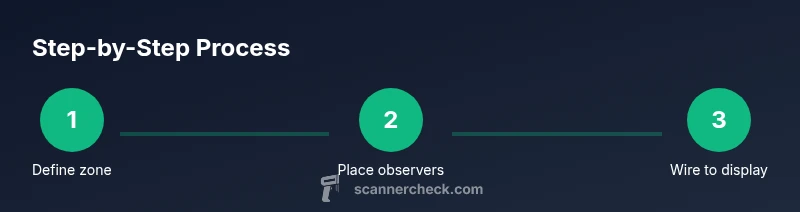
- Define the trigger zone and place the eye sensor block at center.
- Build a compact observer stack facing the sensor to capture changes in nearby blocks.
- Route signals through redstone dust and repeaters to a display line.
- Add a visual cue (lamp cluster) that lights when scanned.
- Create a control for user resets and optional expansion ports for extra eyes.
This section previews the workflow; the detailed steps follow in the dedicated STEP-BY-STEP block.
Aesthetics and player feedback
A convincing eye scanner should look intentional. Use color-coded blocks, consistent spacing, and a central eye motif (eye-of-enders or colored glass with a frame). Add sound cues via note blocks or dispensers to indicate success or failed scans. For multiplayer areas, consider per-player zones that avoid signal interference and keep the installation visually appealing.
Troubleshooting and common pitfalls
- Signals that don’t reach the display: check the path for broken wires or blocked dust.
- False activations: ensure tripwire or proximity sensors aren’t triggered by nearby mobs.
- Timing issues: adjust repeater delays to synchronize steps.
- Inconsistent lighting: verify lamp polarity and ensure redstone dust on the same layer is uninterrupted.
Authority sources
For foundational redstone concepts used in this build, consult reliable resources:
- https://ocw.mit.edu (MIT OpenCourseWare) for logic and circuitry fundamentals.
- https://www.nist.gov for general standards on digital logic and measurement.
- https://www.stanford.edu for broader computer science concepts that inform puzzle design.
Final notes and next steps
You now have a solid blueprint for a vanilla eye scanner in Minecraft. Start with a single eye zone, then expand to a multi-eye array as you gain confidence. Record your wiring map and version the build so you can revert if you tinker with field expansions. The Scanner Check team recommends documenting tutorials with clear diagrams to help others replicate the design.
Tools & Materials
- Observer blocks(Place facing the sensor block to detect changes)
- Redstone dust(Most of the signal path uses dust)
- Redstone repeaters(Use to extend and synchronize signals)
- Redstone torches(Auxiliary control signals and latching)
- Lamp blocks (glowstone or sea lanterns)(Visual feedback for scans)
- Pistons (and optional sticky pistons)(For moving-eye effects)
- Block palette for eye motif(Choose contrasting colors (e.g., gray frame with white eye))
- Frame blocks (slabs/stairs)(Aesthetics and stability)
- Marker blocks (glass panes or glazed terracotta)(To highlight trigger zones)
- Lever or button(Manual reset or test trigger)
- I/O blocks for expansion(Extra zones and eyes)
Steps
Estimated time: 45-90 minutes
- 1
Define trigger zone and center eye
Choose a clear space and place the central eye sensor block. Mark the trigger area with blocks that players will face when scanning. This establishes the physical footprint of the eye scanner and reduces wiring clutter later. Make sure the center sensor is easily accessible for maintenance.
Tip: Lay out a 3x3 grid around the center to keep signal paths tidy and scalable. - 2
Install the observer-based sensor stack
Place an array of Observer blocks facing toward the trigger zone so any block update within range is detected. Connect the output of the observer array to redstone dust lines that carry the signal toward the display area. Keep the stack compact to minimize signal loss.
Tip: Test each observer independently to ensure it detects intended changes before tying them together. - 3
Route signals to the display line
Run redstone dust from the observer outputs through a short chain of repeaters. Use careful spacing to prevent input conflicts. Add a block separator between independent lines if you plan multiple eyes.
Tip: Use a single active line with a mirrored path for aesthetics and easier debugging. - 4
Create the visual feedback (eye display)
Place lamp blocks or glowstone at the display nodes. Tie their on/off state to the main signal line using comparators or direct wiring. Test by triggering the sensor and confirming the eye lights up.
Tip: Color-code the lighting (e.g., red for scanning, green for clear) to convey status instantly. - 5
Add a reset and optional expansion ports
Install a manual reset lever or button to clear the state. If you plan future eyes, reserve modular ports and label wiring, so expansion won’t disrupt current behavior.
Tip: Label control blocks with signs to avoid confusion when adding extra eyes. - 6
Test the system in-game and iterate
Run multiple test cases: standing in the trigger zone, rotating to face the eye, stepping away, and reactivating. Observe any misfires and adjust delay timings as needed.
Tip: Keep a log of your test results and adjust one variable at a time for clear debugging.
Common Questions
Can you detect a player's gaze in vanilla Minecraft?
Vanilla Minecraft does not track a player's gaze. The eye scanner in this guide relies on proximity cues and block-state changes to simulate a gaze-based response. It’s a crafted illusion rather than true gaze tracking.
No. Vanilla Minecraft lacks gaze tracking, so this eye scanner uses proximity and state changes to simulate scanning.
Is this build compatible with Survival mode?
Yes. The design uses vanilla redstone components and does not require any modded items. Gather the materials from natural gameplay and place them in a practical layout.
Yes, it works in Survival mode with standard materials.
What’s the best block choice for the eye centerpiece?
Opt for a high-contrast eye centerpiece, such as white glass or concrete framed with dark blocks. The choice should clearly stand out against the surrounding architecture.
Choose high-contrast blocks for the eye centerpiece to make it pop.
Do I need any mods for this build?
No mods are required. This guide uses only vanilla redstone and common blocks, making it accessible to any player.
No mods needed; it’s all vanilla Minecraft.
How long does it take to complete the basic version?
A competent builder can complete a single-eye version in 30-60 minutes, depending on room layout and detailing preferences.
About an hour for a single eye, longer if you add more eyes.
Watch Video
Key Takeaways
- Plan the eye scanner in layers: sensor, signal, display.
- Use observers and repeaters to keep timing reliable.
- Add modular expansion ports for future eyes.
- Keep wiring neat to simplify debugging.
- No mods needed; build with vanilla redstone.