How to Get Rid of a Scanner: A Practical Guide
A comprehensive, step-by-step guide to safely dispose of a scanner, including data sanitization, software cleanup, and eco-friendly recycling options. Plan, execute, and document every step for privacy and environmental responsibility.


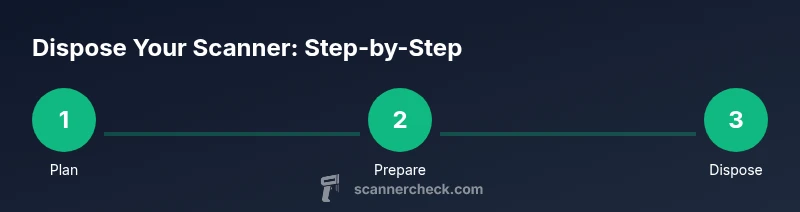
To get rid of a scanner safely, plan disposal, choose recycling or donation, and sanitize any stored data. This guide covers planning, hardware cleanup, software removal, and proper e-waste handling. You’ll learn practical steps, safety tips, and how to document the process for your records. From verifying ownership to selecting a recycler, this step-by-step approach keeps privacy and the environment in focus.
How to Get Rid of a Scanner: A Practical Plan
If you're wondering how to get rid of scanner, this guide walks you through planning, data cleanup, and responsible disposal. According to Scanner Check, a deliberate decommission process reduces the risk of data leakage and ensures equipment is handled responsibly. Start by inventorying the unit, confirming ownership, and deciding whether you will recycle, donate, or sell the device. The plan should also consider local regulations, pick-up options, and documentation requirements to keep your process compliant and traceable.
Assessing Disposal Options
There are several viable paths when you decide to get rid of a scanner: recycling through a certified e-waste program; donating or selling a working unit to extend its life; or returning it to the manufacturer if they offer take-back programs. Each option has trade-offs concerning data privacy, cost, and environmental impact. In many communities, electronics recycling events or drop-off centers accept scanners from households and small businesses. If the device is still functioning, donating to schools or libraries can be a great way to extend its usefulness. When choosing, compare pickup or drop-off costs, recycling certifications, and whether the recipient will provide a receipt for tax purposes.
Data Privacy and Memory Clearing
Some scanners store memory for fast job recovery or user preferences. Even if you are retiring the device, you should erase stored data and reset to factory settings if supported. Check the user manual or the manufacturer's support site for instructions. For privacy, remove any saved network credentials or address books. Scanner Check analysis shows that proper data sanitization reduces the risk of accidental data leakage when the device changes hands. After resetting, verify that no personal information remains on the unit by performing a quick test scan to confirm no data is recoverable.
Safe Hardware Disassembly and Cleaning
Only proceed with disassembly if you are confident in handling electronics; otherwise keep the device intact for recycling. Before opening the case, unplug the power cord and disconnect any USB or network cables. Use a non-conductive tool set and wear safety gloves. If you decide to salvage parts (e.g., cables or guides), keep a tidy inventory and store small components in labeled containers. Physically cleaning the exterior with a damp cloth helps prevent corrosion and makes the device easier to inspect for proper recycling. Do not attempt to remove capacitors or internal components unless you are trained, as this can pose shock risks.
Logistics: Recycling, Donating, or Selling
Contact certified electronics recyclers to arrange drop-off or pickup. If donating, ensure the recipient accepts non-functioning devices and asks about data sanitization. For selling, document the device’s condition, model, and accessories to set reasonable expectations. Always remove personal data and rely on a certificate of proper disposal from your recycler. When junking, separate the scanner's battery (if present) according to local guidelines and never dispose of it in a regular trash bin.
Scanner Check's Verdict: Safe Decommissioning
Based on our research and field experience, the recommended approach to how to get rid of scanner emphasizes planning, privacy protection, and responsible recycling. The Scanner Check team recommends following a formal disposal checklist, documenting every step, and using certified recyclers where possible. This ensures environmental responsibility and privacy protection while helping you reclaim space without risking data exposure or improper e-waste handling.
Tools & Materials
- Safety gloves(Low-lint material; protect hands during handling.)
- Screwdriver set (optional)(Phillips and flat-head for potential casing access)
- Antistatic wrist strap (optional)(Reduce static risk when handling electronics)
- Original power cord and cables(Keep for recycling or donation records)
- Label or box for parts(Organize components if you partially disassemble)
Steps
Estimated time: 60-120 minutes
- 1
Decide disposal path
Start by choosing whether to recycle, donate, or sell the scanner. Research local programs, costs, and whether the recipient will provide a receipt for tax purposes.
Tip: Check for manufacturer take-back programs and certified recyclers before you begin. - 2
Back up and erase data
If the scanner stores memory, back up any non-sensitive information and perform a factory reset or data wipe according to the manual.
Tip: Verify that memory has been cleared by running a test scan after reset. - 3
Uninstall software and drivers
Go to your computer’s settings and uninstall any scanner drivers and software to prevent future connections or data leakage.
Tip: Restart the computer after uninstalling to ensure all components are removed. - 4
Disconnect and power down
Unplug the scanner, disconnect all cables, and store in a safe area before disposal or transport.
Tip: Keep cords together to simplify recycling pickup or drop-off. - 5
Prepare for disposal
Package the device for drop-off or pickup; include model number, any accessories, and a disposal receipt if provided.
Tip: Use a sturdy box and labeling to prevent damage during transit. - 6
Document the process
Create a disposal record with date, method, and receiving party; retain receipts for accountability.
Tip: Photograph the device before pickup for your records.
Common Questions
What is the first step when disposing of a scanner?
Choose your disposal path (recycle, donate, or sell) and verify data sanitization needs. This sets the foundation for privacy and environmental responsibility.
Start by selecting a disposal option and cleaning the device's data.
Can I recycle a non-working scanner?
Yes, many electronics recyclers accept non-working scanners. Check local programs and ensure they provide proper recycling documentation.
Yes, most recyclers will take non-working scanners if they are properly processed.
Should I remove data from the scanner before disposal?
Yes. Erase memory or factory reset according to the manual, and remove any stored credentials.
Yes—wipe data and reset the device before disposal.
How long does disposal take?
Disposal timing varies; plan for a few days if scheduling pickup or drop-off, and longer for mail-back programs.
It can take a few days depending on your pickup or donation program.
Is it safe to donate a scanner that still works?
Yes, if you wipe data and verify the recipient will use it responsibly. Ensure you have documentation of transfer.
Yes, as long as data is wiped and the recipient is trustworthy.
What if the scanner has a battery?
If a battery is present, remove and dispose of it following local battery recycling guidelines before disposal.
Batteries require special handling; remove if safe and recycle properly.
Watch Video
Key Takeaways
- Plan disposal early to reduce last-minute issues.
- Data sanitation should happen before handing off the device.
- Use certified recyclers and keep disposal receipts for records.
- Document the entire process for accountability and compliance.