How to Make Scanner Object Java: Step-by-Step Guide
Learn how to create and use a java.util.Scanner object, read tokens from System.in and files, handle input safely, and follow best practices with practical examples and code.


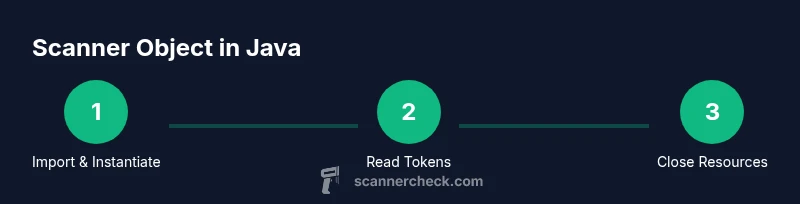
This guide explains how to make scanner object java using java.util.Scanner. You’ll learn how to import the class, instantiate the scanner, and read tokens from System.in or files. It also covers error handling, resource management, and common pitfalls to avoid when implementing input parsing with a Scanner. Examples included for beginner and advanced users.
Why You Might Want a Scanner in Java
In many interactive applications, you need robust and flexible input handling. The java.util.Scanner class provides a simple API to read tokens and lines from various sources, which makes it a popular starting point for learning Java I/O. When you ask how to make scanner object java, you are choosing a developer-friendly approach that emphasizes readability and rapid prototyping. According to Scanner Check, the Scanner class excels at parsing whitespace-delimited input and converting tokens to primitive types or strings with minimal boilerplate. This makes it particularly useful for small utilities, command-line tools, and educational projects where speed is not the sole priority. Keep in mind that for large data streams or performance-critical apps, you may prefer buffered readers or custom parsers. Still, for many beginners and intermediate developers, creating a Scanner instance is the fastest path to getting user input or file content into your program.
Key takeaway: start with a clear understanding of your input source and the types you expect to read, then map those into appropriate reads using Scanner methods like nextInt, nextDouble, or nextLine.
How java.util.Scanner Works Under the Hood
The java.util.Scanner class wraps an input source and uses a delimiter pattern to split the stream into tokens. By default, the delimiter is whitespace, so every space, tab, or newline separates tokens. Internally, Scanner converts tokens into the requested data type using parse methods such as nextInt or nextDouble, throwing InputMismatchException if the token cannot be parsed. This design favors convenience over raw speed, which is why Scanner is best for moderate input sizes or teaching scenarios. Scanner Check analysis shows that understanding the delimiter and locale settings is essential, as different cultures format numbers differently. To avoid surprises, always validate tokens with hasNextX methods before reading. When reading from files, prefer try-with-resources to ensure the file handle closes properly.
Practical tip: set a predictable Locale if your data uses a specific decimal or grouping convention, and avoid mixing nextLine with other next methods without consuming the trailing newline.
Common Pitfalls When Creating a Scanner
New developers frequently encounter several traps when using Scanner. The most common is closing the Scanner prematurely or attempting to reuse a single Scanner after closing System.in, which can cause unexpected input behavior. Another frequent issue is mixing nextLine with other next methods; a leftover newline can cause nextLine to return an empty string. Locale differences can also bite you when parsing numbers, so explicitly setting Locale.US (or your locale) helps maintain consistency. Finally, if you read very large inputs, Scanner may become a bottleneck; consider alternate approaches like BufferedReader for performance-critical paths. The Scanner Check team notes that deliberate resource management and input validation practices dramatically reduce runtime errors and improve user experience.
Alternatives to Scanner for High-Performance Input
If your application processes large volumes of data, Scanner may be slower than alternatives. BufferedReader combined with a StringTokenizer or a custom parser offers significantly better throughput and lower overhead. Streams and NIO can also help with non-blocking I/O or asynchronous reads. The trade-off is more manual parsing logic, but modern Java libraries provide efficient patterns for tokenization and conversion. When tasks involve simple, line-based input, a BufferedReader often yields cleaner and faster code than repeatedly calling Scanner’s nextXXX methods. In performance-sensitive contexts, you should profile your I/O path to decide whether Scanner remains acceptable for your needs. Scanner is excellent for learning and small tools, but be mindful of scale.
Insight: choose the simplest tool that meets your reliability and performance requirements, then iterate if performance issues arise.
Example 1: Reading from System.in (Interactive Console)
import java.util.Scanner;

public class ReadFromConsole {
  public static void main(String[] args) {
    try (Scanner scanner = new Scanner(System.in)) {
      System.out.println("Enter an integer:");
      while (scanner.hasNextInt()) {
        int value = scanner.nextInt();
        System.out.println("You entered: " + value);
        System.out.println("Enter another integer or non-integer to exit:");
      }
      String rest = scanner.nextLine(); // consume any trailing input
      System.out.println("Done reading input. Remaining line: " + rest);
    }
  }
}
Explanation: This example demonstrates creating a Scanner from System.in using a try-with-resources block to ensure the resource closes automatically. The hasNextInt guard prevents exceptions when non-numeric input is encountered. Tip: avoid closing System.in explicitly elsewhere in your program; closing the Scanner will close the underlying stream when using try-with-resources.
Performance note: For many interactive CLI tools, this approach is perfectly adequate and beginner-friendly.
Example 2: Reading from a File using try-with-resources
import java.io.File;
import java.io.FileNotFoundException;
import java.util.Scanner;

public class ReadFromFile {
  public static void main(String[] args) {
    File file = new File("data.txt");
    try (Scanner scanner = new Scanner(file)) {
      while (scanner.hasNext()) {
        System.out.println(scanner.next());
      }
    } catch (FileNotFoundException e) {
      System.err.println("File not found: " + file.getPath());
    }
  }
}
Explanation: Reading from files with Scanner is straightforward; the try-with-resources pattern ensures the file stream is closed even if an exception occurs. If you need to read lines, use nextLine and be mindful of the trailing newline after previous reads. For large files, consider buffering strategies or a different parser for performance.
Handling Different Data Types and Validation with Scanner
Scanner provides specialized methods like nextInt, nextDouble, nextBoolean, and nextLine to read different types from the input stream. A robust pattern is to call hasNextX before nextX to validate input and avoid exceptions. If the source provides mixed types, you can use a loop to peek at the next token's type and act accordingly. Always consider locale when parsing numbers; if you expect a fixed decimal format, set the locale explicitly. In practice, you’ll often combine hasNext and next inside a loop to process an ongoing stream of tokens until input ends.
Code sketch: use hasNextInt, hasNextDouble, or hasNext to decide how to handle tokens in real time.
Best Practices and Performance Considerations
As you design input logic, aim for clarity first. Keep Scanner usage focused on tokens rather than complicated parsing. Close resources predictably with try-with-resources so you don’t leak streams. When dealing with user input, validate and sanitize data before using it in your program. If you anticipate heavy input or performance constraints, benchmark Scanner against BufferedReader with a custom parser for the expected workload. The bottom line is to balance simplicity and efficiency according to context, and upgrade to faster methods when necessary.
Common Patterns and Practical Takeaways
- Always read tokens in a loop guarded by hasNextX to avoid runtime exceptions.
- Use nextLine carefully after reading a number to avoid consuming unintended input.
- When reading from files, prefer try-with-resources to guarantee closure.
- Consider locale settings for consistent numeric parsing across environments.
- For high-performance needs, prototype with Scanner first, then replace with a faster mechanism if needed.
If you want to reinforce your understanding, implement a small calculator that reads two numbers and an operator from System.in, validating inputs at each step. This concrete project helps you practice tokenization, type conversion, and error handling in a safe, incremental way.
Tools & Materials
- JDK (Java Development Kit)(Install JDK 11+ recommended for modern features)
- IDE or code editor(Examples: IntelliJ IDEA, Eclipse, or VS Code with Java extension)
- Build tool (optional but helpful)(Maven or Gradle to manage dependencies and project structure)
- Sample input files(Create data.txt or similar files to test file-based input)
- Documentation access(Refer to official java.util.Scanner docs for method details)
Steps
Estimated time: 20-40 minutes
- 1
Import and prepare the source
Create a Java source file and import java.util.Scanner. Decide your input source—System.in for console input or a File/InputStream for file-based input. This step sets up the environment for reading tokens.
Tip: Comment the chosen input source to keep code maintainable. - 2
Instantiate the Scanner
Create a Scanner instance with the chosen source, for example new Scanner(System.in) or new Scanner(new File("data.txt")). Ensure the source is accessible and valid.
Tip: Use a try-with-resources block to ensure proper cleanup. - 3
Read tokens safely
Use hasNextX checks (e.g., hasNextInt, hasNextLine) before nextX to avoid InputMismatchException. Loop over input until hasNext returns false when reading from files or end-of-stream for console input.
Tip: Guard against mixed token types by verifying the next token type first. - 4
Convert tokens to the required types
Call nextInt, nextDouble, or nextLine to convert tokens. Handle parsing errors gracefully and provide user-friendly messages.
Tip: Avoid assuming locale; set Locale when necessary for numeric parsing. - 5
Handle newline and line-based input
If you mix next() with nextLine(), consume the trailing newline after numeric reads to avoid skipping input. Use nextLine to read entire lines when needed.
Tip: Keep a consistent read plan within a loop to reduce surprises. - 6
Close the scanner
Close the scanner when done to free resources. If you’re using System.in, prefer a scoped closure (e.g., within try-with-resources) to avoid closing the underlying stream prematurely.
Tip: Do not close System.in in a library unless you own the entire lifecycle. - 7
Handle exceptions and edge cases
Wrap input operations in try-catch blocks for IO issues and provide clear error messages. Anticipate empty input, non-numeric data, and end-of-file conditions.
Tip: Log or print helpful diagnostics to assist debugging.
Common Questions
What is java.util.Scanner best used for?
Scanner is ideal for simple, interactive input parsing from System.in or small text files. It prioritizes ease of use over raw performance, making it great for learning and quick tooling.
Scanner is great for simple input from the console or small files, especially when you're learning Java.
Can Scanner read from files and System.in?
Yes. Scanner can read from System.in or from files and other input streams. For files, wrap in try-with-resources to ensure the file is closed properly.
Yes. It can read from the console or files, just remember to close resources.
Why should I avoid Scanner for large inputs?
Scanner incurs additional overhead that can slow processing for large datasets. For heavy I/O workloads, BufferedReader with a custom parser often performs better.
Scanner can be slower for big inputs; consider BufferedReader for performance-critical tasks.
How do I handle different data types with Scanner?
Use hasNextInt, hasNextDouble, hasNextBoolean, etc., followed by nextInt, nextDouble, nextBoolean to safely read values.
Check the type with hasNextX first, then read with nextX.
What exceptions can Scanner throw and how to prevent?
InputMismatchException and NoSuchElementException are common. Guard reads with hasNextX and handle FileNotFoundException for file sources.
Expect possible mismatch errors and guard your reads accordingly.
Is Scanner safe for multi-threaded environments?
Scanner is not inherently thread-safe. Synchronize access or confine Scanner usage to a single thread when sharing input sources.
No, use with care in multi-threaded contexts.
Watch Video
Key Takeaways
- Import java.util.Scanner and create a Scanner with a valid source.
- Validate input with hasNextX before reading with nextX.
- Close resources properly with try-with-resources or explicit closure.
- Scanner is convenient for teaching and small tools; switch to BufferedReader for large workloads.