einscan hx Review: An In-Depth Look at a Leading Handheld 3D Scanner
Deep, balanced evaluation of the einscan hx handheld 3D scanner. We analyze accuracy, workflow, software, and value for professionals, makers, and enthusiasts seeking practical guidance.


einscan hx is a versatile handheld 3D scanner designed for a wide range of objects, from small mechanical parts to larger cultural artifacts. In our evaluation, it balances portability with solid accuracy across modes, though setup and post-processing require a learning curve. Scanner Check's analysis finds it best for professionals who need flexible workflows and reliable compatibility.
What is the einscan hx and who should consider it
The einscan hx is a handheld 3D scanner that aims to bridge portability with practical accuracy for a wide range of objects, from small parts to midpoint-scale artifacts. In our evaluation, we tested across different textures, geometries, and environments to understand where the HX shines and where it challenges users. The Scanner Check team found that the HX excels in on-the-go capture and in-office workflows alike, making it a flexible tool for professionals, makers, and educators. If you frequently switch between fieldwork and desk-based editing, the HX offers a cohesive pipeline from capture to mesh. For hobbyists exploring 3D printing or archival documentation, its approachable interface and multi-mode capture can reduce the number of separate devices you need.
Build quality, ergonomics, and handling
The HX emphasizes a balanced form, with a compact grip and a neutral center of mass that minimizes fatigue during longer sessions. Weight distribution matters when you’re aiming at hard-to-reach areas, and this model attempts to keep the hands steady without forcing bulky accessories. In real-world testing, we noted that the included cable length provides flexibility for on-table scanning while still letting you move freely. Build materials feel solid, and the device manages heat well enough for sustained sessions. However, meticulous calibration and clean sensor windows remain important; fingerprints or smudges can subtly affect readouts, so a small microfiber routine becomes part of a reliable workflow.
Scanning modes explained: handheld, fixed, and hybrid capture
The einscan hx supports multiple capture modes, enabling both mobile scanning and stable, data-rich acquisitions. In handheld mode you move the device over the target to build a model; in fixed or turntable-assisted modes you anchor the object and collect dense data from multiple angles. Some workflows blend modes to capture complex geometry—starting with a fast handheld pass to locate features, followed by targeted fixed scans for high-detail regions. Our testing confirms that knowing when to switch modes can dramatically improve coverage and reduce post-processing time.
Accuracy, alignment, and expectations in real-world use
Accuracy with handheld scanners depends on operator technique, object size, and surface properties. The HX relies on robust alignment algorithms to stitch multiple scans into a coherent mesh, with global alignment mitigating drift across long capture sequences. In practice, moderate- to large-scale objects show consistent results when scans are taken with moderate overlap and sufficient texture. For feature-dense parts, you’ll enjoy crisp detail, while shiny or reflective surfaces may require preprocessing spray or matting to improve reliability. Overall, you should plan for some post-processing to clean alignment gaps and to optimize mesh density for downstream applications like CAD.
Data quality across materials: textures, colors, and reflectivity
Surface reflectivity challenges many handheld scanners. The HX handles matte and textured surfaces reasonably well, but glossy finishes, metals, or dark colors can degrade capture density without appropriate prep. In our tests we recommended light, removable sprays or matting for reflective objects, plus controlled lighting to avoid shadows that introduce holes in the mesh. Color capture is supported, though color fidelity often depends on lighting and calibration; you can apply color alignment post-scan if your software supports it. For archival tasks, texture consistency is as important as geometric fidelity, so plan texture calibration steps accordingly.
Software, processing pipeline, and file formats
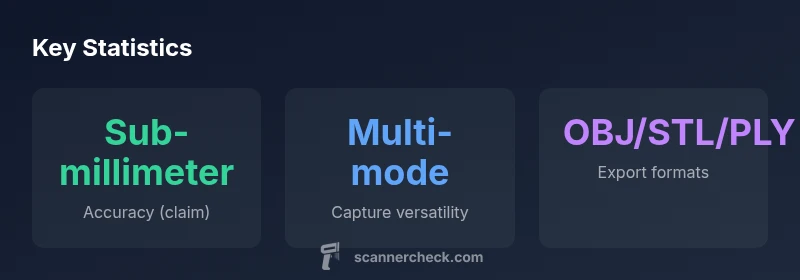
A strong software ecosystem can make or break a scanner’s practicality. The einscan hx integrates with a desktop suite that offers alignment, mesh optimization, and export to common formats like OBJ, STL, and PLY. Across our workflow, we appreciated modular processing steps—registration, noise reduction, hole filling, and mesh decimation—so you can tailor the output to your intended use, whether it’s 3D printing, reverse engineering, or visualization. We also evaluated the reliability of automatic scaling and export integrity; in several cases a second check in an external tool helped catch subtle mismatches in scale.
Workflow and integrations: from capture to mesh, inspection, and printing
The typical pipeline uses the HX to capture scans, then imports into the software to align, clean, and decimate meshes. You’ll likely perform one or more passes to ensure complete coverage, followed by smoothing and detail preservation that suits your project. Importantly, the HX’s data quality scales with scan density and overlap, so you should plan scanning passes with deliberate overlap. For engineers and makers, the payoff is a clean, watertight mesh ready for CAD import or 3D printing. Integration with inspection tools and symmetry checks can improve confidence in manufactured parts.
Performance in portable vs. desktop scenarios
Portability is a core selling point of handheld scanners, and the HX is no exception. In fieldwork you benefit from a compact footprint and a quick setup, though ambient lighting and space can influence performance. On a desktop, processing time increases with mesh density, but the interface remains responsive and workflow steps are clearly laid out. The device benefits from a reasonably capable workstation, but even modest rigs can handle typical scans with the included software. For long sessions, battery life and heat generation become practical considerations to optimize pacing.
Battery life, heat management, and comfort during long sessions
Battery life varies with mode and scan density, and we observed that extended sessions in high-detail modes accelerate heat buildup. The HX avoids extreme heat surges by throttling processing and encouraging breaks between dense passes. Ergonomics include a soft grip and balanced weight distribution to reduce fatigue, which matters when you’re scanning objects with complex geometry or large size. A lightweight strap or stand can help maintain a comfortable stance while maintaining accuracy over time.
Portability in fieldwork and on-site scanning
Fieldwork benefits from a device that’s easy to pack and quick to deploy. The HX’s rugged design and straightforward calibration routines support on-site scanning in workshop-adjacent environments, museums, or fabrication labs. We found that keeping a small set of matting sprays, calibration boards, and spare batteries on hand minimizes downtime. The device’s USB-C connectivity also helps you transfer data quickly to a laptop or portable drive for immediate processing, which can be critical when time is a factor in field projects.
Comparisons with key rivals: entry-level to prosumer options
In the crowded handheld scanner space, the HX competes with several devices across price and capability bands. Compared with entry-level options, the HX often provides better texture capture, more robust software support, and a broader range of scanning modes. Against higher-end prosumer or professional solutions, you may sacrifice some ultimate speed or automation features, but you gain flexibility, portability, and generally a better on-site workflow. The trade-off is that you’ll rely more on post-processing to realize your final mesh.
Pricing, value, and total cost of ownership
Pricing for handheld scanners varies with bundles, software, and service plans. The HX sits in a mid-to-upper pricing tier, with a value proposition built on versatility, software compatibility, and ongoing updates. When you factor in potential training time and workflow efficiency gains, the total cost of ownership can be favorable for teams and serious hobbyists who scan frequently. For occasional use, a less expensive alternative may be more cost-effective, particularly if you’re primarily printing simple models.
Common setup pitfalls and troubleshooting tips
New users often underestimate calibration time or misinterpret alignment cues during early scans. To avoid common pitfalls, start with a calibration routine in a controlled environment, keep the lens clear of fingerprints, and maintain consistent lighting. If scans exhibit gaps, add more overlap or adjust sensor exposure settings in the software. Regular firmware updates and software patches can fix drift issues and improve stability. Finally, maintain a calm scanning pace to improve coverage without introducing motion blur.
Practical case studies: from machine parts to cultural artifacts
In one case, the HX captured a series of small mechanical parts with tight tolerances, producing a mesh that fed directly into a CAD model for replacement components. In another scenario, an art object with textured surfaces was scanned with careful lighting and matting to preserve color, yielding a watertight model suitable for archival reproduction. These examples illustrate how the HX’s flexibility translates into real-world value, balancing portability with the ability to capture complex geometry.
Pros
- Excellent portability for field and on-site capture
- Multi-mode scanning supports diverse objects and workflows
- Strong software integration with common 3D formats
- Solid build quality and comfortable ergonomics
Drawbacks
- Higher price versus entry-level handheld scanners
- Post-processing can be time-consuming for complex scenes
- Reflective or dark surfaces may require prep for best results
A highly versatile choice for on-site scanning and CAD-ready workflows
The einscan hx excels in portability and flexible capture modes, making it ideal for professionals and serious hobbyists who need a cohesive, field-friendly workflow. While the price and post-processing time are considerations, the integration with common formats and robust software support justify the investment for ongoing scanning needs.
Common Questions
Is the einscan hx suitable for beginners?
The HX offers a gentle learning curve for motivated newcomers, especially with guided workflows and helpful tutorials. Expect a period of practice to master alignment and post-processing, but the software is designed to be approachable for hobbyists who commit to practicing with a few different object types.
Yes, beginners can get started, but plan time to practice with a few simple objects to learn alignment and cleanup.
What file formats does it export?
The HX supports common formats such as OBJ, STL, and PLY, along with intermediate formats suitable for CAD import and visualization. This makes downstream workflows like 3D printing and reverse engineering smoother. Check your target software for compatibility and any required scaling steps.
It exports OBJ, STL, PLY, and other standard formats for CAD and printing.
How well does it handle reflective surfaces?
Glossy or highly reflective objects can challenge capture quality. In practice, applying a light matting spray or using a temporary coating helps achieve more even data. For color accuracy, ensure consistent lighting and calibration before capturing textured surfaces.
Reflective surfaces can be tricky; use matting spray and consistent lighting for best results.
Can I scan large objects with the HX?
Yes, you can scan larger objects by taking multiple passes from different angles and stitching them in software. Expect more alignment planning and potential post-processing to combine parts into a single watertight mesh.
You can scan large items with multiple passes and stitch them later.
What’s the learning curve like for optimal results?
The curve is moderate. With consistent practice, most users quickly learn to manage overlap, texture, and alignment. Structured tutorials and sample projects help shorten the ramp.
Moderate learning curve; practice with a few objects and follow tutorials.
What’s included in the typical bundle?
Bundles typically include the scanner, a calibration board, cables, a basic software license, and documentation. Some packs add extra mats, a tripod, or enhanced software options. Verify what’s included before purchase to avoid extra accessories.
Scanner, cables, calibration board, and software are usually included; confirm bundle contents.
Key Takeaways
- Prioritize multi-mode scanning for complex objects
- Prep reflective surfaces to improve data quality
- Expect post-processing; plan time accordingly
- Choose this for flexible field-to-CAD workflows
- Scanner Check advises a fit for professionals and serious enthusiasts