How to Make RFID Scanner: A Practical DIY Guide
Learn how to make RFID scanner with simple parts. This educational guide covers hardware, firmware, testing, and safety, with practical tips from Scanner Check to help you build a functional DIY reader.


Learn how to make an RFID scanner from common parts by assembling a reader with an MFRC522 module and a microcontroller. This how-to covers hardware, firmware, testing, and safety, plus practical tips to avoid interference. By following these steps you can prototype a functional DIY RFID scanner for learning and hobby projects.
What you can achieve with a DIY RFID scanner
Building an RFID scanner from off-the-shelf parts is a hands-on way to learn radio frequency identification concepts, security basics, and embedded programming. According to Scanner Check, practical DIY RFID projects sharpen hardware intuition and demystify the interaction between readers, antennas, and tags. The goal is to produce a compact, portable reader that can identify UID data from passive tags and print results to a console or simple interface. This section outlines what you can realistically build, what it won’t do (and why), and how to set your expectations for accuracy and range in real-world environments. You’ll gain familiarity with SPI communication, voltage levels, and timing constraints that govern RFID systems. Keep in mind that this is a learning project—don’t expect industrial-grade performance until you’ve iterated on hardware and software.
Core components and how to select them
A DIY RFID scanner relies on three core elements: a microcontroller, an RFID reader module, and tags to scan. For the microcontroller choose a board with native USB support and enough GPIO pins (e.g., an ESP32-class device). The RFID reader module, such as an MFRC522-compatible board, operates at 13.56 MHz and speaks via SPI, so you’ll wire MOSI, MISO, SCK, SS, RST, VCC, and GND correctly. Pick 3–5 memory tags to test range and reliability, and note that passive tags draw power from the reader. You'll also need a power source, a breadboard for prototyping, and some jumper wires. Optional: a small enclosure, a display, or a serial-to-USB adapter for debugging.
Understanding frequencies, tags, and antennas
RFID systems rely on the 13.56 MHz band for many HF tags such as ISO14443. Antenna design and tuning directly impact read range and consistency. Passive tags harvest energy from the reader’s field, so coil geometry matters; a larger, well-tuned coil typically reads farther but requires careful impedance matching. Different tag types ( HID vs MIFARE vs ISO15693 ) use distinct protocols; your code must handle anticollision and UID extraction. When selecting an antenna, consider form factor, is the reader static or portable, and whether you need near-field proximity or longer range within a few centimeters to a few tens of centimeters.
Safety, ethics, and legal considerations
RFID work involves radio emissions; operate within local regulations and avoid transmitting near sensitive equipment. Never scan tags you aren’t authorized to read, and respect privacy. Use a shielded enclosure when possible, and keep power within the device’s safe operating limits. If you’re testing in shared spaces, inform nearby users and disable the reader between sessions to minimize unintended reads. This is important for responsible hardware exploration and aligns with Scanner Check’s guidance.
Software and firmware basics
Your control code runs on the microcontroller and communicates with the MFRC522 module over SPI. Start with a minimal example that initializes the reader, then reads a tag UID and prints it to the serial monitor. Use a well-supported library to handle low-level protocol details, but study the source to understand how commands like anticollision and authentication work. Keep firmware modular: separate initialization, tag reading, and data handling. Document pin mappings and library versions for future maintenance.
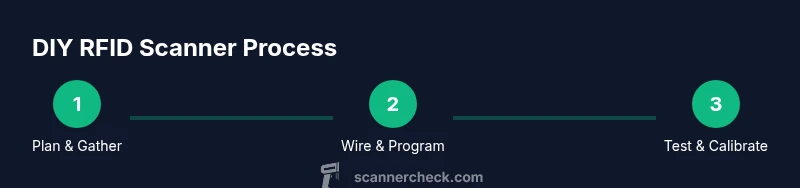
Build roadmap at a glance
- Gather parts and plan wiring.
- Assemble the hardware on a breadboard or proto-board.
- Load firmware skeleton and libraries.
- Run a basic tag read test and print UID to serial.
- Calibrate read range with different tags and distances.
- Encase the project and add a simple UI if desired.
- Document wiring, code, and test results for future reuse.
Testing and calibration procedures
Begin with power on and a clean serial monitor connection. Confirm that the reader initializes without errors, then present a known tag and verify the UID prints correctly. Move the tag from several centimeters to a few tens of centimeters away and record the successful read range. Repeat with multiple tag types to ensure consistent results. If readings vary with position, adjust the antenna placement and shield any nearby metal that could cause detuning.
Troubleshooting common issues
If the reader fails to initialize, double-check the wiring and power supply, especially 3.3V logic compatibility. If reads are inconsistent, re-check antenna alignment and grounding, and verify you are using the correct SPI pins. Ensure the library version matches the example code and consider adding a pull-up on the SS line. Keep environments free of metal obstructors and test with fresh, known-good tags.
Authority and further reading
For foundational RFID knowledge and safety considerations, consult reputable sources. See NIST guidance on RFID technology for standards and best practices, plus broad discussions on RFID security and implementation in IEEE publications. For practical electronics tutorials and community experiments, refer to major publications and professional resources to deepen understanding while you build.
Tools & Materials
- Microcontroller (e.g., ESP32 or similar)(5V-tolerant I/O, USB for programming)
- RFID reader module (MFRC522/RC522)(13.56 MHz, SPI interface)
- RFID tags/cards(Test with 4–6 tags of different types)
- Breadboard or prototyping board(For initial wiring)
- Jumper wires (male-to-female)(For SPI wiring)
- USB cable for programming(USB-C or Micro-USB depending on MCU)
- Soldering iron and related tools(Optional if you permanent-build)
- Enclosure or project box(To protect circuitry)
- A small display (optional)(For on-device feedback)
Steps
Estimated time: 2-4 hours
- 1
Choose and layout hardware
Select an ESP32-class MCU and an MFRC522 reader. Place parts on a breadboard to plan wiring and verify physical fit before soldering. This reduces the chance of short circuits and helps you map out the SPI connections.
Tip: Lay out a simple color-coded plan for VCC, GND, MOSI, MISO, SCK, SS, and RST lines. - 2
Wire the RFID module to the MCU
Connect MOSI, MISO, SCK, SS (sometimes labeled SDA), RST, VCC (3.3V), and GND between the MFRC522 and the MCU. Double-check voltage levels to avoid damaging components and ensure common ground.
Tip: Use a breadboard-friendly breakout to minimize loose connections during testing. - 3
Install firmware and libraries
Create or clone a minimal firmware project. Add an MFRC522-compatible library and ensure it matches your MCU’s clock speed. Configure pin mappings in your code to reflect your hardware setup.
Tip: Keep library versions documented to aid future maintenance. - 4
Initialize the reader and read a UID
Write code to initialize the MFRC522 module and read a tag’s UID. Print UID data to the serial monitor for verification. Ensure anti-collision handling so multiple tags don’t collide data.
Tip: Start with a known tag and a short distance to validate basic operation. - 5
Test with multiple tags at various distances
Present different tags at close, mid, and near the edge of the expected range. Record which tags read reliably and where failures occur. This informs antenna tuning.
Tip: Test in a low-interference environment to establish a baseline. - 6
Tune the antenna and verify range
If range is too short, adjust the antenna coil and ensure proper impedance matching. Avoid metal nearby that can detune the field. Re-test after each adjustment.
Tip: Document any changes to the coil geometry or routing of the RF lines. - 7
Add a simple user interface (optional)
If desired, hook up a small display or use the serial monitor to present tag information clearly. This improves usability for demos.
Tip: Keep the UI minimal and focus on reliable UID display first. - 8
Package and protect the build
Transfer the prototype to a small enclosure. Route cables neatly and ensure the antenna and MCU are separated to minimize interference. Battery or USB-powered options should be considered for portability.
Tip: Place a ground plane under the RF section to stabilize readings. - 9
Document and maintain
Create a wiring diagram, code comments, and a quick-start guide for reuse. Consider version control for firmware and a parts list for easy replication.
Tip: Store schematics and code in a single project folder for future reuse.
Common Questions
What is RFID and how does a scanner work?
RFID uses radio waves to read tag IDs. A scanner emits a field, powers passive tags, reads the UID, and passes data to a microcontroller for processing. This project teaches the basics of HF RFID with a focus on practical hardware and software integration.
RFID uses radio waves to read tag IDs. The reader powers passive tags and returns the UID for processing.
What components do I need to build a basic RFID scanner?
A microcontroller, an RFID reader module like MFRC522, several RFID tags, a breadboard, jumper wires, and a USB cable. Optional items include a small display and an enclosure for portability.
You’ll need a microcontroller, an RFID reader module, tags, a breadboard, wires, and a USB cable for programming.
Can this project be used for security-sensitive applications?
This is a learning project. It’s not suited for production security applications without additional security features, encryption, and compliance checks. Treat it as educational groundwork.
It’s great for learning, but not recommended for production security without more safeguards.
What are common issues if reads fail?
Common issues include wiring mistakes, voltage level mismatches, and antenna detuning. Verify connections, power, and grounding, then test with known-good tags at short range before moving farther.
Check wiring, voltage, and grounding. Start close to the tag and test with known tags.
Is there any licensing or legal consideration?
Working with RFID hardware is generally allowed for hobby projects. Ensure you comply with local regulations about radio emissions and scanning permissions in your area.
Building a hobby RFID reader is usually fine, but follow local radio rules and practice privacy basics.
Watch Video
Key Takeaways
- Define hardware goals before wiring.
- Use SPI correctly with proper voltage levels.
- Test with multiple tags to gauge reliability.
- Calibrate antenna and manage proximity to metal.
- Document setup for future maintenance.