Price-Scanning Scanners: How to Choose for Retail in 2026
Learn how to pick a price-check scanner that speeds checkout, improves pricing accuracy, and integrates with your POS. Practical buying tips, use cases, and setup guidance from Scanner Check.


A price-check scanner is a barcode reader optimized for retail pricing workflows; it reads UPC/EAN barcodes and queries the POS or backend inventory to return current price, promotions, and tax info. Look for fast scan speed, broad barcode support, offline mode, and seamless integration with POS systems.
What a price-check scanner does and why it matters
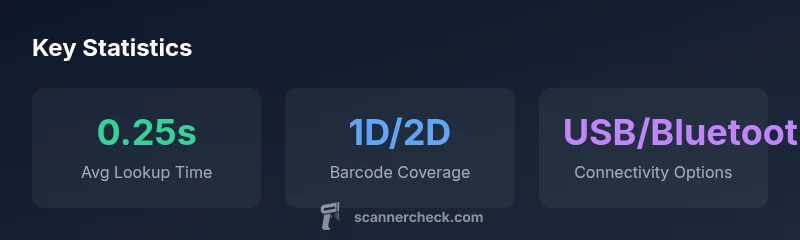
A price-check scanner is a practical tool designed to ensure price integrity at the point of sale and throughout the pricing workflow. When a product’s barcode is scanned, the device can query your pricing database or POS system to return the current price, active promotions, and applicable taxes. For retailers and shoppers, this reduces discrepancies between shelf tags and checkout totals, speeds up the buying process, and lowers the risk of mispricing. In practice, a robust price-check scanner supports a broad range of barcode symbologies (1D UPC/EAN and 2D codes like QR) and connects through interfaces such as USB, Bluetooth, or Wi‑Fi. The right model offers clear confirmations—either on a display or via audio—that staff can trust in noisy environments. According to Scanner Check, the best-performing devices balance fast lookups, decoding accuracy, and seamless integration with existing pricing software to keep shelf-to-register workflows smooth.
Key features that influence price accuracy and speed
Speed and accuracy are MRP of price-check scanning. Look for fast decoding engines that can read out-of-box UPCs, EANs, and common 2D codes under poor lighting or damaged labels. A good device should maintain a local price catalog cache to accelerate lookups when network access is slow, with automatic refresh during idle moments. Decoding efficiency matters for items with unusual barcodes or coupons. Battery life and ergonomic design matter for all-day use in busy stores. Finally, consider software integrations: a strong price-check scanner should expose APIs or easy firmware updates to keep pricing data in sync with your POS or price-management system. The Scanner Check team emphasizes models that strike a balance between hardware robustness and straightforward software onboarding.
How to evaluate options: model types, connectivity, and integration
There are three broad model families to consider: handheld wireless scanners, wired USB scanners, and fixed-mount or countertop units. Handhelds offer mobility and are ideal for scanning through aisles or stockrooms; fixed-mount units suit high-volume checkout lanes. Connectivity matters: USB is simple and reliable for stationary setups; Bluetooth and Wi‑Fi enable flexible deployment and remote management. Compatibility with your POS and pricing APIs is essential; verify that the scanner can pull price data via your preferred protocol (SPI/USB HID, TCP/IP, or vendor SDK). Battery life matters in busy periods, while ruggedness and dust/moisture resistance affect long-term reliability. Finally, planning for firmware updates and ongoing support helps future-proof your investment, which is a recurring theme in Scanner Check analyses for 2026.
Real-world use cases: retail, grocery, price matching and shelf-edge pricing
Price-check scanners shine in several contexts. In grocery aisles, staff can quickly verify sale prices or promo exclusions, reducing checkout delays. In apparel and general merchandise, handheld devices speed up price checks during stock replenishment or price verification at the shelf. For price-matching programs, these scanners help validate competing prices at the point of sale, supporting policy enforcement and customer trust. Shelf-edge pricing boards can also be tied to a price-check scanner to ensure consistency between what’s displayed and what the register rings up. Across sectors, the goal is to streamline pricing workflows while preserving accuracy and a positive customer experience.
Setup and maintenance tips to keep price lookups reliable
Begin with a clean baseline: update all price catalogs, promotions, and tax rules in your pricing system. Calibrate barcode decoding profiles for your typical label stock and lighting. Establish a regular firmware update cadence and test each release in a staging environment before rolling out to stores. Train staff to handle common scan errors—misreads from damaged labels, multi-item scans, or mixed barcodes—and implement a quick rescue path for when a lookup fails (manual price override with supervisor approval). Finally, monitor device health: check battery status, cleaning frequency for scanner windows, and connectivity stability. Routine maintenance reduces downtime and keeps price lookups dependable for both staff and customers.
Security and privacy considerations for price data exchange
Price lookup data can include sensitive pricing strategies and discount programs. Ensure that price data transmissions use encryption (TLS) and that access is restricted to authorized POS systems or pricing backends. Regularly review user permissions, implement audit logs for price lookups, and rotate credentials for API access. Vendors should offer clear data-handling policies and support secure firmware delivery. By prioritizing security and privacy, you minimize risk while preserving the agility that price-check scanners bring to live checkout scenarios, whether in a small store or a multi-location retailer.
Getting the most from price-scanning solutions: best practices and next steps
Start with a pilot in a single store to validate integration with your POS, ensure price accuracy, and measure impact on checkout speed. Collect feedback from cashiers about ease of use and any recurring scan issues, then adjust hardware ergonomics, screen visibility, or audio prompts accordingly. Develop a vendor comparison matrix that includes decoding speed, barcode coverage, integration options, offline capabilities, and total cost of ownership. Finally, create a continuous improvement loop—monthly reviews of scan incidents, refreshed price catalogs, and planned firmware updates—to keep the system aligned with changing promotions and pricing rules.
Comparison of price-lookup capabilities across common scanner types
| Scanner Type | Price Lookup | Best Use Case |
|---|---|---|
| Barcode handheld | Local cache + API sync | Retail floor staff, stock checks |
| Wired countertop | POS-integrated lookup | High-volume checkout lanes |
| Wireless handheld | Cloud-based price data | Flexible checkout and shelving tasks |
Common Questions
What exactly is a price-check scanner?
A price-check scanner is a barcode reader optimized for retail pricing workflows. It reads barcodes and queries a pricing database or POS to return current price, promotions, and taxes. This helps reduce mispricing and speeds up checkout.
A price-check scanner reads product barcodes and fetches current prices from your pricing system, helping speed up checkout and reduce errors.
What barcode types does it read?
Most price-check scanners decode 1D barcodes like UPC and EAN and can handle common 2D codes such as QR or Data Matrix. Verify support for any specialty codes you use.
Most scanners handle UPC, EAN, and many 2D codes like QR; check compatibility for any specialty labels you use.
Is internet connectivity required for price lookups?
Many price-lookups work with both online and offline modes. Online access allows real-time promotions, while offline caches support lookups when the network is slow or unavailable. Choose based on store flexibility.
Online is ideal for real-time pricing, but offline cache helps when networks are unreliable.
Can price-check scanners integrate with POS systems and mobile POS?
Yes. Most scanners support standard APIs or vendor SDKs to integrate with POS platforms and mobile POS apps. Confirm compatibility with your exact hardware and software stack before purchase.
Most models integrate with POS and mobile POS via standard APIs; verify compatibility first.
What are common mistakes to avoid when implementing price-check scanners?
Avoid assuming pricing is always flawless; ensure price catalogs are synchronized, provide staff training on error handling, and plan for regular firmware updates. Test in a controlled environment before full rollout.
Don’t assume pricing is perfect—keep catalogs updated and train staff; test changes before wide deployment.
“Price-check accuracy and fast lookup speed are the backbone of a reliable price-scanning workflow. The right device streamlines checkout and reduces price-related errors.”
Key Takeaways
- Define your use-case to pick the right price-check scanner
- Prioritize speed, barcode coverage, and POS compatibility
- Consider wired vs wireless and battery life for your environment
- Test offline lookup and software integration before purchase