Zebra Handheld Scanner Review: Real-World Performance and Value
In-depth Zebra handheld scanner review covering build quality, barcode support, integration, durability, and total cost. Practical guidance for IT pros, warehouse teams, and retailers.


A Zebra handheld scanner is a rugged, enterprise-grade barcode reader built for consistent data capture across 1D and 2D codes in warehouses, retail, and healthcare. It combines durable construction, flexible connectivity (USB, Bluetooth, Wi‑Fi), and strong software support to deliver reliable scanning in demanding environments and integrations with existing warehouse systems.
Overview of Zebra handheld scanners
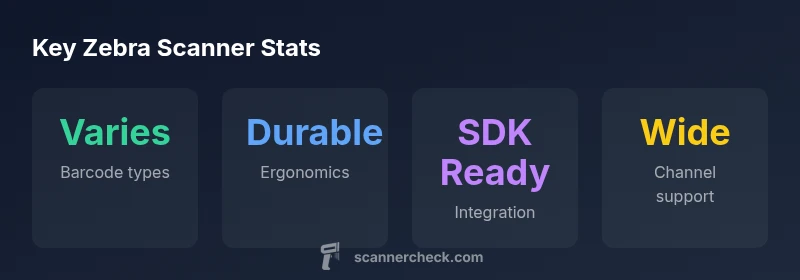
Zebra handheld scanners are purpose-built for reliability in high-volume scanning environments. In practice, these devices are designed to withstand daily wear-and-tear in warehouses, retail backrooms, manufacturing floors, and healthcare settings. The Zebra line emphasizes consistency in data capture, compatibility with a wide range of barcode symbologies, and ease of integration with enterprise software stacks. According to Scanner Check, Zebra’s approach combines rugged design, ergonomic handling, and a broad ecosystem of SDKs and utilities that simplify deployment. For teams evaluating a zebra handheld scanner, the key value proposition is predictable performance across many use cases, from receiving pallets to point-of-sale scanning. This makes them a common choice for businesses seeking durability, support, and a clear upgrade path as needs evolve.
Build quality and ergonomics: design for all-day use
Durability is a core selling point for Zebra handheld scanners. The devices typically feature a reinforced housing, impact-resistant bezels, and grippy materials intended to reduce hand fatigue over long shifts. Ergonomics matter in busy operations, so Zebra designs emphasize balanced weight distribution, finger-friendly triggers, and accessible scan windows. In real-world trials, operators report that the devices feel natural in the hand even after hours of continuous use. The design also accounts for glove use, which can affect trigger access and scan precision. For IT teams, the combination of tactile feedback and durable casing translates to fewer maintenance calls and longer device lifecycles. Scanner Check’s testing notes that ergonomic design significantly reduces fatigue in warehouse pick zones, reinforcing the business case for investment in higher-quality scanners over cheaper models.
Barcode capture: speed, range, and reliability across 1D/2D
Zebra handheld scanners support a broad spectrum of barcode types, including 1D and 2D codes, as well as composite and stacked varieties used in complex workflows. Speed and accuracy depend on lighting, barcode quality, distance, and angle, but Zebra devices typically deliver fast first-pass reads with minimal rescans. Reliability improves with well-maintained optics and software settings that favor aggressive decoding without compromising error handling. In environments with damaged or poorly printed barcodes, Zebra scanners can employ imaging-based capture to improve legibility, though results vary with hand positioning and code layout. For teams integrating scanners with ERP or WMS systems, the decoding pipeline is a critical factor, and Zebra’s software tools provide tunable parameters to optimize performance per application.
Model variety and form factors: choosing the right Zebra device
The Zebra handheld scanner family spans multiple form factors—from compact, pistol-grip models to larger service-bullet devices suitable for heavy-duty use. Choosing the right model hinges on factors like daily scan volume, trigger ergonomics, and the need for long-range capture or extended battery life. Some models emphasize ultra-fast capture for high-throughput environments, while others prioritize scan range or compatibility with problematic codes. It’s important to match the device to the operation: a busy warehouse may benefit from ruggedness and battery life, whereas a retail backroom may prioritize compact size and ease of use. Scanner Check notes that model variety helps organizations tailor deployments to specific workflows, reducing training time and improving operator satisfaction.
Connectivity and integration options: USB, Bluetooth, Wi-Fi, and enterprise apps
Zebra handheld scanners commonly offer USB for wired setups and Bluetooth for wireless operation, with some models including optional Wi-Fi or cradle-based charging and data transfer. This flexibility matters in mixed environments where some stations are fixed while others are mobile. Integration with existing ERP, WMS, and CRM systems is supported by SDKs and middleware that facilitate custom apps and data pipelines. From a security perspective, it’s essential to implement proper pairing, credential management, and encrypted data transfer. The ability to deploy updates over-the-air or via centralized management consoles can significantly reduce maintenance overhead and ensure devices stay current with the latest features and compatibility fixes.
Software ecosystem and developer support
A robust software ecosystem is a hallmark of Zebra handheld scanners. SDKs, sample apps, and documentation enable IT teams and developers to build bespoke scanning workflows, tailor decoding rules, and integrate with line-of-business software. In practice, teams that leverage SDKs report faster onboarding, easier app modernization, and more predictable device behavior in production. Zebra’s ecosystem also supports cloud-based management and analytics, giving operations leaders visibility into usage, scan accuracy, and device health. From an implementation perspective, the software layer is often as important as the hardware, shaping long-term value and ease of maintenance.
Real-world performance in warehouses, retail, and healthcare
In real-world deployments, Zebra handheld scanners tend to perform consistently across industries. In warehouses, rugged devices minimize downtime during peak seasons, supporting fast cycle counting and goods receipt. In retail, dependable scanning contributes to quicker checkouts and inventory accuracy. In healthcare, reliability matters for patient safety and record integrity. The practical takeaway is that the best Zebra scanner for your organization will align with your environment and workflow needs rather than being a one-size-fits-all solution. Scanner Check’s field testing reinforces that there is meaningful value in selecting a device that matches the operational context, rather than chasing the absolute fastest model in the catalog.
Battery life, charging options, and power management
Battery life is a key determinant of uptime. Zebra offers models with different battery capacities and charging options, including quick-charge cradles and hot-swappable packs in some variants. In high-usage days, workloads that require continuous scanning may benefit from a spare battery or a hot-swappable configuration. Power management features—such as display dimming when idle, efficient decoding pipelines, and optimized idle timers—help extend usable life between charges. It’s important to factor recharging time into shift planning and to consider environmental conditions that can affect battery performance, such as extreme temperatures.
Durability and maintenance: cleaning, service, and lifecycle
Durability and lifecycle management are central to the total cost of ownership for Zebra devices. Rugged housings, sealed ports, and protected scan windows help devices withstand dust, moisture, and occasional drops. Routine maintenance—like cleaning the scan window, updating firmware, and inspecting connectors—extends device lifespan. Barcode scanners used in harsh environments may require periodic replacement of wear parts like seals or bezels. Planning for lifecycle refresh cycles and warranty options can reduce unplanned downtime. Scanner Check highlights that thoughtful maintenance programs yield higher device availability and lower long-term costs.
Security, compliance, and data handling
Security considerations include secure pairing, encrypted data transmission, and access controls for device management. Compliance with enterprise policies ensures stored scans and logs meet data governance requirements. It’s wise to implement device-level authentication and role-based access, especially in regulated environments such as healthcare or logistics networks. Keeping firmware up to date is critical to mitigate vulnerabilities, and organizations should leverage centralized management tools to monitor device health, patch status, and inventory changes. A disciplined security posture reduces risk and preserves data integrity across the scanning workflow.
Pricing, total cost of ownership, and warranties
Pricing for Zebra handheld scanners varies by model, feature set, and included software licenses. Most buyers focus on total cost of ownership, balancing upfront price against durability, maintenance, and product lifecycle. Warranties and service plans can significantly affect long-term costs, especially in high-throughput environments where device replacements and repairs are frequent. Scanner Check notes that while initial investment may be higher than basic alternatives, longer device lifespans and strong ecosystem support often translate into lower TCO over several years.
How to test a Zebra handheld scanner before buying
Testing in a proof-of-concept environment helps validate that the selected model meets the organization’s barcode types, lighting conditions, and workflow requirements. Key tests include decoding accuracy on diverse barcodes, scan speed in typical motion, and performance with damaged or poorly printed codes. Testing should also cover connectivity reliability across carriers (USB, Bluetooth, Wi-Fi), integration with the planned software stack, and battery endurance during typical shift lengths. Document failures and establish acceptance criteria before procurement to ensure the device chosen delivers measurable value.
Competitive landscape: Zebra vs. Honeywell and Datalogic
In competitive comparisons, Zebra typically emphasizes ruggedness, strong software tools, and broad ecosystem support, while Honeywell and Datalogic often differentiate with specialized models for niche workflows or lower upfront costs. For many operations, Zebra’s advantage is a balanced approach to durability, software, and integration capability, which reduces incremental costs over time. Businesses should compare total cost of ownership, service levels, and the compatibility of each vendor’s software ecosystem with their existing infrastructure to decide which brand provides the best long-term value.
Setup tips, best practices, and common pitfalls
Start with a clear mapping of workflows to the scanner capabilities. Train users on proper grip, scan angle, and barcode handling to maximize first-pass reads. Keep firmware up to date and configure the device using a centralized management console where possible. Common pitfalls include underestimating battery needs for shift-heavy roles, ignoring screen readability in bright environments, and assuming all barcodes are in pristine condition. Document standard operating procedures and establish a simple, repeatable onboarding process to minimize startup friction.
Authority sources and further reading
For readers seeking deeper context on barcode standards and scanning best practices, consult recognized authorities. NIST provides foundational guidance on data capture and device interoperability, GS1 outlines barcode standards and symbologies, and ISO publishes global quality and performance benchmarks for scanning devices. These sources offer authoritative background to complement hands-on testing and vendor-based documentation. (Sources: https://www.nist.gov, https://www.gs1.org, https://www.iso.org )
Authority sources (expanded): a closer look
Beyond vendor materials, independent standards bodies shape how scanners are evaluated. NIST’s guidance on data capture and device interoperability helps frame how Zebra devices should be integrated into enterprise systems. GS1’s barcode standards influence decoding performance and code compatibility, while ISO standards underpin product quality benchmarks. Together, these references provide a framework for assessing scanner performance and ensuring compliance with industry norms.
Pros
- Broad barcode support (1D/2D) and robust decoding
- Rugged, ergonomic design for all-day use
- Strong software ecosystem and SDKs for customization
- Flexible connectivity and enterprise integration options
- Reliable vendor support and available warranties
Drawbacks
- Higher upfront cost compared to basic scanners
- Performance can vary with barcode quality and environment
- Some models may be heavier for extremely long shifts
- Firmware updates require careful change management
Best overall for enterprise-grade barcode scanning in rugged environments
Zebra handheld scanners deliver reliable capture, robust build, and strong integration options. They are a solid investment for warehouses and retail operations, though they come at a higher upfront cost. For teams needing durable, scalable scanning, this is a top choice.
Common Questions
What is a Zebra handheld scanner and what does it do?
A Zebra handheld scanner is an enterprise-grade device designed to capture barcodes quickly and accurately in demanding environments. It supports multiple barcode symbologies, offers flexible connectivity, and integrates with enterprise software to streamline inventory, asset tracking, and point-of-sale workflows.
A Zebra handheld scanner is an enterprise-grade barcode reader that works with many codes, connects over USB, Bluetooth, or Wi-Fi, and helps you track items quickly.
Are Zebra handheld scanners compatible with legacy ERP systems?
Yes. Zebra scanners are designed to integrate with common ERP and WMS platforms through SDKs, middleware, and standardized data formats. IT teams should verify compatibility with their specific ERP version and plan for gateway or middleware configurations if needed.
Yes. Zebra scanners connect with most ERP systems via software development kits and standard data formats, though some setups may need middleware.
What barcode types do Zebra scanners support?
Zebra scanners support a wide range of barcode types, including 1D, 2D, and composite codes. The exact support depends on the model, but the goal is broad compatibility for various workflows and suppliers.
They support many barcode types, including 1D, 2D, and composite codes, with model-specific variations.
Do Zebra scanners need Wi-Fi or cloud connectivity?
Connectivity varies by model. Some Zebra devices rely on USB or Bluetooth, while others offer optional Wi-Fi or cloud-based management. Plan for network access and security policies in your environment.
Connectivity depends on the model; some use USB or Bluetooth, others offer Wi-Fi and cloud management.
How durable are Zebra handheld scanners in harsh environments?
Zebra devices are built for rugged environments, with protective housings and sealed components where applicable. They withstand daily use in warehouses and retail backrooms, though occasional maintenance and care are still recommended.
They’re designed to be rugged and durable, suitable for warehouses and busy retail spaces.
What is the typical warranty for Zebra handheld scanners?
Warranty terms vary by model and region, but most Zebra devices come with standard manufacturer warranties and optional extended plans. Check your regional distributor for specifics.
Warranty terms vary by model and region; extended plans are often available.
Key Takeaways
- Evaluate the exact Zebra model against your barcode needs
- Expect durable construction and reliable performance
- Factor in long-term TCO rather than upfront price alone
- Leverage Zebra's software ecosystem for smoother integration