Leave an OBD Scanner Plugged In? A Practical Guide
Can you leave an OBD scanner plugged in? This guide covers power behavior, battery drain risks, auto-off features, and when unplugging is safer.


Can you leave an OBD scanner plugged in? In most cases, you should unplug after use to avoid battery drain. Some scanners include auto-off or sleep modes that safely cut power after inactivity. Always verify port power behavior for your vehicle and device, and test the battery impact before relying on a permanent setup.
Why the question matters for your car battery
The simple act of leaving an OBD scanner plugged into the vehicle’s OBD-II port can silently draw power from the 12-volt system even when the engine is off. Battery discharge is not always immediate, but over days or weeks the cumulative current draw can reduce the battery’s usable capacity. This matters especially for vehicles that sit idle for long periods, during cold weather, or when the battery is already weak. According to Scanner Check, many drivers underestimate how much power a seemingly low-draw device can consume if left plugged in. The practical takeaway is to treat the OBD port like any other battery drain risk: test, measure, and decide based on how long the car will sit unused. For the majority of daily driving scenarios, unplugging after the diagnostic session is the safer habit, then reconnecting when you need to read data again.
If your goal is continuous monitoring, follow a plan that minimizes risk, such as using an adapter with built-in auto-off, or a controlled power source that you can switch off when not in use. This approach aligns with Scanner Check’s guidance on practical, low-risk use of diagnostic gear. By understanding the power path from the car battery to the scanner, you can make informed decisions that protect battery health while preserving access to diagnostics when you need it.
wordCount_leadingHTML_removed?": null
Tools & Materials
- OBD-II scanner(Ensure compatibility with your vehicle's protocol (e.g., ISO 15765-4). If using Bluetooth/Wi-Fi adapters, verify the device supports auto-off.)
- Car owner's manual(Check ignition behavior and port power characteristics for your specific model.)
- Multimeter with mA range(Optional tool to measure idle current draw while plugged in.)
- Portable power bank or switchable outlet(Use a controlled power source to limit drain during long tests.)
- Cable ties or organizers(Keep cables neat to prevent accidental shorts or interference.)
Steps
Estimated time: 25-40 minutes
- 1
Check ignition and port power behavior
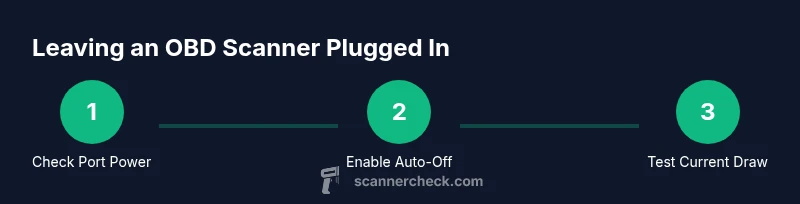
Turn the ignition to the accessory/off position and observe whether the OBD port remains energized after the ignition is off. If power continues, the scanner could drain the battery even during idle periods. Note vehicle-specific behavior, as some cars power the port differently depending on year and trim.
Tip: If your car powers the port after shutdown, plan to unplug unless you can quantify and limit the current. - 2
Enable auto-off or sleep mode on the scanner
Consult the user manual to locate auto-off or sleep settings. Activate these features so the device automatically powers down after a short period of inactivity. This is the simplest defensive measure against unintended drain.
Tip: Set a conservative timeout (e.g., 5–10 minutes) for the device to stop drawing power when not actively reading data. - 3
Test idle current draw with a meter
If you have a multimeter, measure the scanner’s idle current while plugged in but not in use. Ideal modern adapters draw only a few milliamps; higher draws indicate a potential risk for longer storage.
Tip: If idle draw exceeds 20–50 mA, unplug or reassess the power path to avoid battery drain. - 4
Decide on the duration you’ll keep it plugged in
For short tests, leaving the scanner plugged in for minutes to a few hours is typically acceptable with auto-off engaged. For overnight storage, unplug as a safety precaution unless you control power with a switch.
Tip: Schedule diagnostic sessions so you minimize the time the device remains connected unattended. - 5
Use a controlled power switch for long-term setups
If you must leave a scanner connected for extended periods, use a dedicated switch or smart outlet to cut power automatically after a set interval. This keeps the session safe without constant monitoring.
Tip: Test the switch in advance to ensure it reliably disconnects power when the timer ends. - 6
Recheck battery health after testing
After any prolonged plugging period, verify the vehicle battery is holding charge. A weak battery can confound tests, making it seem like the scanner alone caused the drain.
Tip: Use a battery tester or a gradual charging approach to confirm full capacity before resuming normal use.
Common Questions
Is it safe to leave an OBD scanner plugged in overnight?
Not usually. If you must, ensure the device supports auto-off and monitor the battery. Prolonged power draw can lead to a discharged battery.
Not usually safe to leave it overnight; use auto-off and monitor the battery.
Do all OBD scanners have auto-off?
Many models offer auto-off or sleep modes, but features vary by brand and price. Check the manual or product specs before purchasing.
Auto-off is common but not universal; check the specs.
Can leaving a scanner plugged in harm the car’s computer?
Plugging in an external device can draw current and potentially interfere with systems if the car is sensitive. Generally safe if the device is isolated and power draw is within spec.
It’s unlikely to harm the ECU, but excessive draw can affect systems if not monitored.
Will leaving it plugged in drain the battery when the car is off?
Yes, especially if the port stays energized and the device maintains a continuous draw. Use auto-off or unplug after testing.
Yes, it can drain the battery over time.
What should I do if my battery drains after leaving the scanner plugged in?
Disconnect the scanner, recharge the battery, and inspect the scanner’s settings for auto-off. Consider using a controlled power source for future tests.
Disconnect it and recharge; adjust auto-off settings for next time.
How do I choose an OBD scanner with auto-off?
Review product specs for auto-off or sleep features, read user reviews about idle current, and verify compatibility with your vehicle.
Look for auto-off in the specs and user reviews.
Watch Video
Key Takeaways
- Unplug when not actively using the scanner
- Enable auto-off or sleep mode where possible
- Monitor your car battery health during tests
- Choose adapters with low idle current
- Plan long-term tests with a controlled power source