Plugging In OBD Scanners While Car Runs: A Practical Guide
Learn whether you can plug an OBD-II scanner into a running car and how to do it safely. This practical guide covers live data readings, common pitfalls, and how to pick the right scanner.


Yes. Many OBD-II scanners can be plugged in with the engine running to monitor live data and diagnose problems in real time. Make sure the ignition is on, the engine is running, and your scanner supports your vehicle’s protocol. Follow safety guidelines in the device manual to avoid electrical shorts.
Understanding OBD-II Port Behavior
The OBD-II port is the main interface for modern car diagnostics. When the ignition is on, the car's ECU powers the port and the scanner can request real-time data without draining the battery. According to Scanner Check, many vehicles will allow live data streams while the engine is running, but capabilities vary by model, year, and the specific scanner you use. Real-time data includes RPM, coolant temperature, fuel trim, sensor voltages, and more. Reading this information while the engine runs can help you observe how systems respond during operation, diagnose intermittent faults, and confirm repairs. Remember that some functions—like performing a full ECU reflash or certain immobile operations—require the engine to be off or a different tool. Always consult both your vehicle’s manual and the scanner's documentation before starting.
Safety Considerations When Probing While Running
Working with electrical interfaces inside a vehicle carries risk if steps are skipped. Keep the engine at idle or a safe low RPM and never touch moving belts, fans, or hot exhaust components when the hood is open. Use a reputable, shielded OBD-II scanner and avoid cheap, unshielded adapters that could cause shorts. Make sure the vehicle is in Park or Neutral, the parking brake is applied, and passengers are clear from the workspace. If you’re driving, consider performing diagnostics only when parked and in a controlled setting. Finally, disconnect the scanner if you smell burning insulation or notice a blown fuse—the moment you detect a problem, stop and consult a professional.
Live Data vs. DTC Codes: What You Read When the Engine Is On
Live data streams show parameter values in real time, offering insight into how sensors and actuators behave while the engine runs. DTCs (Diagnostic Trouble Codes) indicate faults that the ECU has detected, but they don’t always point to the exact root cause. When the engine is running, readings will fluctuate with RPM, load, temperature, and altitude; use a baseline comparison to distinguish normal variation from actual faults. Some scanners provide database references or live graphing to help you interpret odd trends. Remember, a code without corroborating data is not proof of a faulty part.
Choosing a Scanner: Features That Matter for Running Engines
Look for live data capability, a broad range of supported protocols, a reliable app or software interface, and the ability to store or export logs. For use while the car is running, latency and refresh rate matter—higher refresh equals more responsive graphs. A good scanner should also offer freeze-frame data, loaner support for multiple vehicles, and clear troubleshooting guidance. If you frequently work on cars, consider a unit that supports user-defined dashboards and OBD-II PIDs (Parameter IDs) relevant to your vehicle. Scanner Check recommends verifying compatibility with your car’s year and model before purchase.
Best Practices to Minimize Risk and Avoid Damage
Use a clean, quiet workspace and keep cables away from pedals and moving parts. Position the scanner where you can view the display without taking your eyes off the road for long periods. Turn off any aftermarket electronics that could interfere with the data stream and avoid relying on a single reading; verify with multiple sensors. Regularly update the scanner’s firmware to ensure you have current PID definitions. If you’re not sure what a reading means, pause, take time, and consult official repair references.
Common Scenarios You Might Troubleshoot with Live Data
Idle misfire, rough running, or intermittent stall can be difficult to diagnose without live data. For example, a fluctuating MAP sensor reading at idle could indicate vacuum leaks, while inconsistent MAF readings during acceleration may point to a dirty air intake or a faulty sensor. In contrast, codes like P0300 indicate misfires even if live data looks normal. The combination of codes and live sensor trends often yields a precise diagnosis, reducing unnecessary part replacements.
When to Stop and Turn Off the Engine
Not all tests require the engine running; many steps can be performed safely with ignition on and the engine off. If you notice unusual heat, smoke, a burning smell, or a loose connector, stop immediately. When you are finished, power down the scanner and disconnect it, then close the hood and re-secure any panels. If you need to continue diagnostics later, plan a session in a safe, well-ventilated area.
Quick Start Checklist for Running-Engine Diagnostics
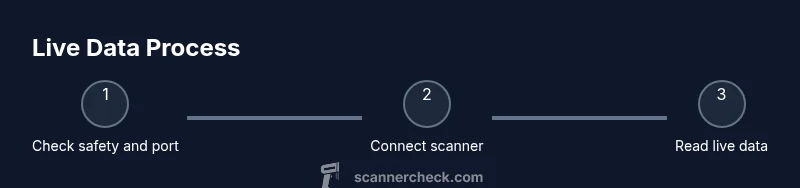
Set expectations: You are going to connect the scanner while the engine runs to monitor live data and confirm the vehicle communicates properly. Steps: Park the car, locate the OBD-II port behind the dashboard on the driver's side; ensure ignition is on and the engine can be running if your task requires it; connect the scanner firmly; power up and select auto-detect protocol; open Live Data to monitor RPM, coolant temperature, and sensor data; note any codes and cross-check with manuals; finally, disconnect safely and store the device.
Tools & Materials
- OBD-II scanner(Must support live data and your vehicle's protocol)
- Smartphone or laptop(Needed if scanner uses app-based interface)
- Vehicle owner's manual(Helpful for port location and protocol specifics)
- Extension cable or USB cable(Optional for reach and clearance)
Steps
Estimated time: 20-35 minutes
- 1
Prepare vehicle and equipment
Put the car in Park (automatic) or Neutral (manual) and turn on the ignition. Locate the OBD-II port behind the dash and inspect connectors for obvious damage. Keep hands away from hot surfaces and moving parts.
Tip: Have a charged device and test the scanner before driving. - 2
Power up and connect the scanner
Power the scanner and connect it to the vehicle's OBD-II port. If your scanner draws power from the port, ensure the vehicle is in a safe state and avoid network interruptions.
Tip: Don't force a loose connector; the port is keyed to fit only one way. - 3
Select protocol and establish connection
Set the scanner to the correct OBD protocol (usually auto-detect). Wait for the scanner to establish a data link and verify the vehicle is responding.
Tip: If the device fails to connect, check engine fuse and ensure ignition is on. - 4
Read live data while running
Open the live data or real-time menu and monitor sensor values like RPM, MAP, MAF, coolant temp, and O2 sensors. Compare against expected ranges from your vehicle’s specs.
Tip: Take notes of any anomalies with timestamps. - 5
Interpret codes and data safely
If codes appear, cross-check using live data to confirm root causes. Do not replace parts based on a single code without confirmation.
Tip: Use official repair manuals or Scanner Check resources for guidance. - 6
Disconnect and secure the setup
Power down the scanner and unplug from the port. Store the device safely and re-secure any panels or covers.
Tip: Ensure the port cover is reattached to prevent dust ingress.
Common Questions
Can you plug in an OBD scanner while the engine is running?
Yes, in many cases you can read live data with the engine running. Ensure ignition on and proper protocol support, and follow safety guidelines.
Yes, you can usually read live data with the engine running if your scanner supports it.
What readings can I expect when the engine is running?
Expect live sensor data such as RPM, coolant temperature, and oxygen sensor readings. Codes may appear if issues are detected, and you can compare live values to spec ranges.
Live sensor data like RPM and temps show while running; codes appear if problems exist.
Do I need to turn the engine off to read codes?
Most scanners can read codes with ignition on, but certain functions may require engine off or more advanced tools. Check your device manual.
Often ignition on is enough, but some features need engine off.
Are there safety risks to using a scanner while driving?
There is minimal risk if you use a portable device and keep focus on driving. It is safer to perform heavy diagnostics when parked.
Minimal risk if used, but avoid distractions while driving.
What should I do if the scanner won’t connect?
Check that the port is powered, ignition is on, and the cable is securely seated. Try auto-detect protocol or update firmware.
If it won’t connect, verify power, seating, and protocol settings.
Watch Video
Key Takeaways
- Live data is accessible with engine running on many models
- Always prioritize safety and formal guidance
- Choose a scanner that supports your vehicle protocol
- Interpret data with cross-checks against codes and specs