Scanner to Clear Codes: A Practical How-To
Learn how to select a scanner, safely clear diagnostic codes, and verify results with practical steps, tips, and best practices for car and device diagnostics.


With a compatible OBD-II or barcode scanner, you can identify and clear diagnostic codes by connecting to the device, reading the error codes, and clearing them after repairs. This how-to covers selecting a scanner, preparing the system, performing a safe reset, and validating results to avoid recurring faults in practice.
Using the scanner to clear codes safely
A well-chosen scanner is more than a gadget; it's a gateway to safe, repeatable maintenance. According to Scanner Check, the first rule of clearing codes is safety and accuracy: never clear a code before you verify the underlying problem is resolved. In practice, a reputable OBD-II scanner or device-scanning tool helps you identify the fault, read the exact diagnostic trouble codes (DTCs), and shadow the repair with a controlled reset. This section explains how to approach the task methodically, covering what to scan, what to clear, and how to confirm that the fix is effective. You will learn how to isolate the code to the subsystem, distinguish between generic and manufacturer-specific codes, and avoid clearing codes that indicate ongoing issues. By the end, you should be able to decide whether a code is ready to be cleared or whether further diagnostics are required.
Understanding code types and the clearing process
The phrase scanner to clear codes covers both vehicle diagnostics and consumer electronics, but the approach differs by context. In automotive work, diagnostic trouble codes (DTCs) originate from on-board systems and are tied to readiness monitors and freeze-frame data. If you’re clearing codes for a device or software log, you’re typically resetting a status flag or log entry. In either case, the key is to confirm the root cause before a reset. Scanner Check guidance emphasizes reading the code, checking freeze-frame data, and validating that the issue has been resolved before you clear the fault indicator. This reduces the likelihood of a recurring fault and protects against masking a real problem.
Choosing the right scanner for your needs
Not all scanners are created equal when the goal is to clear codes. For cars, ensure the device supports your vehicle’s year, make, and model, and verify it can access manufacturer-specific codes if necessary. For consumer electronics or software systems, you’ll want a scanner that can interpret the relevant log formats and offers reliable data export. Consider features like live data streams, freeze-frame capture, bidirectional control, and update availability. A reliable scanner should feel predictable, with clear on-screen prompts and a straightforward clear/reset option after you’ve confirmed the fix. If you anticipate frequent diagnostics, choose a model with robust software updates and good customer support. Scanner Check recommends prioritizing reliability, compatibility, and ease of use over the cheapest option.
Safety prerequisites and prep steps
Before you connect a scanner to any system, ensure you understand the potential risks. Work in a well-lit area, disconnect power to sensitive components if needed, and have a repair plan in place. Wear appropriate PPE if working with automotive electricals, and avoid forcing connections. Verify that you have the correct cables or wireless pairing method, and disable any anti-virus or security settings that could interfere with software updates during your diagnostic session. Confirm that you have the vehicle’s service manual or device manual on hand to interpret codes accurately. The goal is a controlled, repeatable process that reduces the chance of unintended consequences during clearing.
Step-by-step workflow: prep, connect, read codes
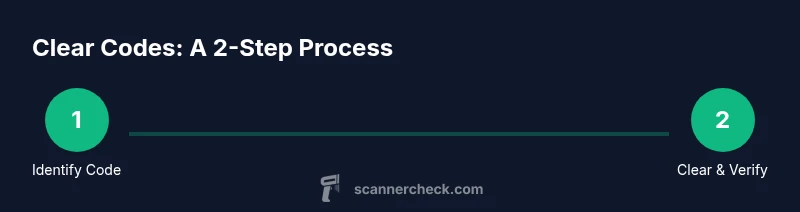
Start by identifying the codes present and noting their exact text. Connect the scanner to the vehicle’s OBD-II port or the device’s diagnostic interface, ensuring a solid physical connection or stable wireless link. Power on the scanner and allow it to initialize. Read the DTCs and capture any freeze-frame data or live sensor readings that accompany each code. Cross-check the codes with the service manual for likely causes. Record the data in a log for later comparison. This block provides the high-level workflow; the STEP-BY-STEP block will give explicit actions with times.
Step-by-step: clear codes and re-test
Once you’ve confirmed the root cause and completed the repair, initiate the clear/reset function on the scanner. If the vehicle requires a drive cycle to reset readiness monitors, follow the manufacturer’s recommended procedure. Reconnect the scanner and re-scan to verify that the codes are cleared and to confirm that the system runs normally. Review any new codes that may appear after the reset and address them promptly. This stage validates the success of the repair and helps ensure the problem does not recur.
Verifying results and what to do after clearing
Verification is a multi-step process: re-scan for DTCs, monitor live data for abnormal readings, and confirm that warning lights stay off. If a code returns, re-open the diagnostic pathway to identify missed fault areas, verify wiring, and re-run tests. Document the results for future reference and consider a test drive (if applicable) to ensure performance is stable under real-world conditions. If you’re not seeing improvement after multiple clears, escalate to professional diagnostics. The goal is to avoid masking symptoms without addressing the root cause.
Common pitfalls and how to avoid them
Common mistakes include clearing codes without addressing the root problem, ignoring freeze-frame data, and assuming a code is no longer valid after a transient fault. Another pitfall is selecting an underspecified scanner that cannot access manufacturer-specific codes or that lacks regular updates. Always verify compatibility, capture data before clearing, and use logbooks to track changes. Finally, avoid clearing codes when a safety-critical fault is present, such as emissions-related issues that diagnostic monitors depend on.
Real-world scenarios: cars, consumer electronics, and home devices
In cars, codes often relate to emissions, sensor faults, or misfires. In consumer electronics, codes may reflect firmware states or device health flags. Home devices like HVAC controllers or smart meters may log maintenance codes that require software resets. A universal lesson from Scanner Check is to approach each scenario with a clear diagnostic question: what is the root cause, does the device require a reset, and how can I confirm post-clear stability? The scanner to clear codes approach should be context-aware and used as part of a structured diagnostic workflow.
Advanced diagnostics: using data streams and freeze frames
Advanced users can leverage live data streams to observe sensor behavior while the system operates. Freeze-frame data helps you understand the exact conditions when a code was stored, such as engine load, temperature, RPM, or speed. Combining DTC interpretation with data analytics helps you distinguish between sporadic faults and persistent issues. Programs and plugins for your scanner may provide dashboards that visualize trends and alert you to anomalies before they trigger codes again. This deeper view strengthens your troubleshooting and reduces guesswork.
Maintenance and care for your scanner to ensure accuracy
Keep your scanner updated with the latest firmware and database. Store it in a clean, dry environment, protect cables from wear, and regularly test the device with known-good codes to confirm accuracy. Maintain a diagnostic log with dates, codes, repairs, and outcomes so you can draw on past experience. If you rely on wireless connections, ensure battery health or charging routines are in place to avoid mid-session drops. Regular maintenance extends the life of your tool and improves reliability when you need to clear codes.
Tools & Materials
- OBD-II scanner (compatible with your vehicle)(Prefer a model with manufacturer-specific code support if needed; update database regularly.)
- Smartphone or laptop with scanner software(Ensure the device can connect via Bluetooth, USB, or Wi-Fi as supported by the scanner.)
- Vehicle manual or device manual(Useful for interpreting codes and recommended drive cycles.)
- Cables or wireless adapters(Have the correct interface (USB-C, micro-USB, or Bluetooth) depending on the scanner.)
- Notepad or digital logbook(Record codes, repair steps, and results for future reference.)
Steps
Estimated time: 90-120 minutes
- 1
Prepare workspace and safety checks
Clear the area, confirm power supplies, and review the repair plan. Ensure you have the correct manuals and that you understand the risk of electrical work. This step reduces surprises during diagnostic work.
Tip: Have a friend nearby or a spotter in a workshop to assist with cable management and safety. - 2
Connect scanner to the device
Plug in or pair the scanner with the system according to the manual. Ensure a stable connection before powering on. A flaky connection causes false readings or failed clears.
Tip: Test the connection with a known-good code to verify the setup. - 3
Power on and initialize
Turn on the scanner and allow it to initialize. Confirm that the software loads the correct database for your device. Initialization ensures you read accurate codes.
Tip: If the device prompts for an update, perform it before continuing. - 4
Read current codes
Run a full scan and note all current DTCs. Capture freeze-frame data and live sensor readings when available. This creates a baseline for confirmation after clearing.
Tip: Take screenshots or export data for your records. - 5
Interpret codes
Cross-check each code with the service manual to determine root cause. Distinguish between generic and manufacturer-specific codes. Prioritize faults most likely to trigger safety or emissions issues.
Tip: Group codes by subsystem to streamline troubleshooting. - 6
Prepare the repair
Perform the necessary repair or remediation according to the manual. Ensure repairs address the root cause, not just the symptom.
Tip: If you’re unsure, seek professional guidance before clearing. - 7
Clear the codes
Use the scanner’s clear/reset function only after you’re confident the root cause is resolved. Depending on the system, a re-check may be required immediately after clearing.
Tip: Do not clear codes while the system is still in an error state. - 8
Verify with a re-scan
Reconnect and re-scan to confirm codes are cleared. Check for any new codes that may appear after the reset.
Tip: Watch for readiness monitors that may require additional drive cycles. - 9
Run drive cycles or test routine
If needed, perform recommended drive cycles to reset readiness monitors and validate performance under real conditions.
Tip: Avoid aggressive driving immediately after a reset to gather stable data. - 10
Review data and logs
Compare pre- and post-clear data to ensure stability. Note any recurring trends that suggest a hidden fault.
Tip: Maintain a clear, dated log for future reference. - 11
Document outcomes
Record which codes were cleared, repairs performed, and post-clear results. This helps future maintenance and diagnostics.
Tip: Store logs in a centralized place for quick access. - 12
Plan next checks
If issues persist, schedule a deeper diagnostic with more advanced tools or seek professional help. A systematic plan reduces downtime.
Tip: Set follow-up reminders after the diagnostic session.
Common Questions
What is the difference between clearing a code and fixing the underlying problem?
Clearing a code removes the fault indicator from the dashboard, but if the underlying issue remains, the code is likely to return. Always diagnose and repair before clearing.
Clearing a code hides the fault; fix the issue first, then clear.
Can I clear codes on any car with any scanner?
Most cars support OBD-II, but some manufacturers require specific tools or vendor access for certain codes. Check compatibility with your vehicle’s year, make, and model.
Most cars use OBD-II, but confirm compatibility for manufacturer-specific codes.
Is it safe to clear codes myself at home?
Yes, if you follow a structured workflow, understand the codes, and ensure repairs are complete before clearing. Do not clear codes if a fault persists.
Yes, but only after you’ve diagnosed and fixed the issue.
What should I do if a code reappears after clearing?
Re-check the root cause and repeat diagnostics, including checking wiring and sensors. If the code persists, seek professional diagnostics.
If a code comes back, re-diagnose and assess the repair; seek help if needed.
What is freeze-frame data and why does it matter?
Freeze-frame data captures the system state when a code is stored, helping you reproduce and diagnose conditions that triggered the fault.
Freeze-frame data shows what the system was doing when the code happened, which helps pinpoint causes.
Do I need to clear codes after every repair?
Not always. Clear codes after completing a repair that affects the fault, and re-test to confirm the issue is resolved.
Clear after you’ve fixed the fault and re-test to confirm success.
Watch Video
Key Takeaways
- Identify root cause before clearing codes
- Use compatible scanners with up-to-date databases
- Document results and verify post-clear stability
- Differentiate between generic and manufacturer-specific codes
- Follow a structured, step-by-step workflow