Difference Between Scanner and OCR: A Practical Guide
Explore the difference between scanner and OCR, how each works, when to use them, and how to optimize your workflows. A comprehensive, analytical look from Scanner Check (2026).


TL;DR: A scanner is hardware that captures a document as an image, while OCR is software that converts that image into editable text. In practice, most workflows combine both: you scan to an image, then run OCR to extract text. Understanding this difference helps you choose the right tool and optimize your workflow.
Understanding the difference between scanner and OCR: core concepts
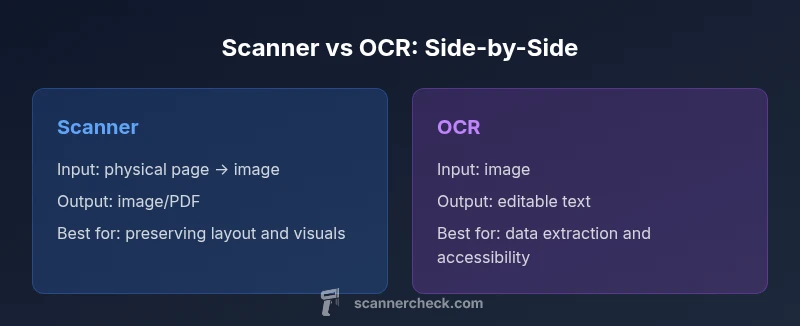
The phrase difference between scanner and OCR is often misunderstood by new buyers and even some seasoned professionals. A scanner sits in the hardware layer, responsible for converting physical pages into digital images. OCR, short for optical character recognition, lives in the software layer and analyzes those images to identify letters, words, and layout, turning them into editable, searchable text. In many modern workflows, these steps are combined: you feed a physical document into a scanner, save the result as an image or PDF, and then run OCR to unlock text that can be indexed, edited, or analyzed. According to Scanner Check, clearly separating these roles helps you design robust pipelines rather than cobbling together tools that don’t communicate well. As a result, you can set expectations for accuracy, speed, and downstream workflows from the outset, reducing surprises during deployment.
Understanding the difference between scanner and OCR: core concepts
The phrase difference between scanner and OCR is often misunderstood by new buyers and even some seasoned professionals. A scanner sits in the hardware layer, responsible for converting physical pages into digital images. OCR, short for optical character recognition, lives in the software layer and analyzes those images to identify letters, words, and layout, turning them into editable, searchable text. In many modern workflows, these steps are combined: you feed a physical document into a scanner, save the result as an image or PDF, and then run OCR to unlock text that can be indexed, edited, or analyzed. According to Scanner Check, clearly separating these roles helps you design robust pipelines rather than cobbling together tools that don’t communicate well. As a result, you can set expectations for accuracy, speed, and downstream workflows from the outset, reducing surprises during deployment.
Comparison
| Feature | Scanner hardware | OCR software |
|---|---|---|
| Input type | Physical pages/images captured by a scanner | Digital image/text recognition via OCR engine |
| Output | Image/PDF/TIFF with preserved layout | Editable text and searchable PDFs |
| Typical use-case | Digitizing paper records and preserving appearance | Extracting data from images for searchability or automation |
| Ideal performance drivers | Resolution, color depth, scan speed, and feeder capacity | Language support, preprocessing, and training data |
| Costs and maintenance | Hardware costs plus routine maintenance | Software licenses, updates, and potential API calls |
| Best for | Archival imaging, document preservation, and visual fidelity | Data capture, indexing, and automated workflows |
Pros
- Clarifies workflow boundaries: imaging vs text extraction
- Aids budgeting for devices and software
- Helps design robust data pipelines
- Improves governance by clarifying capabilities
Drawbacks
- Terminology confusion can persist if not documented
- Requires two-step processes in many scenarios
- OCR accuracy depends on image quality and preprocessing
- Some OCR functionality may require separate licenses
A combined approach—scan to image, then apply OCR for text extraction—offers the broadest utility.
If your goal is archival fidelity, prioritize high-quality scans. If your goal is searchable data, emphasize OCR accuracy and proper preprocessing. In many cases, a hybrid workflow provides the best balance.
Common Questions
What is the difference between a scanner and OCR?
A scanner is the hardware that captures a document as an image. OCR is software that analyzes that image to extract text. They are distinct steps that often operate in sequence within a single workflow.
A scanner captures the image; OCR turns the image into text. They are separate steps in most document workflows.
Can a single device do both scanning and OCR?
Some all-in-one devices include OCR software, but the accuracy and capabilities vary. In practice, scanning is done first, followed by OCR in specialized software or cloud services to achieve reliable results.
Some devices bundle OCR, but you usually run OCR in software after scanning.
Do all scanners include OCR?
Not always. Some scanners come with basic OCR bundled, but advanced OCR features often require separate software or licenses. Check the product specs and vendor ecosystem.
Not all scanners include advanced OCR; check the software options.
What affects OCR accuracy?
OCR accuracy depends on image quality (resolution and lighting), language and fonts, layout complexity, and preprocessing steps like deskewing and noise reduction. Testing with your actual documents is essential.
Quality images and proper preprocessing are key to good OCR results.
How should I choose tools for my workflow?
Define the end goal (archival vs data extraction), estimate volume and turnaround, evaluate integration options, and test with a representative document subset before committing.
Start with your end goal, test with samples, and check integration options.
Key Takeaways
- Start with clear goals: archival quality or data extraction.
- Scanning preserves layout; OCR enables search and editability.
- Invest in preprocessing to boost OCR accuracy.
- Test end-to-end with representative documents.
- Plan for governance: metadata, provenance, and access.