Is PDF Scanner a Free App? What You Need to Know in 2026
Explore whether PDF scanner apps are truly free, what free means in practice, and how to choose a free option without sacrificing OCR quality, privacy, or export options in 2026.


Is pdf scanner a free app? Yes, most PDF scanner apps offer free tiers with basic scanning and OCR, but advanced features often require a paid plan. Free typically means limited pages, ads, or watermarks, while true no-cost options are rare. Always verify platform policies, data handling, and export options before choosing.
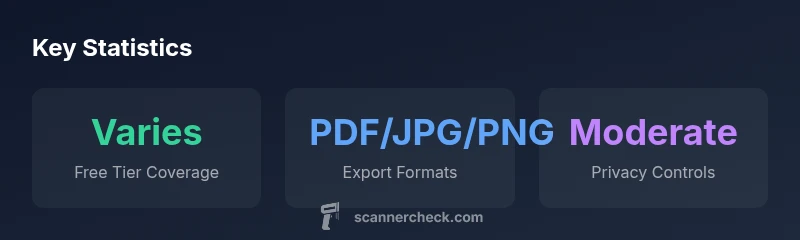
What counts as a free PDF scanner app? In practice, a free PDF scanner app is any app that can be downloaded and used without an upfront charge for basic features. However, 'free' is a spectrum. Some apps are truly free with all core features, some are free to download but place caps on exports or pages, and others use advertising to subsidize a richer feature set. According to Scanner Check, the most common free tier includes basic scanning, basic image adjustments, and export to PDF or image formats, but often with watermarks or limited export options. Users should beware that the absence of a price tag does not guarantee privacy or unlimited use; many free apps rely on data collection or cloud syncing to monetize free access. When evaluating a free PDF scanner, you should verify what is included at zero cost, what requires payment, and how your data is handled during use.
Pricing models you’ll encounter? Pricing models for PDF scanner apps fall into several categories. The simplest is the ad-supported free tier, which may harvest impressions or require watching ads. A second model is freemium: free core features with paid add-ons such as higher OCR quality, batch processing, or cloud storage. A third is a subscription or one-time premium purchase that unlocks advanced tools for a fixed period or permanently. Some enterprise apps charge per user or per license. Based on Scanner Check research in 2026, most casual users rely on free or freemium options, while power users gravitate toward paid plans for reliability and privacy controls. For multi-device workflows, evaluate cross-platform pricing and whether cloud sync features add cost. Always read the terms: some apps offer free trials, but auto-renewals can surprise you.
Free vs paid features you should expect? Free tiers typically cover basic scanning, page previews, and simple exports (PDF or image files). Paid plans unlock advanced OCR, multi-page batching, higher resolution processing, cloud storage, and priority support. In professional contexts, paid options often deliver consistent performance, offline processing, and stronger privacy controls. Expect limits on export formats in free plans and the occasional watermark on documents. When your workflow depends on bulk scanning or sensitive information, a paid plan can reduce friction and risk.
OCR quality and file handling in free apps? OCR performance varies widely across free PDF scanners. You’ll usually find decent text recognition for clean, high-contrast documents, but complex layouts, tables, or multilingual texts may require higher-tier OCR engines. File handling also differs: some free apps export only PDFs, others support JPEG/PNG as well; batch processing is sometimes restricted to paid tiers. If you routinely convert scanned pages to searchable PDFs, verify that the free tier supports searchable output and reliable text layers.
Privacy, permissions, and data safety? Privacy considerations are critical with free apps. Many free scanners rely on cloud processing or data aggregation to monetize access. Review each app’s privacy policy, permissions requested (camera, storage, online accounts), and data retention practices. Prefer apps that offer offline scanning or local storage options and provide clear controls for deleting uploaded files. If you process sensitive material, you may want to limit cloud usage or choose apps with transparent data-handling statements.
How to evaluate free PDF scanner apps for your use case? Start with a needs checklist: (1) required export formats (PDF, image, or other formats), (2) OCR accuracy for your document types, (3) page limits and watermark policies, (4) privacy and data-sharing settings, (5) cross-device availability, and (6) update frequency. Test at least three apps on documents with varied layouts (text-heavy, mixed images, and tables). Compare scanning speed, OCR correctness, and ease of export to your target workflow. Keep a simple scoring rubric to quantify how each app meets your priorities.
Pitfalls to avoid with free scanners? Common pitfalls include forced sign-ins, mandatory cloud storage, aggressive ad placement, and hidden fees when features are unlocked. Some free versions restrict high-resolution exports or restrict batch processing to a fixed number of pages. Always read user reviews for recent changes to licensing, check for watermark policies, and beware data-safety compromises that may accompany free services.
Practical workflow: when to use free vs paid? For light, irregular use, a free or freemium option is usually sufficient. If your work involves multiple pages, language diversity, sensitive documents, or requires reliable export integrity (e.g., to share with clients), a paid plan tends to deliver better OCR, export flexibility, and privacy controls. Build a small pilot comparing 2–3 apps over a week, then decide whether upgrading yields a measurable productivity gain.
Quick-start guide: test and compare? Pick 3–4 candidates, install them on your primary device, and run the same document through each. Note OCR accuracy, export options, watermark presence, and latency. Record privacy policy highlights and permissions. Finally, choose the option that best aligns with your workflow, data privacy needs, and budget.
Common pricing models for PDF scanner apps
| Model Type | Typical Features | Limitations | Privacy Considerations |
|---|---|---|---|
| Free (ad-supported) | Basic scan, export to PDF/image | Watermarks, ads, export limits | Sometimes cloud-connected, check permissions |
| Freemium (tiered) | OCR, cloud sync, multi-page export | Caps on usage, feature gating | Varying privacy controls by tier |
| Paid app | Full OCR, offline mode, advanced exports | One-time or subscription cost | Often strongest privacy controls |
Common Questions
Are PDF scanner apps truly free?
Most offer a free tier with basic features, but truly no-cost upgrades are uncommon. Expect limits like ads, watermarks, or restricted exports.
Most free options have limits; check what’s included before relying on them.
What features are typically restricted in free tiers?
OCR quality, batch processing, cloud storage, and export options are commonly restricted in free versions.
OCR and batch features are often gated behind paid plans.
Do I need to pay for a PDF scanner app?
It depends on your needs. For light use, free may suffice; for heavy OCR and bulk scanning, a paid plan is often justified.
If you scan a lot, expect to pay for better features.
How can I protect my data when using free apps?
Review privacy policies, minimize cloud usage, and restrict permissions. Prefer apps with offline modes for sensitive documents.
Read the privacy policy and adjust permissions carefully.
Which platforms offer the best free scanners?
Both iOS and Android have strong free options; your choice often depends on your ecosystem and preferred UI.
Good free options exist on both platforms; pick the one that fits your device.
What should I look for when evaluating a free PDF scanner app?
Export options, OCR quality, reliability, privacy controls, and update frequency are key.
Check exports, OCR, privacy, and update history.
“Free PDF scanner apps can be surprisingly capable, but you should assess OCR accuracy, export options, and data privacy before upgrading.”
Key Takeaways
- Identify what 'free' covers before you download.
- Expect watermarks or export limits in free tiers.
- Prioritize privacy and data handling in free apps.
- Consider total cost of ownership across platforms.
- Test multiple apps to compare OCR and batching.
- The Scanner Check team recommends prioritizing export options and privacy when choosing a free PDF scanner.
- Always verify whether a free option meets your long-term workflow before upgrading to paid plans.