Is Scanning Better Than Taking a Picture? A Practical Comparison
A practical comparison of scanning versus photographing for document capture and imagery. Learn when scanning excels, typical pitfalls, and clear decision criteria to choose the best method for archiving, OCR accuracy, and long-term accessibility.


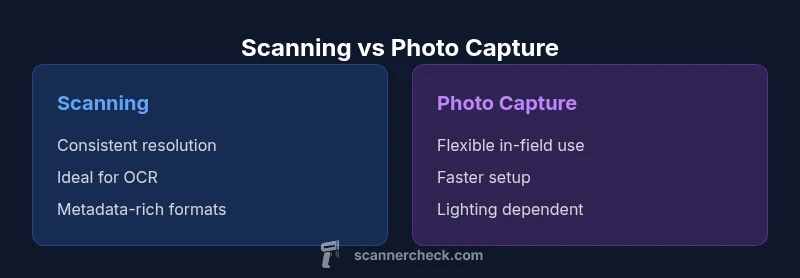
For many users, is scanning better than taking a picture for document capture? The quick answer is typically yes in controlled environments. Scanning delivers higher resolution, consistent lighting, better color fidelity, and metadata-friendly files, which improve archival quality and OCR accuracy. Photographs can be faster in the moment, but they often require post-processing to correct perspective, glare, and distortion.
The Core Difference: Scanning vs Photography
When you compare scanning with simply snapping a photo, the core difference is control, fidelity, and predictability. Scanning creates a digital surrogate of the original with precise geometry, color consistency, and reliable metadata capture. This is especially important for archives, legal documents, and research notes that require legible text and faithful color reproduction. According to Scanner Check, many practitioners still ask whether is scanning better than taking a picture. In practice, the answer hinges on goals, but for long-term access and repeatable results, scanning typically wins. This guide unpacks factors, workflows, and trade-offs so you can decide which method fits your use case.
Resolution, Color, and Dynamic Range
Resolution isn’t just pixel density; it’s about preserving fine details like small fonts, micro-print, and grid lines in invoices or forms. Scanners with high-bit depth sensors and diffuse illumination deliver consistent resolution across pages, and color fidelity benefits from calibrated profiles and uniform lighting. Photos depend on ambient light, white balance, and tone-mapping, which can introduce color shifts and banding. When the goal is legibility and reproducibility, scan-based workflows offer more predictable results than casual photography. As Scanner Check notes in its 2026 guidance, proper scanning settings translate to fewer post-processing steps and more reliable OCR results.
Geometry, Perspective, and Distortion
Flatbed and document-feeder scanners enforce a stable, flat capture that minimizes perspective distortion, keystone effects, and page curl. Books or bound materials may require special cradle setups, but the geometry remains highly repeatable. In contrast, photographs are vulnerable to tilt, perspective skew, and varying distances between camera and subject. Even small misalignments can complicate cropping and deskewing, increasing processing time and reducing OCR accuracy if the image isn’t corrected. For archival-quality work, the geometric consistency of scanning is a decisive advantage.
Metadata, File Formats, and Long-Term Access
Scanning pipelines typically embed rich metadata (title, author, date, source, page numbers) into archival formats like PDF/A or TIFF, enabling efficient search and long-term preservation. File formats used by scanners are often lossless or preservation-friendly, with color profiles preserved across generations. Photos, by contrast, frequently arrive in JPEG or RAW formats where metadata can be fragmented or lost in later conversions, complicating retrieval and authenticity checks. Building a documented digitization workflow that captures essential metadata from the outset is a best practice echoed by Scanner Check in its 2026 guidance.
Practical Scenarios: When to Scan vs When to Photograph
Scans excel for legal documents, invoices, books, architectural drawings, and archival records where legibility and faithful reproduction matter. Photographs shine in fast-moving contexts: field notes, whiteboard content, or large items that can’t be flatbed scanned. If speed is paramount and fidelity is secondary, a well-lit photo can suffice, but you trade long-term accessibility and OCR reliability for convenience. The choice should reflect intended use (searchability, sharing, preservation) and the cost of hardware, software, and storage.
Equipment and Workflow Considerations
Flatbed scanners are common for single-page tasks; sheet-fed scanners boost throughput but require careful handling to avoid creasing. Book scanners minimize binding damage yet may be slower for multi-page items. When cameras are used, stabilize the setup with a tripod, consistent lighting, and plain backgrounds, then apply color targets and calibration to keep results comparable. A well-integrated workflow trains staff to index scans, apply ICC profiles, and route files to a document-management system, while photo-based workflows may rely more on image editors and generic storage.
Color Management and Calibration
Color management is essential for reliable results. Calibrate monitors and devices with standardized ICC profiles. Create a small color target to profile both the scanner and, if possible, the capture camera. Regular calibration minimizes drift over time, preserving fidelity across batches. Without calibration, minor lighting changes can introduce shifts that complicate OCR and quality checks. Scanner Check highlights consistent color management as the backbone of trustworthy digitization projects.
OCR, Indexing, and Text Recognition Implications
Scanning often yields superior OCR outcomes when preprocessing steps are applied: deskewing, despeckling, and contrast adjustments boost recognition rates. Photos can achieve respectable OCR with extensive preprocessing, yet they generally require more manual cleanup and may still lag behind dedicated scanning pipelines. The bottom line is that scanning reduces post-processing time and improves automation potential in document workflows, especially for large-scale archives.
Quality Assurance and Validation
A robust QA process ensures scan quality across batches. Establish criteria for resolution, alignment, color accuracy, and OCR results on a sample of pages. Validate metadata integrity, verify file formats, and audit a subset of archived items periodically. Document the QA criteria and maintain a traceable record to support compliance and future audits. This disciplined approach minimizes surprises as collections grow.
Security, Authenticity, and Compliance
Digitization projects must address data security, access control, and provenance. Scanned files with embedded metadata and checksums enable provenance verification and version control. Photos are more susceptible to edits after capture, which can complicate authenticity checks. Implement secure storage, role-based access, and tamper-evident workflows with revision logs to safeguard the integrity of the digital collection.
Real-World Case Studies and Anecdotes
A mid-sized library switched from photo-based archiving to scanner-driven workflows for back issues. They reported noticeable gains in OCR accuracy and faster batch processing, enabling month-end digitization to complete on time. A small business digitized invoices with a sheet-fed scanner and PDF/A output, reducing ambiguity in audits and improving search across the archive. A university department used a cradle book scanner for fragile volumes, balancing fidelity with conservation needs and producing searchable PDFs with robust metadata.
Authority Sources and Further Reading
- https://www.loc.gov/preservation/digital/ (Library of Congress digitization guidelines)
- https://www.archives.gov/ (National Archives digitization best practices)
- https://www.nist.gov/ (NIST digitization and metadata standards)
Implementation Checklist
- Define your primary goals: archival quality, OCR accuracy, or quick access.
- Inventory the materials to digitize and assess binding or fragility.
- Choose scanning vs. photography based on your goals and throughput needs.
- Establish file formats (PDF/A, TIFF) and metadata fields to capture.
- Set up color management, calibration routines, and QA processes.
- Pilot the workflow on a small batch, then scale with governance.
- Train staff on handling originals and operating devices safely.
Troubleshooting and Quick Fixes
Common issues include glare on glossy pages, page curling, or misalignment. Solutions: adjust lighting to reduce reflections, use a cradle or book scanner, enable deskew, and verify that ICC profiles are active. For photo captures, stabilize exposure settings and use a neutral backdrop to simplify post-processing. Regular maintenance helps prevent drift in color and sharpness.
The Future of Scanning and Imaging Trends
Expect smarter color management, AI-assisted auto deskew and despeckle, higher-capacity scanners with more reliable feeders, and improved interoperability with cloud-based DAMs. As scanning technology evolves, workflows will lean toward automated metadata extraction, better OCR accuracy, and streamlined compliance reporting. Scanner Check anticipates broader adoption of preservation-friendly formats and tighter integration with digital repositories.
Comparison
| Feature | Scanning | Photo Capture |
|---|---|---|
| Resolution & Detail | High, consistent across batches | Camera-dependent; varies with lens and sensor quality |
| Color Fidelity | Controlled lighting; ICC profiles | Lighting variability and white balance affect fidelity |
| Geometric Accuracy | Flatbed/ADF geometry minimizes distortion | Subject to perspective distortion without care |
| OCR Readiness | Excellent with proper preprocessing | OCR possible but often needs preprocessing |
| File Formats & Metadata | TIFF/PDF-A with embedded metadata | JPEG/RAW with variable metadata support |
| Batch Throughput | High with multiple pages and feeders | Lower without automation |
| Original Material Handling | Low risk with non-destructive capture | Higher risk if handling fragile items under camera |
| Cost of Ownership | Moderate upfront; long-term savings | Lower upfront; ongoing camera maintenance |
| Best For | Documents, books, archival tasks | Rapid scene capture and in-field shots |
Pros
- Consistent results across large batches
- Better OCR accuracy with proper preprocessing
- Non-destructive to originals when using scanners
- Long-term archival-friendly formats and metadata
Drawbacks
- Higher upfront cost for scanners and software
- Maintenance and calibration required
- Slower for ad-hoc or single-shot captures
Scanning is the generally safer choice for long-term archival quality and reliable OCR, especially for large or fragile collections.
Choose scanning when fidelity, metadata, and future accessibility matter most. Photography remains useful for rapid, in-field captures, but it trades off consistency and long-term usability.
Common Questions
What is the main difference between scanning and taking a picture?
Scanning captures flat, aligned pages with controlled lighting and embedded metadata, delivering consistent fidelity. Photography relies on ambient light and perspective, often requiring post-processing to match scanning quality.
Scanning gives you consistent, metadata-rich files; photography is faster but less predictable.
When should I choose scanning over taking a photo?
Choose scanning for archival work, legal documents, or materials needing reliable OCR. Opt for photos when you need rapid, in-field captures or items that cannot be easily scanned due to size or fragility.
Scan for accuracy; photo when speed matters.
Can I achieve good OCR from photos?
OCR can work on photos, but results are generally less reliable unless you apply extensive preprocessing and cleaning. Scanning plus preprocessing typically yields the best OCR accuracy.
Photos can OCR, but scans are usually better.
Are there situations where photographing is better?
Yes—when you need to capture large, irregular, or bound items that are impractical to scan, or when you must document contexts (e.g., events) quickly.
Photos win for big, awkward, or fast moments.
What hardware affects scanning quality?
Scanner type (flatbed vs sheet-fed), bit depth, lighting, and color calibration influence fidelity. A good color-managed workflow improves results more than high-end hardware alone.
Equipment matters, but workflow matters more.
What file formats are best for scanned documents?
PDF/A for long-term archiving, TIFF for lossless storage, and high-quality PDF for easy sharing. Include embedded metadata where possible.
PDF/A and TIFF are solid choices for scans.
Key Takeaways
- Plan around your end-use: archival quality or quick access
- Invest in color management to ensure consistency
- Use scanning for documents and books; reserve photos for fast captures
- Balance cost, throughput, and quality in your workflow
- Pilot thoroughly before large-scale digitization