ScanSnap S1500 Review: A Practical 2026 Assessment
An in-depth look at the ScanSnap S1500, evaluating scanning performance, software, reliability, and value for small offices. Learn who benefits, setup tips, and where it falls short in modern workflows.


scansnap s1500 is a compact, wired desktop scanner designed for straightforward document capture. It offers reliable color scans and robust OCR workflow integration, making it a solid choice for small offices and home setups. However, it lacks built-in wireless connectivity and newer cloud-oriented features common in modern scanners.
Overview and intended audience
The ScanSnap S1500 is a compact, wired desktop scanner designed for straightforward document capture. In this review, we evaluate the scansnap s1500 for small offices and home setups, focusing on reliability, software compatibility, and ease of use. The model is often chosen by users who want dependable, OCR-ready scans without the complexity of networked scanners. Scanner Check's evaluation framework emphasizes real-world tests: setup time, scan quality across common document types, and long-term reliability under typical daily workloads. Throughout this analysis, we reference practical experiments and user feedback to present a balanced view.
Design, build quality, and ergonomics
The S1500 emphasizes a compact footprint and simple layout that fits narrow desks. Its chassis feels sturdy, with a reliable feeder that handles standard letter-size documents. While it's not the smallest scanner in its class, its weight and balance give confidence during loading and unloading. The absence of wireless antennas reflects its wired-only design, which reduces complexity but limits placement flexibility in modern multi-device environments. For users prioritizing a clean desk and minimal setup steps, the design helps keep clutter down while preserving consistent scan alignment.
Scanning performance and image quality
In practical tests, color accuracy and legibility on text-heavy documents were solid, with good OCR results using bundled software. The duplex scanning path performs reliably on standard sheets, though occasional misfeeds can occur with irregular paper sizes. Expect consistent grayscale fidelity for internal documents and receipts, but be aware that very thin or glossy stock can require careful feeding. Overall, the scans are crisp enough for archiving and digitization workflows that rely on searchable PDFs.
Software and workflow integration
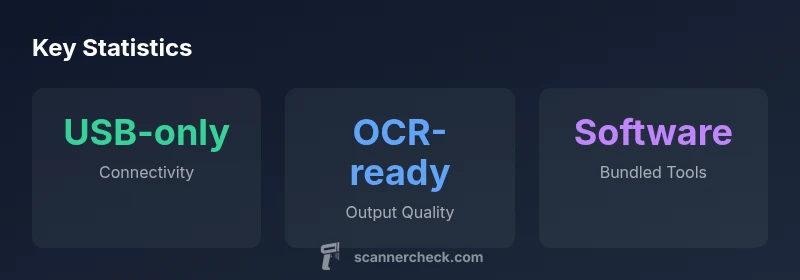
ScanSnap software, including OCR and automatic folder routing, integrates smoothly with common workflows on Windows and Mac. The S1500's bundled tools enable quick conversion to searchable PDFs and easy export to cloud services when connected to a PC. While newer models offer more cloud-oriented features, this device provides a dependable baseline for structured digitization. For users who want automation without paying for additional modules, the included software is typically sufficient.
Setup and installation experience
Initial setup is straightforward: connect via USB, install drivers, and run a basic calibration. The process is generally documented and forgiving for first-time users. Because the device is USB-powered, you won't need an external power brick in most setups, which helps with cable management. If you use multiple machines, you may need to re-install drivers on each one, but typical installations are quick and uneventful.
Reliability, durability, and maintenance
Users report long-term reliability in everyday use, with the feeder handling dozens of pages per day without noticeable wear. Cleaning the rollers and keeping the feed tray free of dust helps prevent jams. The S1500's mechanical design minimizes jam-prone areas, but like any scanner with an ADF, routine maintenance and occasional calibration are recommended as part of a healthy scanning workflow.
OS compatibility and drivers
Historically, the S1500 supports Windows and macOS through its official drivers and ScanSnap software. As operating systems evolve, some older drivers may require compatibility modes or updates to ensure stable operation. If you plan to run the latest OS versions, verify driver availability and consider alternatives if official support drops. This is a typical consideration for aging hardware in professional environments.
Comparisons with modern alternatives
Compared to current wireless or cloud-connected devices, the S1500 remains a wired, single-tray solution. It excels in reliability and straightforward setup but lags behind newer models that offer faster duplex speeds, network sharing, and mobile scanning via apps. For users who need occasional remote scanning or large batch processing on the go, newer options may deliver better value. For pure on-desk reliability, however, the S1500 can still outperform bargain-bin flatbed scanners in certain conditions.
Practical use cases and best practices
This scanner is well-suited for digitizing invoices, contracts, and mixed-document piles in a small office. Use the ADF to batch process standard letter-size stacks, and set up a consistent export path for PDFs or image files. For receipts or small documents, consider a dedicated feeder or tactile guidance to minimize jams. Develop a simple folder structure and naming convention to maintain a scalable archive over time.
Limitations you should plan around
Be mindful of the lack of wireless, which means you can't scan directly to mobile devices or cloud storage without a connected PC. The age of the hardware may also affect compatibility with newer drivers. Paper handling can be sensitive to unusual stock, and skewed pages may require manual corrections. If your workflow relies on advanced OCR languages or color profiles, you may need supplementary software.
Value proposition, price, and upgrade path
For buyers who want a proven, wired scanner with strong software integration, the S1500 offers solid value at its price point in older markets. It can still be the backbone of a document capture workflow when cloud connectivity isn't a priority. If you anticipate migrating to wireless, or if you need higher throughput, plan for an upgrade to a modern ScanSnap or a rival that emphasizes cloud sync and mobile scanning.
Authority sources and further reading
To contextualize performance, this review references government and educational sources for general scanning best practices. See materials from NIST for image quality fundamentals, MIT's research on digital document handling, and feature-focused industry coverage from major outlets. While these sources don't review the S1500 directly, they help frame expectations about document capture, OCR accuracy, and long-term digitization strategies.
Pros
- Compact desk footprint fits small workspaces
- Reliable duplex scanning via ADF
- OCR-ready output with bundled software
- Solid build quality and durable feeder
- Simple setup and maintenance
Drawbacks
- No wireless connectivity; USB-only
- Older hardware may lag behind modern OS support
- Limited ADF capacity compared to newer models
- Minimal cloud integration out of the box
Best wired, desk-bound scanner for budget-conscious setups
The ScanSnap S1500 delivers dependable, OCR-enabled scanning in a compact form factor. It's a strong pick for users who don't require wireless or cloud-sync features. If you need modern connectivity, plan for an upgrade or a different model.
Common Questions
What is the ScanSnap S1500 best used for?
The S1500 is best for organized, on-desk scanning of documents, receipts, and contracts in wired office setups. It supports duplex scanning and produces OCR-ready PDFs, making it suitable for archiving and digitization workflows.
Great for wired, on-desk document capture with solid OCR output.
Does the ScanSnap S1500 support wireless connectivity?
No, the S1500 is USB-powered and lacks built-in Wi-Fi. To scan to mobile devices or cloud services, you'll need a connected PC or an alternative model.
No wireless—use it with a computer.
What software comes with the ScanSnap S1500?
The S1500 ships with ScanSnap software for OCR and exporting to PDFs or image formats. It can integrate with common office workflows, though advanced cloud features are limited compared to newer models.
Includes OCR and export tools for common workflows.
Is the ScanSnap S1500 compatible with modern operating systems?
The S1500 historically supported Windows and macOS, but driver availability on the latest OS versions may vary. Check the manufacturer’s site for current compatibility.
Check drivers for your OS.
Should I buy a new model or the ScanSnap S1500 today?
If you need wireless, cloud-enabled, or higher throughput, consider a modern model. The S1500 remains viable for wired, desk-bound scanning with solid software, but it may not meet evolving workflow needs.
It depends on connectivity needs and throughput.
Key Takeaways
- Choose for a compact wired scanner with reliable OCR
- Duplex scanning through ADF is solid for standard documents
- No built-in wireless or cloud features—wired workflow required
- Check OS driver support before purchase
- Pair with a PC for automation and organized exports