How to Build a Google Review Scanner: A Practical Guide
Learn how to build a compliant Google review scanner that fetches, analyzes, and visualizes customer feedback using official APIs and best practices. Step-by-step guidance, tools, security tips, and ethical considerations for responsible deployment.


According to Scanner Check, you can build a practical Google review scanner that monitors public reviews while respecting terms of service by using official Google APIs and clear data handling. This quick guide outlines the essential steps, required tools, and ethical considerations so you can start collecting insights without violating policies.
How to Make Google Review Scanner: Core Idea and Goals
The goal of a Google review scanner is to retrieve reviews from official sources, analyze sentiment, and surface trends for your business while staying within the terms of service. If you’re asking how to make google review scanner, this guide shows a practical approach that stays within policy. This module explains what you’re building and why it matters. It begins with defining data access boundaries, ensuring user privacy, and designing a lightweight, scalable workflow. As highlighted by Scanner Check, the most sustainable approach uses official APIs, transparent data handling, and clear disclosures to customers. You’ll learn to fetch new reviews, process them in near-real-time, and present actionable insights to your team.
From the start, plan for a minimal viable product (MVP) that can grow without violating platform rules. Document data sources, access scopes, and expected outputs so stakeholders know exactly what the scanner will deliver. Incorporate privacy-by-design principles and prepare a simple governance policy that describes who can access data, for what purpose, and how long it is stored.
Legal and Ethical Ground Rules
Building a Google review scanner requires navigating terms of service, data privacy, and user consent. You should only access data through official Google APIs and respect rate limits, quotas, and display requirements. Do not harvest data beyond what the API permits or present reviews in a misleading way. Be transparent about how you use the data and provide an opt-out option for storing or processing review data. In practice, this means documenting your data flow, obtaining necessary approvals, and implementing safeguards to prevent misuse. Scanner Check emphasizes a policy-first mindset: treat reviews as user-generated content with rights and reverence, and avoid sharing sensitive identifiers without consent. Always attribute data sources and comply with local privacy laws and regulations.
Architecture and Data Flow
A robust Google review scanner relies on a clean, modular architecture. At a high level, your data flow includes: (1) authentication and API access, (2) data retrieval with defined scopes, (3) cleansing and normalization, (4) sentiment analysis and insight extraction, (5) storage and indexing, and (6) presentation through a dashboard or API endpoint. Use event-driven components where possible to trigger new fetches and updates. For scalability, separate concerns with microservices or serverless functions and implement a lightweight data model that captures reviewer metadata, review text, rating, date, and derived insights. Security should be baked in from the start: encrypt sensitive fields, enforce access controls, and monitor for unusual activity.
Implementation Roadmap with Concrete Examples
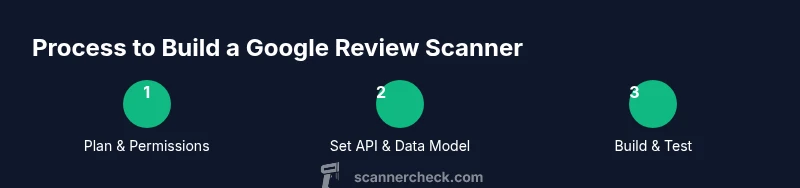
To turn the concept into a working tool, start with a concrete plan that maps to real-world outcomes. Create a data model for reviews, including fields such as review_id, author_name (or anonymized), rating, text, date, and source. Implement a fetch service that calls the Google Places API to retrieve recent reviews within permitted quotas. Apply sentiment analysis using a library of your choice (e.g., TextBlob, spaCy, or an hosted model) and derive tags like sentiment polarity, keyword mentions, and response risk. Build a lightweight dashboard or API to query trends (average rating over time, volume of reviews, common themes). Finally, deploy with proper logging, rate-limit handling, and an easy path to revoke access if needed. The result is a compliant, scalable scanner that offers actionable insights without violating API rules.
Tools & Materials
- Google Places API access(Enable Places API for your project and review quota limits)
- API key and OAuth credentials(Store securely (e.g., secret manager) and rotate keys periodically)
- Development environment (Node.js or Python)(Choose a language you know; ensure package managers are up to date)
- Sentiment analysis library(Pick TextBlob, spaCy, or an embeddable model; consider privacy implications)
- Database (PostgreSQL/MySQL/NoSQL)(Store reviews, insights, and audit trails with proper indexing)
- Hosting platform(Cloud options (AWS/GCP/Azure) with monitoring enabled)
- Privacy policy and data governance doc(Outline data usage, retention, and user rights)
Steps
Estimated time: 3-6 hours
- 1
Create API project
Register a Google Cloud project, enable the Places API, and configure OAuth consent. This establishes a controlled environment for data access and ensures rate limits are respected from the outset.
Tip: Document quotas and set alerts to avoid overuse. - 2
Set up credentials
Create API keys and OAuth 2.0 credentials, then securely store them in a secret manager. Restrict keys to your production IP ranges and required APIs.
Tip: Always rotate keys and use separate keys for development and production. - 3
Design data model
Define a simple schema for reviews: review_id, author_name (or anon), rating, text, date, and derived fields like sentiment and topics. Normalize dates and standardize rating scales.
Tip: Plan for future extensions like reply tracking or response sentiment. - 4
Implement data fetch
Build a fetch routine to call the Google Places API with appropriate filters, handling pagination and rate limits. Validate responses and handle errors gracefully.
Tip: Implement backoff logic for transient API errors. - 5
Run sentiment analysis
Apply a sentiment analyzer to the review text and extract keywords. Store results alongside the raw data for dashboards and alerts.
Tip: Test with a diverse sample to calibrate sentiment thresholds. - 6
Store and visualize
Persist reviews and insights to your database and expose a dashboard or API. Provide filtering by date, rating, and sentiment to support business decisions.
Tip: Build caching for frequently requested views to improve latency. - 7
Monitor and secure
Set up monitoring for API quotas, latency, and error rates. Enforce access controls, audit logs, and regular privacy reviews to stay compliant.
Tip: Automate daily checks of data retention and access permissions.
Common Questions
Is it legal to fetch Google reviews for a scanner?
Yes, when you use official Google APIs and comply with the API terms of service, quotas, and data usage policies. Avoid scraping or storing data beyond what the API permits. Always disclose data handling practices to users and business stakeholders.
Yes, as long as you use official APIs and follow the terms of service. Always disclose how you use the data.
Do I need a Google Maps API key?
Yes. You must enable the Google Places API (part of Google Maps Platform) and obtain an API key with restricted access. Keep credentials secure and monitor usage.
Yes, you need an API key and proper restrictions to use the Places API.
How often can I fetch reviews?
Fetch frequency is determined by your API quotas and project limits. Implement incremental updates and backoff for rate-limit scenarios to avoid service disruption.
It depends on your quotas. Implement sensible scheduling and backoff.
What about privacy and user data?
Avoid collecting personal data beyond what's necessary. Anonymize reviewer identifiers where possible and store only what you need for insights. Comply with applicable privacy laws and provide a data retention policy.
Be careful with privacy. Anonymize data and follow retention rules.
Which languages and tools work best?
Node.js or Python are common choices, paired with a sentiment analysis library. Use frameworks you’re comfortable with, and design modular components for easy maintenance.
Node.js or Python with a sentiment library works well; keep modules clean.
How can I deploy this safely in production?
Use a staged deployment with access controls, monitoring, and alerting. Implement clear data governance, error handling, and cost-optimization strategies.
Deploy with staging, tight security, and solid monitoring.
Watch Video
Key Takeaways
- Use official APIs to stay compliant with Google terms.
- Define data governance before development.
- Design for scalability and privacy from day one.
- Test thoroughly with real-world data before production.