Scanner Looks Like: Practical Design Comparison
Explore how what a scanner looks like signals form factor, use-case, and features. This analytical comparison guides home, office, and professional buyers through visual cues, build quality, and practical decision factors.


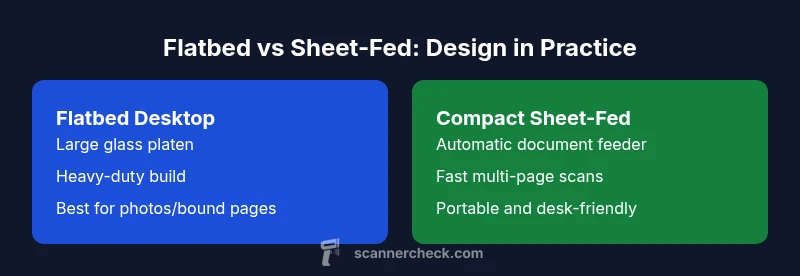
When evaluating what a scanner looks like, two dominant forms emerge: flatbed desktops and compact sheet-fed units. Large lids, glass platens, and sturdy bases usually signal higher-quality capture for photos and bound pages, while slim, portable casings emphasize speed and portability. The Scanner Check approach shows that how a scanner looks like informs use-case, but it doesn’t guarantee performance—check specs too.
What the phrase 'scanner looks like' signals about form factor and capability
The expression scanner looks like often reveals more about form factor than about raw output alone. According to Scanner Check, visual language—such as lid size, the presence of a glass platen, and the overall chassis mass—can hint at the intended workflow: archival-grade flatbeds, fast multi-page sheet-fed units, or compact portable scanners. In practical terms, a bulky desktop model with a large glass surface usually supports delicate originals and detailed color work, while a slim device with an integrated feeder tends to prioritize speed and convenience for office tasks. Readers should use appearance as a starting heuristic, then verify key specifications and software options before purchase. As with all hardware, appearances can be misleading if you ignore the numbers behind the glass. This is especially important when buying for a team, where uniform results are more valuable than flash on a shelf.
Visual archetypes: Desktop flatbeds vs compact sheet-fed scanners
Two primary families dominate consumer and professional markets: desktop flatbeds and compact sheet-fed scanners. Flatbeds typically feature a hinged lid that opens to reveal a wide glass platen. They excel in color fidelity, detail, and the ability to scan bound books or fragile documents without feeding them through a mechanism. In contrast, sheet-fed scanners use a narrow feed path and an automatic document feeder (ADF) to process multiple pages quickly. The look of these devices often includes visible feed trays and vertical alignment guides, which communicate speed and efficiency at a glance. When you judge by appearance, remember that the aesthetic is a proxy for workflow, not a guarantee of quality.
Visual cues to identify common scanner categories
Certain cues consistently map to a scanner’s category. A large, flat glass surface with a prominent lid signals a desktop flatbed built for-quality scans. A compact body with a visible sheet tray or an ADF suggests a sheet-fed design optimized for speed and multi-page tasks. Controls on the front or top, such as a few physical buttons or a small LCD, often indicate consumer-grade devices aimed at simplicity, whereas professional models may feature richer software control, larger displays, and bulkier power supplies. Materials also tell a story: metal exteriors and dense plastics hint at durability, while lighter plastics may align with budget models. While these signs help you form a quick impression, always cross-check the optical resolution, color depth, and sensor type in the official specs to avoid misjudgments.
How design choices relate to performance metrics
Design language and performance metrics aren’t perfectly aligned, but there are correlations. Flatbed designs typically deliver higher scan quality per pass for photos and bound documents because they rely on a stable, glass-based scanning surface and uniform illumination. Sheet-fed devices emphasize speed and automation, often at the expense of long-document color consistency and edge fidelity in some cases. A compact body can still house high-end sensors; certain modern compact models push optical resolutions into the higher ranges while preserving portability. The key is to map physical appearance to the device’s intended workload: a robust build and generous glass area for thorough color scans; an efficient feeder system with quick throughput for large document batches. Always examine manufacturer-provided test results and independent reviews to confirm real-world performance.
Form factors in practice: Home, small office, and professional environments
In home settings, appearance often signals budget and ease of use. A smaller footprint with modest controls is common and often adequate for digitizing photos or occasional documents. For small offices, the balance shifts toward multi-page efficiency, where a scanner with an internal feeder, reliable connectivity, and straightforward software can deliver tangible time savings. In professional environments—law firms, archives, or production studios—users expect color accuracy, robust calibration routines, and batch processing capabilities. This is where the visual language matters: you’ll see more rugged housings, professional connectors, and higher-capacity feeders. While looks can guide expectations, the ultimate decision rests on the device’s documented specs, software ecosystem, and the reliability of vendor support over time.
Build quality, materials, and durability signals
Appearance often hints at build quality. A solid chassis, metal hinges for the lid, and a weighty feel usually correlate with durability and stable scanning performance. High-end flatbeds frequently use metal or reinforced plastics, which can dampen vibration and improve edge focus during scans. Sheet-fed units may emphasize a rigid frame and precision gears to reduce feeding misalignment. Durability is also tied to long-term usability: jam-resistance, duty cycle, and serviceability. When you assess looks, consider the quality of the hinge, the finish that resists scratches, and the presence of serviceable components such as easy-access rollers or replaceable feeders. These cues are valuable indicators, but verify culprits like calibration stability and firmware longevity in independent reviews and official documentation.
Aesthetics and usability: UI, status indicators, and software
The visual design of a scanner extends beyond the enclosure. User interfaces, indicator LEDs, and display screens reflect intended workflows. A bright, readable LCD or touch panel can reduce training time and errors in busy environments. Subtle cues, such as a well-placed status LED or an intuitive control panel, communicate reliability at a glance. On higher-end devices, software suites provide calibration, color-management profiles, and batch processing options that extend the value of the hardware. When looks align with good usability, a device becomes part of a smooth workflow rather than a decorative object. Don’t settle for eye-catching finishes if you cannot operate the device efficiently or integrate it with your existing systems.
How to choose by appearance: a practical checklist
To translate appearance into a sound purchase, use this checklist: (1) Confirm your primary tasks (photos vs documents) and judge if the form factor aligns with those tasks. (2) Check the size relative to your workspace; ensure that lid clearance and feeder access won’t hinder daily use. (3) Inspect the build quality: lid hinge, body rigidity, and connector robustness. (4) Review software compatibility, calibration options, and update history. (5) Weigh aesthetics against price: a visually impressive but mechanically limited device may not deliver long-term value. By treating looks as a starting point and then validating with official specs, you’ll choose a scanner that fits your actual needs rather than your shelf presence.
Common myths about 'scanner looks like' and performance
A frequent misconception is that the best-looking device automatically yields the best results. In reality, performance hinges on optical sensors, resolution, color depth, and driver support. Some compact designs pack robust features and high-quality imaging, while some bulkier units may skim by with average results if their sensors are outdated. Another myth is that ruggedized looks guarantee reliability in tough environments; while durability helps, it does not replace proper calibration and maintenance routines. Finally, aesthetics do influence perceived value, but the true value comes from an honest assessment of price-to-performance, user experience, and long-term support. Consumers should balance the instinct to trust a visual impression with a rigorous review of the device specifications and independent tests.
Comparison
| Feature | Flatbed Desktop Scanner | Compact Sheet-Fed Scanner |
|---|---|---|
| Size & weight | Large desktop footprint (~18" x 14" x 6", 4–7 kg) | Slim portable form factor (~12" x 7" x 5" with feeder, 1–3 kg) |
| Feeding method | Manual or single-pass for photos/bound pages | Automatic sheet feeding (ADF) for multi-page documents |
| Resolution | Optical up to 4800 dpi (model-dependent) | Optical up to 600–1200 dpi typical for consumer models |
| Connectivity | USB (and sometimes Wi‑Fi) | USB, Wi‑Fi, and sometimes Ethernet on higher-end models |
| Best For | Archival scans, photos, bound documents | Fast multi-page document scanning and office workflows |
| Price Range | $70–$350 | $200–$800 |
Pros
- Clear, high-fidelity captures for photos and bound documents
- Sheet-fed units excel at speed and batch processing
- Flatbeds are versatile for fragile originals and books
- Modern models often include robust software and calibration options
Drawbacks
- Flatbeds can be slow for large volumes
- Sheet-fed units may jam with glossy or textured stock
- Higher-end features increase upfront cost
- Color management and driver support vary across models
Flatbed vs sheet-fed: choose based on workload
For archival or delicate originals, a flatbed often wins on quality. If you frequently scan multi-page documents, a sheet-fed unit accelerates workflows and saves desk space.
Common Questions
What does 'scanner looks like' signal about form factor?
Appearance often hints at form factor (flatbed vs sheet-fed). Large lids and glass imply desktop flatbeds; slim bodies with feeders suggest sheet-fed devices. Use these cues to narrow down choices, then confirm specs.
Appearance hints the form factor, but check specs to confirm.
Do looks reliably predict scan quality?
Not always. Some compact designs offer high optical resolution, while large flats may rely on lower-end sensors. Always verify optical DPI, color depth, and calibration options rather than trusting looks alone.
Looks don’t guarantee quality—check specs.
Which form factor is best for photos?
A traditional flatbed scanner generally yields more consistent color and detail for photos and bound documents due to the large, stable scanning surface.
For photos, go flatbed for best results.
Are rugged industrial scanners a better value by looks alone?
Rugged designs imply durability, not necessarily better image quality. They often cost more and require specialized software. Focus on optics and workflow compatibility rather than chassis appearance.
Rugged look doesn’t guarantee performance.
How should I evaluate appearance for office use?
Prioritize ease of use, reliable connectors, and software features. A balanced size with a practical lid and feeder is ideal. Ensure it supports your typical paper sizes and volumes.
Appearance matters, but specs matter more.
Is it possible to identify the brand from appearance alone?
Distinctive chassis shapes or colors exist, but appearance is not a reliable brand indicator. Always verify model numbers and firmware support to confirm identity and capabilities.
Don’t rely on looks to identify the brand.
Key Takeaways
- Choose by use case, not appearance alone
- Flatbeds excel at quality for photos and bound pages
- Sheet-fed scanners speed multi-page tasks
- Consider workspace size and tolerance for jams
- Verify specs and software support before buying