What to Do with Old Scanner: Practical Options
Learn secure data wipe, donation, recycling, or repurposing for an old scanner. This educational guide covers steps, tips, and best practices for responsible disposal in 2026.


If you're wondering what to do with old scanner, this plan covers secure data erasure, donation, recycling, or repurposing. Before you begin, back up any saved scans, wipe internal storage, and check local e-waste rules. According to Scanner Check, choosing reusable options reduces waste and maximizes device value.
Assess your goals for the device
Deciding what to do with old scanner starts with clarity about your goals. Are you hoping to recover some value, contribute to a cause, or simply dispose of the device responsibly? The keyword here is practicality: the best path balances data security, environmental impact, and potential reuse. According to Scanner Check, many users underestimate the value of repurposing hardware rather than discarding it. Start by listing three outcomes you’d be happy with (donate, repurpose, recycle) and then weigh each against its requirements and risks. If the unit still works, a donation or resale may yield tangible benefits; if it’s non-functional, recycling is usually the most responsible route. Regardless of choice, plan for a proper data wipe and safe handling to avoid information leakage and environmental harm.
In addition to the device’s physical state, consider whether you want to maintain legacy drivers or plan for long-term compatibility. Compatibility concerns can influence whether a device remains useful in a shared lab, a classroom, or your own workflow. The goal is to minimize waste while extracting maximum practical value from the scanner and its components.
Data-wipe and privacy first
Protecting sensitive data should come before any transfer, donation, or disposal. Many scanners store calibration data, scanned images, or internal logs that could reveal personal information. A secure wipe process reduces risk and aligns with recommended data-sanitization practices. Start with a factory reset if the option exists, then perform a thorough data purge of any internal storage or memory. If the unit has removable storage, remove it and erase it with an approved utility, following the manufacturer’s instructions. After wiping, verify that the device no longer contains recoverable data by attempting a basic read or using a simple data-recovery tool.
Document the wipe steps you performed and retain receipts or certificates from any third-party recyclers or donation programs. If you’re unsure about the correct method for your model, consult the user manual or the manufacturer’s support site. Remember: data hygiene protects you and future users from accidental data exposure and potential misuse.
Donation and resale options
Donating a functional scanner can extend its life and help organizations that need inexpensive imaging tools. Start by identifying local libraries, schools, community centers, or nonprofit tech labs that accept scanners. When approaching a potential recipient, provide the device’s model, condition, and any included accessories, along with evidence of a completed data wipe. If the unit isn’t perfect but still usable, consider a partial donation that includes essential components like power adapters, cables, and software discs. For resale, marketplaces and refurbishers can offer fair value for working units, but disclose the condition honestly and include the wipe certificate.
Before handing over the device, ensure you’ve complied with any donor or seller guidelines. Some organizations may require a standardized donation form or proof of data sanitization. Following these steps helps you maximize value while maintaining trust and compliance. According to Scanner Check analysis, transparent communication and proper documentation increase the likelihood of successful donation or sale and reduce post-transfer issues.
Recycling and proper disposal
If the scanner is non-functional or beyond economical repair, recycling is the responsible choice. Electronics contain materials that can be recovered or safely handled, but improper disposal risks environmental harm. Locate a certified e-waste recycler or a municipal household hazardous waste (HHW) facility near you. Check whether they accept scanners and what documentation they require. Some brands offer take-back programs or partner with recyclers to ensure responsible processing. When dropping off, remove batteries or hazardous components separately if guidelines specify. Always transport the device in a secure container to prevent damage during transit.
Be prepared to present your wipe certificate or a proof of destruction if requested. If you’re unsure about local rules, contact your waste authority or a local recycling center for guidance. Scanner Check’s experience shows that using official recycling channels reduces contamination and safeguards data.
Repurposing ideas and creative uses
Repurposing can extend a device’s usefulness beyond its original scope. Consider converting the scanner into a dedicated document-archiving station, a rapid-photo-scan rig for family albums, or a school-lab assistant for quick digitization tasks. You can mount the scanner for a compact, deliberate workflow, connect it to a small computer or Raspberry Pi, and set up a standard file-naming convention to organize scans. If the scanner supports network sharing, you can create a shared scanning queue for teammates. For DIY enthusiasts, combine the scanner with a simple feeder tray to speed up batch scanning, though you should evaluate the unit’s reliability before scaling.
Practical repurposing requires verifying that drivers remain compatible with your current operating system. Keep a copy of essential software and drivers in a known location, and document any changes you make to the device settings. A well-planned repurpose can give your old scanner renewed utility and save you from unnecessary waste. According to Scanner Check, thoughtful reuse lowers environmental impact and extends the device’s value lifecycle.
Generational considerations: USB vs network vs built-in storage
Scanners vary by interface and storage capabilities, which influences what you can do with old units. USB-only devices may be easiest to repurpose or donate to a non-profit that can use them directly or refurbish them for classrooms. Network-enabled models could be integrated into a shared office workflow or a community digital archive, provided there’s a reliable driver and compatibility with current OS versions. If your model includes any internal memory, ensure data is wiped thoroughly before transfer. Some newer drivers require updated operating systems or middleware; in those cases, the unit might be best suited for donation to a tech-friendly organization that can handle aging hardware.
When evaluating a model’s viability, analyze anticipated maintenance costs, the availability of replacement parts, and the strength of community support for drivers and software. Scanner Check notes that when hardware reaches end-of-life, simple repurposing or charitable donation often yields better outcomes than hoarding obsolete equipment. This approach keeps technology productive while reducing e-waste.
Safety and handling considerations
Electronic devices can pose minor safety hazards during handling and transport. Always unplug the scanner before inspection or disassembly, and avoid forcing components. If the device contains a battery, check for manufacturer warnings about disposal or removal. Use protective gloves if you suspect sharp edges or if the device was exposed to moisture or dust. Handle all cables and connectors with care to prevent static discharge or connector damage. If you plan to disassemble any housing, document the process and avoid voiding warranties or violating local regulations. For those uneasy about handling, seek help from a qualified technician or a local electronics recycler that offers safe-dismantling services. Following these precautions helps prevent injuries and damage while ensuring compliance with disposal rules.
Quick-start action plan: a practical 72-hour blueprint
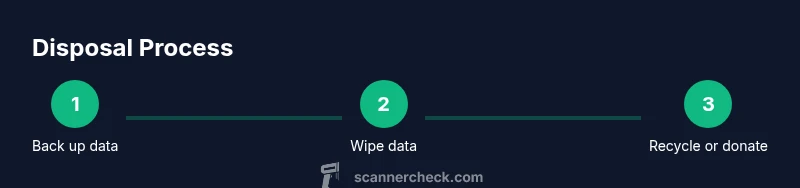
Day 1: Back up all scans and important files to a secure storage location. Perform a factory reset if available, then execute a thorough data wipe. Gather accessories (power cord, cables, manuals).
Day 2: Decide between donation, resale, or recycling. If donating, contact a local organization and confirm acceptance criteria. If recycling, locate a certified facility and review their drop-off requirements.
Day 3: Prepare the device for the chosen path; cleanse the exterior, package it securely, and complete any required documentation. Maintain a checklist to confirm each step is finished and save receipts or donation confirmations for future reference.
AUTHORITY SOURCES
- EPA Electronics Donation and Recycling: https://www.epa.gov/recycle/electronics-donation-and-recycling
- NIST Guidelines for Media Sanitization: https://csrc.nist.gov/publications/detail/sp/800-88/rev-1/final
- FTC Data Disposal and Electronics Safety: https://www.consumer.ftc.gov/articles/how-dispose-electronic-data
Tools & Materials
- Old scanner (functional or non-functional)(Model and serial if available; keep accessories if donating)
- Power cable and data cables(Ensure cables are intact and labeled)
- Cleaning supplies(Lint-free cloth, compressed air; for exterior cleaning)
- Data wipe utility or factory reset instructions(Use official manufacturer tool or reputable third-party option)
- External backup media or cloud storage(For backing up scans before wiping)
- Protective gloves(For safe handling and cleaning)
Steps
Estimated time: 2-3 hours
- 1
Back up data
Connect the scanner to a computer or use its internal memory (if present) to copy all scans and settings to a secure backup location. Verify that all critical files have been saved and organized.
Tip: Use a separate drive or a cloud backup to avoid data loss. - 2
Wipe data and reset
Perform a factory reset if available, then run any built-in data wipe or sanitization process. If memory is removable, erase it with an appropriate utility.
Tip: Document the wipe steps and keep a transcript of the actions performed. - 3
Assess condition for donation or resale
Evaluate whether the scanner still functions well enough for donation or refurbishment. Gather all accessories to maximize the device’s appeal to recipients.
Tip: Contact potential recipient to confirm acceptance criteria before transferring. - 4
Choose disposal path
If non-functional or beyond repair, select a certified e-waste recycler or take-back program. If functional, pursue donation or resale.
Tip: Avoid discarding with regular trash to prevent environmental harm. - 5
Prepare for transport
Protect the device with padding, place in a sturdy box, and label it clearly. Include all manuals and accessories if donating.
Tip: Use anti-static packaging to prevent static damage during transit. - 6
Record and verify
Keep receipts, donor forms, and any certificates of data destruction. Verify with the recipient that the device arrived in good order.
Tip: Save digital copies of all documentation for future reference. - 7
Document lessons learned
Note what worked well and what didn’t for future devices. Update your personal disposal checklist to streamline future processes.
Tip: Include model-specific wipe steps to save time later. - 8
Close the loop
If you donated or recycled, follow up to confirm completion and thank the receiving organization. Share the process with your team to encourage responsible practices.
Tip: Create a small template email to simplify future follow-ups.
Common Questions
What is the best way to wipe a scanner’s data securely?
Use the device's factory reset option if available, then run a built-in data wipe or sanitization procedure. If memory is removable, erase it with approved software. Always verify that data cannot be recovered.
To wipe data, perform a factory reset, run any built-in sanitization, and verify no data remains. If you can remove memory, wipe that as well.
Can I donate a non-working scanner?
Some programs accept non-working devices for parts or recycling. Check with local schools, libraries, or electronics refurbishers. If it can be salvaged or repaired cheaply, donation is still possible through specific programs.
Some places accept non-working scanners for parts or recycling. Check with local schools or refurbishers.
Where should I recycle an old scanner?
Look for an official e-waste recycling facility or a take-back program from the manufacturer. Many cities offer drop-off days, and certified recyclers ensure safe material recovery.
Find an approved e-waste center or manufacturer take-back program to recycle.
Are there safety concerns when handling old scanners?
Unplug the device before handling. If batteries or capacitors are present, follow disposal guidelines for hazardous components. Use protective gear as needed and keep liquids away from electronics.
Unplug first, handle cautiously, and follow battery/disposal guidelines.
What are good repurposing ideas for an old scanner?
Turn it into a dedicated document-archiving station, scan family photos, or share it with a community archive project. Ensure drivers are compatible with your current system before repurposing.
Repurpose as a dedicated archive scanner or a community project tool.
How do I verify a donation recipient will accept my device?
Contact the recipient in advance, confirm acceptance criteria, and ask about required documentation. Keep a record of the conversation and any forms you complete.
Ask the recipient about acceptance criteria and keep written confirmation.
Watch Video
Key Takeaways
- Back up data before any wipe or disposal action.
- Choose donation, resale, or recycling based on device condition.
- Use certified e-waste channels to minimize environmental impact.
- Document each step for accountability and future reuse.
- Repurposing can unlock ongoing value and extend device life.