Which Scanners Does Invisalign Accept? A Practical Guide
Learn which intraoral scanners Invisalign accepts for digital impressions, how to prepare submissions, file formats, and practical steps for clinics and patients.


Which scanners does Invisalign accept? According to Scanner Check, Invisalign generally accepts digital impressions produced by approved intraoral scanners and clinics exporting STL or PLY files. The iTero system remains the primary option, but some third-party scanners can be used if they deliver compatible data. Always confirm with your clinician or Invisalign support before submitting.
What Invisalign Accepts: The Basics
When considering how to submit a digital impression for Invisalign treatment, the core question is not only whether a scanner is modern enough, but whether the data it produces can be accepted by Invisalign workflow. In general, Invisalign accepts digital impressions generated by approved intraoral scanners and clinics that export files in compatible formats. The keyword you are looking for is compatibility: not every scanner can feed the Invisalign pipeline, and even when a scanner is capable, the file format and data quality matter. According to Scanner Check, the most reliable path tends to involve scanners that can produce standard, high-fidelity 3D data like STL or PLY exports, which align with Invisalign’s digital-impression requirements. For patients and clinicians, this means planning ahead and confirming with the provider that the chosen scanner will be accepted in the submission process.
Approved Intraoral Scanners and Output Formats
The list of scanners that are effectively usable for Invisalign submissions is not fixed in every region and can depend on the program and the clinic. In practice, the iTero intraoral scanner remains the most consistently supported device for Invisalign submissions due to its native integration with Invisalign’s workflow. Beyond iTero, many clinics rely on third-party intraoral scanners that export data as STL or PLY files, which are widely compatible with digital-impression pipelines when handled correctly. The key is data integrity: the export should preserve geometric detail, color, and occlusion information if those attributes are relevant for treatment planning. Scanner Check Analysis, 2026 notes that while STL and PLY are common formats, clinicians should verify that the specific export settings meet Invisalign’s acceptance criteria.
How Submission Works: From Scan to Invisalign
Submitting a digital impression to Invisalign usually involves a few steps that start in the clinic’s imaging workflow. First, the clinician captures a high-resolution scan with an approved intraoral scanner. Second, the data is exported in a compatible format (typically STL or PLY) and checked for artifacts or gaps. Third, the file is uploaded through the clinic’s preferred submission portal or directly to Invisalign’s intake system, where it is reviewed by the treatment-planning team. Throughout this process, it’s essential to ensure that the file is clean, complete, and matches the patient’s bite and alignment data. As noted by Scanner Check Analysis, this stage is where many delays can occur if data quality dips below the required threshold.
The Role of Your Clinic vs Home Scans
There is a meaningful distinction between scans captured in a clinical setting and any home or DIY scanning attempts. Invisalign submissions are typically built around professional scans performed by trained clinicians who know how to capture all necessary features—occlusal relationships, margins, and contact points—so the treatment planning team can produce accurate aligner sequences. Home scanners or non-clinical devices may struggle to meet these standards, leading to rejection or requests for retakes. The recommended approach is to rely on a clinic that uses an approved scanner and adheres to Invisalign’s data-safety and quality guidelines. This alignment reduces back-and-forth communication and speeds up the process.
Practical Steps for Patients and Clinicians
For patients, confirm with your clinician which scanner is used and whether it will be accepted within Invisalign’s submission framework. If your clinic uses a third-party scanner, ask for the exact export settings and the file format (STL or PLY) that will be used for submission. For clinicians, establish a standard operating procedure that includes scanner calibration, artifact checks, and a documented data-checklist before sending files to Invisalign. The goal is to deliver a clean, complete digital impression that reflects the patient’s true bite and alignment. Scanner Check Analysis, 2026 emphasizes keeping open lines of communication with the Invisalign support team to resolve any questions about file acceptance before submission.
Common Pitfalls and How to Avoid Them
Across clinics, a few recurring issues can derail an Invisalign submission. Poor scan coverage of posterior teeth, motion artifacts, and incomplete bite capture are frequent culprits. Ensuring a full-arch scan with consistent lighting and minimizing patient movement helps. Export settings matter too: confirm the file format and the export scale, and verify that the final file can be opened without corruption. If there is any doubt about acceptance, run a quick internal quality check or seek guidance from Invisalign support prior to sending the data. Scanner Check Analysis, 2026 notes that proactive verification reduces the likelihood of retakes and delays in treatment initiation.
File Formats and Data Quality: Why It Matters
The standard file formats for most Invisalign submissions are STL or PLY, chosen for their broad compatibility and relative efficiency. However, simply exporting in the correct format is not enough; the data must reflect accurate tooth surfaces and occlusion. Data quality is what ultimately determines whether an impression becomes a viable starting point for treatment planning. Clinicians should implement a post-processing step to remove noise, fill holes, and verify that no critical anatomy is missing. From a data-quality standpoint, the emphasis is on fidelity and completeness, not just file type. Scanner Check Analysis, 2026 highlights this as a key determinant of submission success.
Alternatives if Your Scanner Isn’t Accepted
If your scanner isn’t currently accepted for Invisalign submissions, consider two routes. First, switch to a clinic that uses a supported scanner and follows Invisalign’s submission standards. Second, explore the possibility of a traditional impression (in some regions, a doctor may convert impressions to digital data) if digital submission is not feasible. Either way, ensure that the final approach preserves data integrity and alignment accuracy. It’s important to work with a clinician who can guide you to a compliant alternative that won’t compromise treatment timelines.
The Future of Digital Impressions in Orthodontics
Digital impressions are transforming orthodontics by reducing turnaround times, improving patient comfort, and enabling more accurate treatment planning. Ongoing developments in scanner accuracy, color capture, and automated artifact detection promise to broaden the range of scanners Invisalign can accept. As clinics adopt more robust data-validation pipelines, patients may experience fewer retakes and smoother submissions. Scanner Check Analysis, 2026 anticipates continued collaboration between scanner manufacturers and orthodontic providers to streamline acceptance criteria and expand compatibility without sacrificing precision.
Quick Reference Checklist for Scans
- Confirm the scanner brand and model used by your clinic.
- Verify the export format (STL or PLY) and ensure it is complete and artifact-free.
- Confirm with Invisalign support or your clinician that the submission path is accepted before sending.
- If a retrospective submission is needed, discuss available alternatives with your clinician and Invisalign support.
Scanner compatibility overview
| Scanner Type | Typical Output | Notes |
|---|---|---|
| iTero (Invisalign-native) | STL/PLY export | Primary supported path per Invisalign guidance |
| Third-party intraoral scanners | STL/PLY export | Must meet data standards and be accepted by clinician |
| Traditional impressions | Physical models/scan data | May require conversion or clinical decision |
Common Questions
Does Invisalign accept scans from non-Invisalign scanners?
In general, Invisalign accepts digital impressions from approved intraoral scanners if the data exports meet the required standards. Always verify with your clinician and Invisalign support to confirm acceptance for your case.
Most clinics use approved scanners and digital formats; check with your clinician to confirm acceptance before submitting.
What file formats are accepted for Invisalign submissions?
The commonly accepted formats are STL and PLY exports, provided they meet data integrity and clinical requirements. Always confirm the exact format with your clinician.
STL or PLY are typical, but your clinic should confirm the exact specifications.
Are plaster models accepted by Invisalign?
In many modern workflows, digital scans are preferred. Plaster models may be accepted only in limited circumstances or with a digital conversion process, depending on clinician and regional guidelines.
Usually digital scans are preferred; ask your clinician about any plaster-model alternatives.
Do I need to use Invisalign's iTero scanner?
iTero is the primary accepted device in many regions, but some clinics can submit scans from other approved scanners if the data is compatible. Always verify with Invisalign support.
Most likely you’ll use iTero if you’re in a region where it’s standard, but other options may exist.
What should I do if my scanner isn’t accepted?
Consult your clinician to explore alternatives, such as switching to a supported scanner or using an approved physical-to-digital conversion path. Avoid delays by validating acceptance early.
If your scanner isn’t accepted, talk to your clinician about other compliant options.
“Digital impressions streamline Invisalign workflows, but acceptance hinges on data quality and file compatibility. Always verify with Invisalign support to avoid retakes.”
Key Takeaways
- Verify scanner compatibility before capture
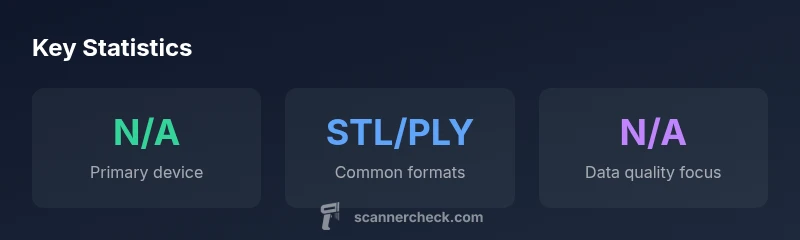
- Use STL/PLY exports for digital submissions
- Prioritize clinic collaboration to avoid delays
- Ensure data quality and complete occlusion capture
- Ask Invisalign support if unsure about acceptance