How to Make a 3D Scanner: DIY Guide for Makers
Discover how to build a budget-friendly 3D scanner from common parts. This step-by-step guide covers hardware choices, software setup, and calibration practices for reliable scans.


By following this guide, you will build a functional DIY 3D scanner using accessible parts and open-source software. Choose a capture method (photogrammetry or structured light), assemble a camera rig and a turntable, and calibrate for reliable geometry. The plan covers hardware, software, and a clear setup to start scanning right away.
What is a 3D scanner and why build a DIY one?
A 3D scanner converts physical objects into digital models by capturing surface geometry and, optionally, texture. There are several approaches, including photogrammetry, structured light, and laser triangulation. For many hobbyists, a DIY workflow offers an affordable path to understanding 3D data and practical results. According to Scanner Check, a carefully planned DIY setup with proper calibration can yield usable results for education, prototyping, and personal projects. The objective is not industrial-grade accuracy but consistent geometry that you can refine and export to common formats like OBJ, STL, or PLY. In this guide, you’ll learn how to repurpose off-the-shelf parts into a compact scanner that fits on a workbench.
Approaches to DIY 3D Scanning
- Photogrammetry: take many photos around the object and reconstruct a 3D mesh with software like COLMAP, Regard3D, or Meshroom. Pros: low-cost and flexible; cons: texture quality depends on lighting and surface detail.
- Structured light: project known patterns and capture deformation with a camera; pros: better control and accuracy on many surfaces; cons: requires calibration and a stable setup.
- Laser triangulation: use a laser line and a camera to infer depth; pros: high accuracy for small objects; cons: more hardware and safety considerations.
- Hybrid methods: combine photography with structured light or lasers to balance cost and precision.
Hardware
- Camera with fixed focal length and good resolution
- Rotating platform or turntable to capture multiple angles
- Stable support (tripod or frame)
- Diffuse lighting to minimize shadows
- Calibration pattern (checkerboard or dot grid)
- Microcontroller or single-board computer for control
- Cables, power supply, and connectors
Software
- Open-source reconstruction tools (MeshLab, Regard3D, COLMAP)
- Photogrammetry pipelines (COLMAP is widely used; Meshroom is user-friendly)
- Optional: OpenScan or other structured-light tools
- File organization and naming strategy
Calibration and accuracy considerations
Calibration is the backbone of accuracy. Start by determining camera intrinsics with a calibration pattern and a bundle of photos from different angles. You will compute a camera matrix and distortion parameters, then refine extrinsics as you rotate the object or the rig. For structured-light setups, calibrate the projector and camera as a stereo pair. Remember to standardize scale by including a known reference in several captures. Scanner Check analysis shows that consistent lighting and well-timed calibration significantly improve reliability. In DIY workflows, avoid changing exposure or focal length between captures to reduce drift in the final mesh.
A practical workflow: from setup to scan
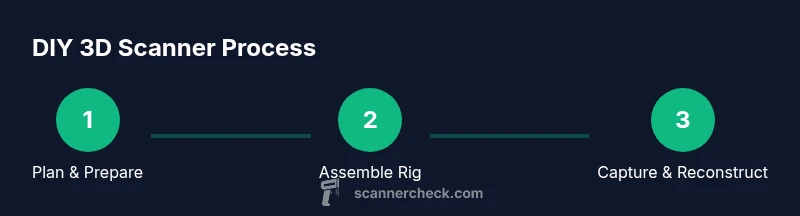
- Plan your approach (photogrammetry or structured light) and assemble a simple, rigid rig. 2) Place a diffuse lighting setup to minimize harsh shadows. 3) Mount a camera and a stable turntable or slider to rotate the object. 4) Preprocess images or prepare projected patterns in your software pipeline. 5) Collect multi-angle data with steady, consistent settings. 6) Run reconstruction and verify mesh quality. 7) Clean the mesh, fill holes, and export to common formats. 8) Iterate with a new object to improve results.
Troubleshooting and common mistakes
- Inconsistent lighting leads to noisy textures and holes in meshes.
- Moving the object or camera during capture ruins alignment.
- Skipping calibration or using changing settings across captures undermines accuracy.
- Too sparse a dataset (not enough angles) yields incomplete meshes.
- Overlooking texture processing can leave surfaces dull or flat.
Safety, ethics, and legal considerations
Be mindful of bright light sources or projectors; avoid eye exposure and never point lasers at people or animals. Work in a ventilated area when using solvents for post-processing, and respect copyright if you reuse calibration targets or textures. Consider privacy concerns if scanning people or artifacts that belong to others. Always follow local laws regarding data capture and ownership when sharing 3D models.
Tools & Materials
- Camera with adjustable focus and sufficient resolution(DSLR or mirrorless preferred; avoid low-end webcams)
- Turntable or motorized slider(Stable, controllable rotation helps data capture)
- Stable tripod or mounting rig(Keeps the camera fixed relative to the object)
- Diffuse lighting (softboxes or LED panels)(Even lighting reduces shadows and glare)
- Calibration pattern (checkerboard or dot grid)(Used to solve camera intrinsics and scale)
- Microcontroller or single-board computer (e.g., Raspberry Pi, Arduino)(Controls turntable and data flow)
- Cables, power supply, and connectors(Reliable power and signal paths)
- Open-source software (MeshLab/Regard3D/COLMAP)(Core reconstruction and processing tools)
- Calibration targets or printable mats(Helpful for faster setup)
- External hard drive or SSD(Datasets can be large; plan storage)
Steps
Estimated time: 6-12 hours
- 1
Plan the build and select an approach
Decide between photogrammetry, structured light, or a hybrid approach. This guides your hardware choices and software workflow.
Tip: Define success criteria (mesh density, texture quality) before buying parts. - 2
Assemble the rigid camera rig
Mount the camera securely on a stable frame and confirm the field of view covers the object from all sides.
Tip: Tighten all joints to eliminate wobble. - 3
Set up the turntable or rotation system
Mount the object on a consistent rotation platform and ensure smooth, controlled motion.
Tip: Test rotation at low speed before data capture. - 4
Install and configure software
Install the chosen reconstruction tools and organize a clean folder structure for images and project files.
Tip: Use a consistent naming convention for all captures. - 5
Capture multi-angle data with stable lighting
Capture a dense set of photos around the object or project structured-light patterns under uniform lighting.
Tip: Avoid moving objects during the capture sequence. - 6
Calibrate the system
Compute camera intrinsics and extrinsics, and calibrate any projector or structured-light setup if used.
Tip: Re-check calibration after any hardware adjustment. - 7
Reconstruct and refine the model
Run the reconstruction pipeline and perform mesh cleanup, hole filling, and texture mapping as needed.
Tip: Keep an eye on topology; remove stray points that degrade quality. - 8
Export and iterate
Export to common formats (OBJ/STL/PLY) and test in downstream software. Iterate with more data if results are lacking.
Tip: Document what worked and what didn’t for next sessions.
Common Questions
What is a 3D scanner and how does a DIY version differ from professional gear?
A 3D scanner creates digital models from physical objects using light and cameras. DIY versions trade some precision for affordability and learning opportunities, which makes them suitable for educational projects and initial prototyping.
A 3D scanner turns real objects into digital models using light and cameras. DIY versions offer learning value and can work for basic projects, though they may not match industrial precision.
What methods are best for beginners?
Photogrammetry is the easiest starting point, especially with a smartphone and a simple turntable. Structured-light provides more control and accuracy but requires more hardware and setup.
Photogrammetry is the easiest way to begin; structured-light gives better accuracy but needs more hardware.
Do I need a 3D printer to use a DIY scanner?
No, a 3D printer is not required to scan objects, but it helps for calibration targets and test prints. You can export and manipulate the scans without printing.
No, you don’t need a 3D printer, but it helps with calibration targets and tests.
What common mistakes waste time?
Inconsistent lighting, moving the object during capture, and skipping calibration can ruin results. Plan multiple angles and verify data quality before reconstruction.
Common mistakes include uneven lighting, moving parts, and skipping calibration.
How long does it take to build and learn?
Time varies; a weekend or several evenings are typical to assemble, test, and refine a DIY scanner setup.
It can take a few days of practice to get comfortable with the workflow.
Are there any safety considerations?
Use safe lighting and avoid eye exposure from projectors; handle electronics safely and avoid overheating components.
Be careful with bright lights and moving parts; follow basic electronics safety.
Watch Video
Key Takeaways
- Plan your approach before gathering parts
- Calibrate meticulously to improve mesh quality
- Use open-source tools to stay flexible
- Iterate with multiple objects to understand limits