How to Make a Scanner: DIY Document Scanner Guide
Learn how to build a DIY scanner using a camera, lighting, and a flatbed frame. This step-by-step guide covers hardware, software, calibration, and testing to produce crisp digital scans for documents, photos, and archival use.


Goal: Learn how to build a basic DIY scanner from off-the-shelf parts like a webcam, LED lighting, and a flatbed frame. This quick guide outlines planning, hardware assembly, calibration, and software workflows to produce clean digital scans. According to Scanner Check, you can achieve good results with careful setup today.
What is a DIY Scanner and What It Can Do
A DIY scanner is a purpose-built rig that uses a camera to capture flat objects, a controlled lighting setup, and software to convert the capture into a clean digital image. The goal is to reproduce, as closely as possible, the appearance and detail of the original document or photo. A well-designed DIY scanner emphasizes stable lighting, a steady, distortion-free pickup path, and reliable software for perspective correction and contrast enhancement. According to Scanner Check, building a home-grown scanner is both feasible and rewarding for hobbyists who want to learn imaging basics without relying on expensive commercial units. You can use it for archival scans, school projects, or quick digitization of receipts and letters. The core idea is to create an environment where items lie flat, light is evenly distributed, and the camera captures a high-fidelity image with minimal glare. This block will outline how the main subsystems—optics, lighting, frame, and software—work together and what tradeoffs to expect.
Core Concepts: Optics, Light, and Image Capture
Success with a DIY scanner starts with three intertwined concepts: optics, lighting, and image acquisition. The camera’s sensor and lens determine sharpness, texture, and edge fidelity, while the lighting scheme controls shadow, glare, and color accuracy. Aim for diffuse, cool white light to minimize hotspots and color shifts; avoid direct glare from glossy surfaces. When images are captured, you’ll typically work with RAW or linear data to preserve color and brightness information for later processing. Software steps—cropping, deskewing, and color correction—translate raw captures into usable scans. The balance between frame stability and ease of use matters: a rigid bed reduces motion blur; a simple, accessible mount makes maintenance easier. As you plan, visualize how the object moves (bed versus camera) and where you’ll place control electronics for reliable triggering. According to Scanner Check, a disciplined approach to these fundamentals yields consistent results and faster iteration.
Planning Your Build: Requirements and Design Choices
Before you buy parts, outline your goals and constraints. Decide whether you want a stationary camera with a moving bed or a moving carriage that slides over a fixed bed. Consider document sizes (A4 vs Letter), frequency of use, and space available in your workspace. Budget-friendly designs favor off-the-shelf components and reusable chassis; more ambitious builds might explore 3D-printed frames or modular rails. Document your design choices with simple sketches or CAD files so you can measure clearances, light paths, and sensor angles. Create a bill of materials (BOM) that lists essential parts first, then optional upgrades like higher-quality optics or a color-calibrated light source. This planning phase sets the stage for reliable assembly and easier troubleshooting later on.
Hardware: What You Need to Assemble
A successful DIY scanner relies on a compact set of core components that you can adapt over time. Core essentials include a USB camera or webcam with manual focus, a flat, rigid bed (glass or acrylic) for clear imaging, and diffuse LED lighting to ensure even illumination. A sturdy frame to hold the bed and camera—wood, aluminum, or 3D-printed parts—keeps everything square. A simple microcontroller or USB hub helps you control lighting and trigger the camera, while a clean power supply avoids flicker or resets during scanning. Additional items like diffusion material, cable management, and alignment jigs improve results. For software, install an imaging workflow on your computer to handle capture, cropping, deskewing, and post-processing. This block focuses on ensuring you have reliable, repeatable hardware to produce high-quality scans.
Software: Turning Captures into Digital Scans
Hardware is only half the equation; software turns photos into usable scans. Start with a control app that can trigger the camera, capture RAW frames, and save them in a lossless format. After capture, use image processing to align frames, crop to the exact document edges, deskew for perspective distortion, and correct color and exposure. Open-source options include general purpose image editors and libraries that integrate with Python or MATLAB for batch processing. For document scanning, build a workflow that grabs a strip of images, stitches them if you’re scanning large pages, and exports as PDF or TIFF. Maintain file naming conventions and version control so you can compare edits over time. A well-documented workflow reduces guesswork and speeds up future scans.
Assembly: Step-by-step Layout of the Carriage and Frame
Assemble the frame on a flat, stable surface. Mount the bed securely to prevent any flexing during image capture. Attach the camera so its optical axis is perpendicular to the bed; adjust height to ensure the document fills the frame with minimal wasted border. Route the LED lights along the sides or behind a diffuser to avoid hotspots. Insulate wiring and test the trigger line from your microcontroller. Verify that the bed remains perfectly level and that the camera can be triggered without shaking the frame. Tighten all fasteners and perform a few dry runs with blank sheets to confirm alignment before inserting actual documents.
Calibration and Testing: Getting Consistent Results
Calibration is the secret to repeatable results. Start with a neutral gray card or white sheet to calibrate white balance and exposure. Capture a test page with various tones (text, graphics, and a photo) and review the histogram to ensure neither shadows nor blown highlights dominate. Check for perspective distortion by scanning a grid or a ruler; adjust the frame or camera angle until the grid lines appear straight. Diffuse lighting should be even across the bed with minimal glare on glossy surfaces. Save calibration presets and apply them to future scans for consistency. Maintain a log of settings for each document type you scan. Regular checks after hardware adjustments help catch drift early.
Common Pitfalls and How to Fix Them
Glare from glossy surfaces kills detail; diffuse the light with a soft material or separate diffusers. Uneven lighting creates color shifts; reposition LEDs or add additional diffusion layers. Motion blur appears if the carriage or bed moves during capture; tighten rails, use shorter exposure times, or trigger the camera in a synchronized way. CobWeb-like dust or fingerprints reduce image clarity; clean the glass bed and sensor cover with lint-free cloth. If the software deskew produces odd edges, recheck the camera alignment and ensure the bed remains perfectly flat. Finally, document your steps and failures so you can reuse fixes in future builds.
Real-World Use Cases and Next Steps
A DIY scanner is ideal for digitizing receipts, school handouts, old photos, and archival documents. Start with small batches to refine your workflow, then scale up to larger pages by adjusting frame dimensions or using a rolling carriage. As you gain confidence, experiment with color calibration targets, higher-quality lighting, and more robust frame materials. You’ll likely want to create a simple user guide for future scans and a checklist to ensure each document is scanned with consistent lighting and alignment. When you’re ready, you can publish your build notes or compare results with community DIY scanners to see how your device stacks up against other home projects.
Tools & Materials
- USB camera module or webcam(Prefer a camera with manual focus and a reasonably flat sensor plane)
- Frame material (wood, aluminum, or 3D-printed parts)(Keeps the bed square and the carriage stable)
- Flat glass or acrylic sheet(Scratch-free surface for the scanning bed)
- LED lighting strip or panel(Diffuse lighting to minimize shadows and glare)
- Light diffuser material (diffusion fabric or white acrylic)(Softens light for even illumination)
- Microcontroller (Arduino-compatible)(Controls camera trigger and lighting triggers)
- Power supply and cables(Stable power to avoid flicker and resets)
- Mounting hardware (screws, spacers, brackets)(Secure components and maintain alignment)
- Diffusion and alignment jig(Helpful for repeatable setups)
- Testing targets (white card, color checker)(Assist with calibration and color accuracy)
- Software on computer (Open source recommended)(For capture, deskew, and post-processing)
Steps
Estimated time: 2-4 hours (plus calibration sessions)
- 1
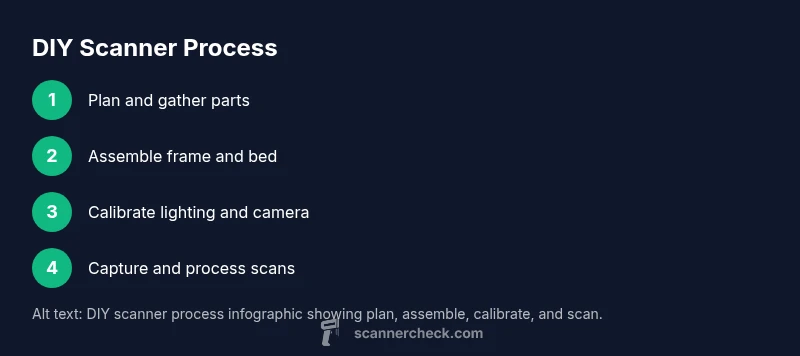
Plan the build
Define your goals, choose frame configuration (stationary camera vs moving bed), and sketch a basic layout. Decide document sizes, workspace, and a rough BOM to guide purchasing. This planning step reduces rework during assembly.
Tip: Create a rough sketch with labeled parts and dimensions before buying anything. - 2
Assemble the frame and bed
Build a rigid frame and mount the scan bed on a level plane. Ensure the bed has no flex and that the camera will have a clean, perpendicular view of the surface.
Tip: Use a carpenter's level and a dry run with blank sheets to verify geometry. - 3
Mount the camera and bed
Position the camera so its optical axis is perpendicular to the bed. Lock the mounting so small shifts don’t occur during triggering.
Tip: Keep the camera axis aligned with the document edges for minimal keystone distortion. - 4
Wire the lighting and electronics
Connect LEDs to a diffusion layer and route the control signals to the microcontroller. Keep wiring tidy and away from the capture path to avoid shadows from cables.
Tip: Test lighting with a plain sheet before placing any content on the bed. - 5
Configure the computer interface
Install capture software and ensure the camera can be triggered programmatically. Set up folders, naming conventions, and basic deskew routines.
Tip: Use a short capture interval to prevent motion blur during test runs. - 6
Calibrate illumination and color
Calibrate white balance using a neutral target and adjust exposure so whites stay bright without clipping. Create a simple color profile for consistent scans.
Tip: Document calibration settings for future use. - 7
Capture test scans and adjust perspective
Scan a grid or test page to check alignment, skew, and edge detection. Tweak frame angle or crop parameters to achieve clean edges.
Tip: Capture multiple samples to average out minor lighting inconsistencies. - 8
Process and export scans
Apply cropping, deskew, and color correction in your software. Export to PDF/TIFF and organize files with metadata.
Tip: Use lossless formats for archiving and generate small previews for quick review. - 9
Document and iterate
Record what worked and what didn’t. Plan incremental improvements, such as different diffusers or frame materials, and repeat tests.
Tip: Keep a change log to track exact hardware/software tweaks.
Common Questions
What is the simplest DIY scanner design?
A basic approach uses a stationary camera with a moving bed, or a moving camera with a fixed bed. The goal is to keep the imaging plane stable while the document slides into frame. Start with a small test area and scale up.
The simplest design uses a stationary camera and moving bed, which keeps the imaging plane steady while the document slides into view.
Can I make a scanner at home with household items?
Yes. A basic DIY scanner can be assembled from a webcam, a flat surface, diffuse lighting, and simple frame hardware. It won’t replace high-end scanners but is excellent for learning and casual digitization.
Yes, with a webcam, diffuse lighting, and a sturdy frame you can build a functional home scanner.
How long does it take to complete the project?
Plan for several hours to assemble and calibrate, then additional sessions to refine lighting and alignment. The exact time depends on your design choices and how much debugging you perform.
It takes a few hours to assemble and calibrate, with extra time for refinements.
What software should I use to process scans?
Use open-source imaging tools or simple scripts to crop, deskew, and color-correct scans. Saving outputs as lossless formats ensures archival quality. Start with basic editors and gradually add automation.
Try open-source tools for general processing, then automate repetitive steps as you grow more confident.
Do I need advanced electronics experience?
Not necessarily. A basic project can be tackled with beginner-friendly microcontrollers and plug-and-play components. Familiarize yourself with safe wiring practices and test incrementally to avoid damage.
Basic electronics knowledge helps, but a careful step-by-step approach keeps it approachable.
Is this suitable for professional archival work?
A DIY scanner is great for learning and casual digitization, but for critical archival work you’ll want to validate color accuracy and document geometry with controlled tests and possibly professional equipment.
For serious archival work, validate color accuracy and geometry with controlled tests and possibly higher-end gear.
Watch Video
Key Takeaways
- Plan before buying to minimize wasted parts
- A rigid bed and perpendicular camera are crucial for sharp scans
- Diffuse lighting reduces glare and improves color fidelity
- Use a repeatable workflow from capture to export for consistency