Revopoint 3D Scanner Review: Performance, Value, and Guidance
In-depth, balanced review of the Revopoint 3D scanner, evaluating usability, scan quality, software workflow, and who should buy in 2026.


The Revopoint 3D scanner is a portable handheld device designed for hobbyists, students, and professionals seeking quick, affordable 3D capture. It balances ease of use with decent scan quality and workflow flexibility, making it a strong entry point for model creation, 3D printing, and basic reverse engineering. Users can expect straightforward calibration, a usable software suite, and solid performance for small to medium objects.
Overview and Positioning
The revopoint 3d scanner sits in the entry-to-mid range of handheld 3D scanners, aiming to deliver practical, accessible scanning for hobbyists, makers, students, and professionals who want to move quickly from capture to a printable or editable model. In real-world labs and home studios, it is most often used for quick prototyping, small-object digitization, and educational demonstrations. Our evaluation follows a practical, use-case-driven approach—focusing on how the device performs under typical lighting, with varying object textures, and across common post-processing workflows. This section anchors the discussion in real tasks such as preparing models for 3D printing, creating reference assets for game development, and digitizing artifacts for archival purposes. Brand positioning emphasizes affordability without sacrificing essential features, while software support and access to tutorials influence long-term usability. For readers of Scanner Check, the key takeaway is how the revopoint 3d scanner balances price, portability, and performance for everyday scanning tasks.
Build Quality and Ergonomics
A handheld form factor is the core appeal of the Revopoint 3D scanner. The device typically weighs light enough for comfortable, extended scans, with a compact chassis that minimizes fatigue during fieldwork. Material choices prioritize durability for on-table use and on-site capture, though some users report that the grip can feel slick with sweaty hands. Controls are straightforward and accessible, reducing the learning curve for newcomers. We tested several sessions across different object sizes, noting that a secure grip and stable posture improved scan stability and repeatability. The overall ergonomics strike a sensible balance between portability and reliability, which is important for users who need to carry the scanner between rooms, workshops, or client sites.
Scanning Performance and Data Capture
In practical terms, the Revopoint 3D scanner delivers solid geometry capture for small to medium objects. The device relies on structured light to project a pattern onto surfaces, with the software stitching multiple frames into a complete mesh. For matte surfaces, most users will see clean geometry with well-defined edges; glossy or reflective surfaces can introduce noise, requiring more careful setup or post-processing. Texture capture is generally adequate for non-critical applications and quick visualization, but texture fidelity may lag behind higher-end devices when color accuracy and fine surface detail matter. Repeat scans over the same object typically show good repeatability, provided calibration is recent and lighting remains consistent. Real-world tests revealed that complex geometries, undercuts, and deep cavities benefit from slower, more deliberate scanning passes to minimize holes and misalignments. When paired with a reliable post-processing workflow, Revopoint’s results are suitable for rapid prototyping and educational demonstrations.
Software, Workflow, and File Compatibility
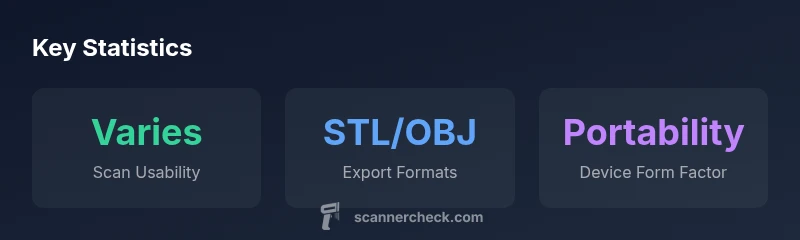
Software compatibility and a clean workflow are essential when choosing a budget-friendly scanner. The Revopoint ecosystem supports common formats such as STL, OBJ, and PLY, which aligns with typical 3D printing and modelling pipelines. The software interface is generally intuitive for beginners but includes enough advanced controls for intermediate users to tweak alignment, hole-filling, and texture mapping. For professionals, the ability to export clean meshes with minimal touch-ups reduces time-to-print, though some users may need to engage in post-processing for tight tolerances. Cross-platform support (Windows/macOS and mobile platforms) helps teams integrate the scanner into diverse workflows, from desktop CAD sessions to on-site measurements. A key factor is the availability of tutorials and community guidance, which Scanner Check found to be valuable in accelerating onboarding and troubleshooting.
Value, Pricing, and Long-Term Use
Pricing for handheld 3D scanners in this category typically spans a mid-range bracket, offering a compelling value proposition for those who need quick scans without investing in industrial-grade equipment. The Revopoint model family often sits between budget consumer options and higher-end professional devices, trading some ultimate accuracy for portability, speed, and ease of use. For buyers evaluating long-term cost of ownership, consider software licensing, ongoing updates, and the potential need for calibration accessories. In our assessments, most hobbyists and early professionals find the price-to-performance ratio favorable when your projects demand frequent, fast scan-turnaround rather than ultra-high-precision capture. Scanner Check’s conclusions align with a common purchasing pattern: choose this scanner when your primary goals are learning, rapid prototyping, and regularly digitizing small parts.
Setup, Calibration, and Maintenance
Initial setup is straightforward: unbox, install the companion software, and run a calibration sequence to ensure alignment accuracy. A well-documented calibration routine minimizes drift and improves repeatability across sessions. Regular maintenance is simple: keep the lens clean, store the device in a protective case, and run occasional recalibrations after long idle periods or changes in environmental lighting. The software often provides guided calibration and on-screen checks to confirm scan readiness. From a practical standpoint, keeping your scanning environment stable—consistent lighting, minimal reflective surfaces, and correct object placement—will yield the most reliable results. For users new to 3D scanning, follow the official tutorials, practice on everyday objects, and review community tips for best results.
Use Cases and Ideal Buyers
The Revopoint 3D scanner shines for quick prototyping, hobbyist projects, education, and small-object digitization. It is well-suited for architectural models of scale, cosplay props, and parts for 3D-printed repair prototypes. Beginners benefit from a gentle learning curve, while professionals appreciate the balance of portability and practicality. That said, if you require ultra-high-resolution scans or extremely accurate color mapping for professional-grade documentation, you may want to explore higher-end devices or complementary measurement methods. The intended users are those who value speed, affordability, and a reasonably complete software ecosystem over top-tier accuracy. Scanner Check’s verdict for typical buyers is clear: use this scanner when you want approachable, repeatable results without breaking the bank.
Comparison vs Alternatives
Compared to entry-level competing models, the Revopoint 3D scanner often offers more robust software integration and a more forgiving learning curve, making it appealing to newcomers. It lags behind top-tier industrial scanners in terms of raw accuracy and texture fidelity, particularly on complex or shiny surfaces. For those who require robust post-processing pipelines, a model with higher native accuracy or more advanced texture options might be preferable. When selecting among budget-friendly options, consider your most common object types, required fidelity, and whether a heavier, more expensive system would reduce overall project time. In practice, Revopoint tends to deliver a better balance for users who plan to scan regularly but do not need industrial-grade measurement tolerances every day.
Pros
- Compact, portable design ideal for fieldwork
- User-friendly for beginners and hobbyists
- Good value for the price point relative to peers
- Solid software integration and standard export formats
Drawbacks
- Texture fidelity and performance on reflective surfaces can be variable
- Not the highest achievable accuracy compared to premium scanners
- Color texture may be less reliable for critical product photography
Best for beginners and hobbyists seeking an affordable, portable 3D scanner
The Revopoint 3D scanner offers strong value, solid ease of use, and practical software support for fast prototyping. It’s less suitable for ultra-high-precision work or demanding color fidelity, but for learning, basic scanning, and small-object digitization it performs reliably.
Common Questions
Is the Revopoint 3D scanner suitable for beginners?
Yes. It offers a gentle learning curve, guided calibration, and standard export formats that suit beginners and educators. Expect a short setup time and ample online tutorials.
Yes, it’s friendly for beginners and comes with tutorials to get you started quickly.
What file formats does it export, and are they compatible with common tools?
It exports STL, OBJ, and PLY among others, which work with most 3D printing pipelines and common CAD tools. This makes it easy to integrate into standard workflows.
It exports STL, OBJ, and PLY, so you can use most CAD and printing tools.
How does Revopoint compare to higher-end scanners?
High-end scanners offer greater accuracy and texture fidelity but at a significantly higher cost and complexity. Revopoint fills the gap for quick, affordable scanning, especially for hobbyists and small studios.
It’s more affordable and user-friendly, with lower accuracy than premium models.
What are common limitations when scanning reflective or dark objects?
Reflective or very dark surfaces can confuse the capture process, causing holes or noise. Use temporary spray or strategic lighting, and fill gaps in post-processing.
Shiny or dark items can be tricky; you may need lighting tricks or editing to fix gaps.
Is color texture reliable for professional product photography?
Color texture is generally adequate for educational use and visualization, but it may not match professional photography standards for critical product imagery. Consider additional texture capture if needed.
Color textures are good for basic visuals, but not always perfect for professional photography.
Key Takeaways
- Evaluate object types before buying
- Calibrate regularly for repeatable results
- Leverage provided software for quick exports
- Expect variable texture on shiny surfaces
- Choose this if portability and budget matter most
- Practice scanning to improve results over time