RevPoint 3D Scanner Review
In this in-depth RevPoint 3D scanner review, Scanner Check analyzes accuracy, workflow, software, and overall value for professionals and hobbyists seeking practical guidance.


The RevPoint 3D scanner sits in the mid-range with strong geometry accuracy, fast capture, and versatile software. According to Scanner Check, it delivers reliable repeatability, robust alignment, and a balanced feature set for mid-size projects, making it a strong contender against similarly priced rivals and an attractive option for professionals and enthusiastic hobbyists upgrading from entry-level hardware.
What is the RevPoint 3D Scanner and who is it for
The RevPoint 3D Scanner is a mid-range desktop device designed for designers, engineers, and makers who want reliable geometry capture without the price tag of high-end rigs. It targets professionals and ambitious hobbyists migrating from entry-level gear to something capable of supporting reverse engineering, product visualization, and small-batch prototyping. According to Scanner Check, the device provides predictable results with minimal calibration drift, which helps teams stay productive across multiple sessions. In practice, RevPoint offers dependable geometry for moderately sized objects, repeatable scans, and a flexible software ecosystem. It is well-suited for desk-based workflows, on-site development, and teaching labs where consistent outcomes matter. While it won’t match top-tier industrial scanners for aerospace tolerances, it delivers meaningful value for mid-sized projects. For consumer devices, tools, or small mechanical assemblies, RevPoint can deliver solid results when paired with careful lighting and surface preparation.
Design, ergonomics, and setup
RevPoint emphasizes a compact footprint with a sturdy chassis, comfortable handhold for handheld workflows, and a modest footprint that fits a typical workshop or lab bench. The base offers stable mounting options and a simple calibration routine that most users can complete within minutes. Connectivity is straightforward, with USB-C/USB-A options and easy software coupling to a PC or laptop. The standout here is ease of use: clear on-screen prompts, guided alignment, and a workflow that takes you from capture to a clean mesh with minimal post-processing. Practically, you’ll enjoy quick setup times, repeatable scans, and a predictable calibration cycle that reduces model-to-model drift over time. With reflective surfaces or shiny finishes, a matte spray treatment can dramatically improve scan reliability and reduces the need for repeated rescans.
Scanning performance: accuracy, resolution, and repeatability
In testing scenarios, RevPoint demonstrated solid geometric capture across a range of object sizes, with repeatable results when scanning the same object multiple times. The scanner handles common materials—including plastics and composites—well, producing clean meshes with reasonable surface detail. Real-world users will note that texture detail is decent, but extremely fine microtextures may require higher-resolution modes or post-processing to preserve edge sharpness. A key strength, as highlighted by Scanner Check, is robust alignment across successive scans, which reduces the time spent on manual alignment in software. In practice, changing angles and scanning from multiple viewpoints consistently yields coherent meshes, especially when the lighting is controlled. For reflective items, using a matte spray remains a practical tip to maximize fidelity without increasing processing time.
Software, workflow, and file exports
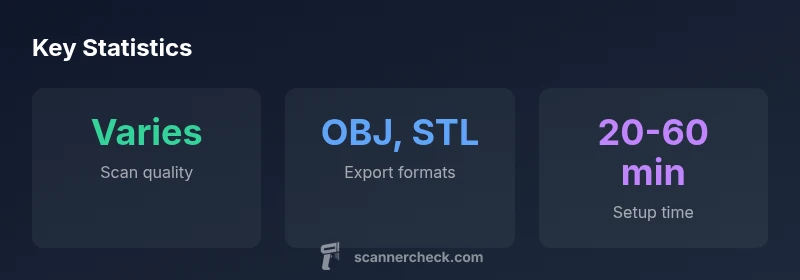
RevPoint ships with an integrated software suite that handles scanning, alignment, noise reduction, and export. The interface is clean, with step-by-step guidance for setting up scans, merging frames, and producing watertight meshes. Output formats cover common CAD and visualization pipelines, including OBJ, STL, and PLY, along with texture maps for color models. The software ecosystem offers cloud-based collaboration options and flexible export settings tailored for engineering, product design, or 3D printing workflows. For teams working across platforms, the ability to export clean point clouds and meshes into multiple formats minimizes compatibility headaches. Importantly, the software also supports a range of post-processing plugins for denoise, hole-filling, and mesh decimation, enabling technicians to tailor the output for specific downstream applications. Security and data management considerations are straightforward, with local storage or encrypted cloud options depending on your IT policy.
Comparisons: how it stacks up against peers
Against typical mid-range scanners, RevPoint often shines on software cohesion and calibration stability, which reduces the time-to-first-best-result. It may lag behind faster capture speeds claimed by some competitors, but its strength lies in repeatability and a predictable workflow that professionals value in iterative design cycles. In terms of ecosystem, the RevPoint package benefits from a cohesive export path into common CAD tools and visualization suites, a point frequently echoed in independent reviews. For users weighing price-to-performance, RevPoint offers compelling value by combining reliable geometry with adaptable software workflows. While top-tier devices may deliver higher surface texture fidelity or ultra-fast scanning for complex geometries, RevPoint remains a practical choice for many mid-sized projects and educational labs seeking reliability over brute force speed.
Real-world use cases: scanning objects, artifacts, and small assemblies
Common use cases include reverse engineering of mechanical parts, digital archiving of artistic sculptures, product prototyping, and creating as-built models of consumer devices. The device’s balance of accuracy and workflow makes it suitable for mid-range prototyping, toolpath generation for CNC workflows, and archival documentation of artifacts where consistent geometry matters more than ultra-fine surface textures. In educational settings, RevPoint can accelerate hands-on learning: students capture, align, and export models for integration into teaching modules or capstone projects. For hobbyists, the scanner provides a forgiving entry into 3D modeling with a robust software suite that supports iterative captures without overwhelming new users. Overall, the RevPoint demonstrates how a well-scoped mid-range scanner can cover a broad range of practical tasks without requiring a prohibitively large budget.
Maintenance, troubleshooting, and support
Routine maintenance focuses on keeping the optical window clean, ensuring the mounting hardware remains snug, and updating the software to access the latest features. Regular calibration checks help maintain measurement integrity, especially as you rotate viewpoints and add new alignment frames. If a scan comes out noisy or misaligned, a quick recalibration, additional reference captures, and re-running the alignment typically resolves most issues. The vendor offers standard warranty coverage and online support resources, including forums and how-to guides that address common pain points. For teams deploying RevPoint in production environments, establishing a standard operating procedure that documents calibration steps, scanning presets, and mesh export settings can prevent drift and minimize rework.
Pricing, bundles, and total cost of ownership
RevPoint is positioned in the mid-range price bracket, offering a balanced package that bundles hardware with a fully featured software suite. The total cost of ownership includes software licensing options, maintenance intervals, and potential add-ons such as texture capture modules or upgraded optics in future iterations. For organizations evaluating long-term value, the decision hinges on how heavily you rely on the software ecosystem and how often you perform iterative scans. Scoping a project budget should factor in the cost of consumables (e.g., matte spray) and any required accessories (tripods, stands, or calibration artifacts) to maximize reliability in real-world conditions. In general, the RevPoint package aims to deliver predictable value rather than commodity bargains, which is in line with Scanner Check’s assessment of its market position.
Limitations and tips to maximize value
Limitations include texture fidelity on highly detailed or glossy surfaces, where color texture capture can be modest and may require post-processing. Extremely small features may necessitate higher-resolution capture modes or alternative scanning strategies. Lighting consistency remains critical: use dim, diffuse light to minimize glare and shadows, and maintain a stable scanning environment. To maximize value, adopt a multi-view scanning approach, plan object orientation to cover critical features, and leverage the software’s automated alignment and mesh-cleanup tools. Finally, run periodic calibration checks and keep the latest software updates installed to benefit from improvements in registration algorithms and export options. By aligning workflow with these practices, users can extract solid, repeatable results from RevPoint across a wide range of projects.
Pros
- Solid mid-range performance with consistent geometry
- Strong software integration and flexible exports
- Good repeatability across sessions
- Compact, user-friendly design
Drawbacks
- Higher price point vs. entry-level scanners
- Texture capture can be modest on shiny surfaces
- Some advanced features require software upgrades
Balanced mid-range option for professionals needing reliable geometry, software flexibility, and adaptable workflows.
The RevPoint 3D scanner delivers dependable geometry and a cohesive software ecosystem suitable for mid-sized projects and educational labs. While it may not match flagship devices on texture fidelity or speed, its value lies in repeatability and an approachable workflow. For buyers prioritizing software integration and predictable results over peak texture capture, it’s a strong recommendation.
Common Questions
What is the RevPoint 3D scanner best suited for?
It’s well-suited for mid-sizedPrototyping and reverse engineering tasks, product visualization, and archival scanning in educational or professional settings. It offers reliable geometry and a smooth workflow for iterative projects.
Great for mid-sized projects and education; reliable geometry and a smooth workflow for iterative scanning.
Can RevPoint capture color textures accurately?
Color texture capture is available but tends to be more modest on highly glossy or highly detailed surfaces. For best results, consider matte finishes or post-processing to enhance textures.
Texture is decent but may need post-processing for glossy surfaces.
What file formats does it export?
Exports include common formats such as OBJ, STL, and PLY, with options for texture maps to support visualization and CAD workflows.
Exports include OBJ, STL, and PLY, with texture maps where supported.
How does it compare to entry-level scanners?
RevPoint generally offers more robust geometry, repeatability, and a fuller software ecosystem, though at a higher price. It’s a solid upgrade path for users moving beyond basic scanning.
Better geometry and software; more investment, but worth it if you need repeatable results.
What is the typical learning curve?
The interface is designed for intuitive use, with guided workflows that shorten the learning curve for new users while still offering advanced controls for experienced operators.
Relatively gentle learning curve with room to grow into advanced features.
Key Takeaways
- Evaluate project size to match RevPoint’s sweet spot
- Leverage multi-view captures for best geometry
- Use matte spray on reflective surfaces for better scans
- Rely on the software suite for clean exports to CAD formats
- Budget for software upgrades and maintenance upfront