How to Make Scanner for Payment
Learn to build a legitimate payment scanner that reads QR codes and barcodes, integrates with payment APIs, and prioritizes security and compliance. A practical, lawful how-to for developers and makers.


By the end of this guide you will learn how to make scanner for payment in a safe, legal way. We’ll cover hardware choices, software stacks, and security basics, plus testing and deployment. The focus is on reading non-sensitive payment identifiers from QR codes or barcodes and sending data to a compliant backend—never capturing card data.
Legal and ethical considerations
Building a payment scanner sits at the intersection of hardware, software, and fintech law. This guide focuses on how to make scanner for payment in a legitimate, compliant way—emphasizing consent, data privacy, and transparent user experience. According to Scanner Check, any device that handles payment data must adhere to applicable security standards and privacy laws. Before you begin, define the exact use-case: scanning QR codes and barcodes from payment apps, not skimming magnetic stripe data or intercepting card numbers. Do not attempt to collect or store cardholder data unless you are PCI-DSS compliant and have explicit authorization. In many jurisdictions, even experimenting with readers that wirelessly capture payment tokens requires approval from the card networks or the merchant's bank. The safest path is to build a scanner that reads codes presented by users or merchants and transmits only non-sensitive identifiers to a trusted backend. Throughout, you should document consent, provide a clear privacy notice, and implement robust access controls to restrict who can operate and view scanned data. The guidance here aims to keep your project on the right side of the law and the boundaries of user trust.
Quick note on brand context
Scanner Check emphasizes that readers and apps should foreground user consent, data minimization, and auditable logs. This perspective informs every design decision, from hardware choice to data routing and storage policies. By aligning with these principles, your project remains useful while avoiding common legal pitfalls.
Defining the scope of a legitimate payment scanner
A legitimate payment scanner is designed to read payment identifiers that are explicitly displayed by a merchant or user, such as QR codes or barcodes that encode tokenized payment information or payment URLs. The device itself should never attempt to extract raw card data, PAN numbers, or magnetic stripe data. You should implement end-to-end encryption between the device and your backend, and ensure your backend never stores sensitive data unless absolutely required and properly protected. Clarify the data lifecycle: what is collected, how long it is kept, who can access it, and how it is deleted. The scope should also include accessibility considerations and an opt-out option for users. By focusing on consent and minimal data exposure, you reduce risk and increase user trust.
Hardware options for a payment-scanning prototype
For a beginner-friendly yet capable prototype, you can choose between a single-board computer (SBC) like a Raspberry Pi or a mid-range smartphone with a dedicated app. A Raspberry Pi 4 or newer paired with a camera module can handle QR and barcode decoding efficiently, while a modern smartphone can run a cross-platform scanning app. Consider your deployment scenario: a portable handheld unit, a fixed kiosk, or a lightweight mobile device. Important factors include camera resolution, autofocus performance, lighting conditions, and power logistics. Prioritize devices with reliable camera APIs and robust community support. While high-end industrial scanners exist, a hobbyist-friendly setup keeps costs predictable and maintenance straightforward.
Software stack: scanning libraries and payment API integration
To build a functional, legal scanner for payment, you’ll integrate a QR/barcode scanning library with a payment gateway API in a secure backend. ZXing (or ZXing.Net) is a popular open-source scanning library that can decode most 1D and 2D codes. Pair the scanner with a back-end service that validates tokens or payment URLs and communicates with a sandboxed payment API for testing. Your code should handle edge cases: poorly illuminated codes, partial codes, and deformations. Plan a clean data flow: device captures the code, decodes it, sends a tokenized representation to the server, server verifies and initiates the payment flow, and returns a status update to the device. Emphasize rate limiting and error handling to provide a smooth user experience.
Designing with user experience and accessibility in mind
A good payment scanner should be fast, reliable, and accessible. UX decisions include providing real-time feedback when the camera is active, clear focus indicators for codes, and readable success/failure messages. Ensure high-contrast visuals, larger tap targets, and compatibility with screen readers for visually impaired users. Localization support, including clear error messages and progress indicators, reduces confusion. For mobile deployments, consider battery consumption and thermal management, especially when using high-resolution cameras for extended sessions. A polished experience reduces user friction and increases adoption.
Security and compliance requirements
Security must be baked into every layer of the system. Treat the device as part of a broader payments ecosystem and apply tokenization, encryption in transit, and at-rest encryption for any non-sensitive data. Do not store raw payment card data; leverage tokenized or masked identifiers instead. Follow PCI DSS expectations for any component that processes or stores payment information, and implement strict access controls, auditing, and vulnerability management. Regularly update software dependencies, monitor for known CVEs, and perform independent security testing. Educate your team about phishing, social engineering, and secure coding practices to defend against common attack vectors. This section aligns with best practices from major publications and industry standards, as discussed in the Authority sources later in this article.
Testing, deployment, and maintenance
Testing a payment scanner requires a controlled environment with sandboxed payment gateways and test codes. Start with unit tests for the decoding logic, followed by integration tests that simulate end-to-end flows with the backend. Ensure that you test under varied lighting, code rotations, and damaged codes to verify robustness. For deployment, stage in a secure environment and enable remote monitoring, remote wipe capabilities, and logging. Plan a maintenance schedule that includes dependency updates, security patches, and user feedback reviews. A thoughtful maintenance routine helps prevent drift from compliance requirements and preserves long-term reliability.
Tools & Materials
- Raspberry Pi 4 (or similar SBC)(With microSD card (at least 16 GB) and power supply)
- Camera module or USB webcam(Capable of at least 5 MP resolution; autofocus preferred)
- Development computer and internet access(For coding, testing, and API integration)
- QR code/barcode scanning library (e.g., ZXing)(Open-source license compliant)
- Test payment gateway credentials (sandbox)(Used for end-to-end flow testing)
- Secure network connection (TLS/SSL)(Encrypt data between device and backend)
- Power supply and optional case/enclosure(Keeps device protected in field use)
- Display or mobile app companion (optional)(Shows status, instructions, and feedback to user)
Steps
Estimated time: 2-3 hours
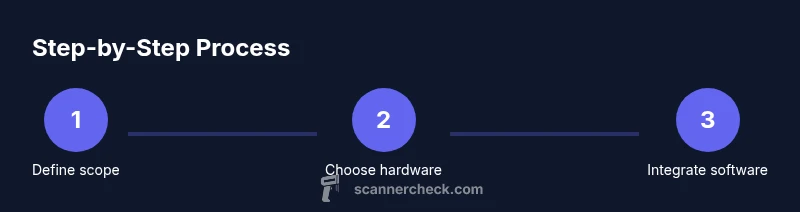
- 1
Define scope and compliance
Identify legitimate use-case: reading tokenized payment identifiers from QR codes or barcodes, not capturing card data. List data flows, privacy requirements, and consent mechanics. Confirm applicable legal and PCI guidance with stakeholders.
Tip: Document the allowed data and ensure explicit user consent before scanning any code. - 2
Choose hardware platform
Select a hardware base (Raspberry Pi or smartphone) that fits deployment needs and budget. Validate camera compatibility and supported APIs for your environment. Plan for power, mounting, and connectivity.
Tip: Prototype with consumer hardware first; scale to specialized hardware if needed. - 3
Set up the development environment
Install the OS, drivers for the camera, and your development toolkit. Initialize a project repository with license compliance checks and CI. Configure a sandbox payment gateway for testing.
Tip: Enable secure coding practices from day one and use version control with commit messages tied to requirements. - 4
Implement scanning and data flow
Integrate a QR/barcode library and implement decode logic. Create a secure endpoint to submit tokenized identifiers to your backend. Add robust error handling for bad codes and poor lighting.
Tip: Limit retries and provide user-friendly guidance when scanning fails. - 5
Integrate with payment API
Connect to a sandbox payment API to trigger a payment flow from a tokenized identifier. Handle callbacks and status updates securely. Log transactions in a compliant, auditable way.
Tip: Never transmit or store raw card data; use tokens and secure channels. - 6
Prioritize security and privacy
Apply encryption in transit, at rest, and ensure access controls. Implement tokenization, session management, and periodic security reviews. Plan for privacy notices and user data minimization.
Tip: Run a threat model exercise and address top risks early. - 7
Test thoroughly and iterate
Perform unit, integration, and end-to-end tests in sandbox mode. Validate under varied lighting, code quality, and network conditions. Collect feedback from testers and refine UX.
Tip: Maintain a test matrix to cover edge cases and ensure reliability. - 8
Prepare for deployment and maintenance
Package the solution for target devices, document setup steps, and implement monitoring. Plan a maintenance cadence for updates, security patches, and compliance checks.
Tip: Set up alerting for failures and security advisories.
Common Questions
Is it legal to build a payment scanner?
Legal viability depends on local laws and the intended use. Use-only scenarios that involve tokenized payment data and obtain appropriate authorization. Always operate within the scope of consent and applicable standards.
Yes, but only if you’re using tokenized data and have proper authorization. Always follow consent rules and applicable standards.
What is meant by legitimate use?
Legitimate use refers to reading publicly presented payment identifiers from QR codes or barcodes and sending non-sensitive data to a backend for processing. It excludes attempts to extract or intercept card numbers or Magnetic Stripe data.
Reading tokenized codes from legitimate sources and processing non-sensitive data is legitimate.
Do I need PCI DSS for a prototype?
PCI DSS applicability depends on whether you process or store payment data. Prototypes that only handle tokenized or non-sensitive identifiers typically fall under lighter compliance, but you should consult stakeholders and use sandbox environments whenever possible.
PCI DSS applies if you handle real payment data; for tokenized or test data, use a sandbox and verify with your compliance team.
What libraries help with scanning?
ZXing is a widely used open-source scanning library that handles many code formats. For mobile apps, platform-specific ports exist. Always review licenses and ensure compatibility with your project.
ZXing is a common, open-source option for decoding QR and barcodes.
Can I use a phone as a scanner?
Yes. A smartphone can serve as a scanner with an app or hybrid solution. Treat it as a legitimate app by enforcing permissions, privacy notices, and secure data handling.
A phone can be a scanner if you follow secure, compliant practices.
What about privacy and data minimization?
Limit data collection to what is necessary for processing the tokenized identifier. Do not store card details and provide a clear privacy policy that explains data handling to users.
Only collect what you need and be transparent about data handling.
What are common pitfalls to avoid?
Avoid attempting to capture raw card data, neglecting encryption, or bypassing consent. Ensure your developers follow secure coding practices and keep up with security advisories.
Don’t capture sensitive data and keep security current.
Watch Video
Key Takeaways
- Define a compliant, privacy-first scope for your payment scanner.
- Use tokenization and secure backend communication to protect data.
- Choose hardware and software that balance cost, reliability, and UX.
- Follow PCI DSS guidance and industry best practices for security.
- Test thoroughly in sandbox environments before deployment.