Can You Clear Codes with an OBD2 Scanner? A Practical Guide
Learn when and how to clear diagnostic trouble codes with an OBD2 scanner. Practical steps, safety tips, and how to verify results. Insights from Scanner Check.


You can clear many codes with an OBD2 scanner by using the clear/erase codes function after confirming the fault is resolved and the car starts normally. Some codes may require repair before clearing. This article explains when it's appropriate, how to do it safely, and common pitfalls to avoid.
Understanding the question: can you clear codes with an OBD2 scanner
If you’re wondering can you clear codes with an OBD2 scanner, the short answer is yes, for many codes you can erase the stored DTCs after repairs are complete. In practice, clearing codes is a diagnostic housekeeping step, not a substitute for fixing the underlying issue. This guide explains when it's appropriate, how to do it safely, and common pitfalls to avoid.
Why clearing codes matters and when it’s appropriate
Codes are stored in the vehicle’s computer to indicate faults. Clearing them removes the amber warning light from the dash, but it does not repair mechanical problems. Clearing codes should be part of a confirmed repair cycle and followed by a verification scan to ensure the fault does not reappear. According to Scanner Check, clearing codes is most effective after the suspected fault has been addressed and road tests confirm the issue is resolved. If you skip diagnosis or rush the reset, you risk masking a problem and complicating future diagnostics.
How OBD2 scanners clear codes and what actually happens
When you run a Clear Codes command, the scan tool sends a request to the vehicle’s ECU to erase stored DTCs from its memory. In many cars, this action also resets readiness monitors, so the check engine light can turn off after the next ignition cycle if the fault is truly resolved. It’s important to note that some manufacturers require specific conditions to be met before clearing, and a failed reset can leave codes lingering in one module even if others are cleared. A clean slate is possible, but only if the root cause has been fixed and verified.
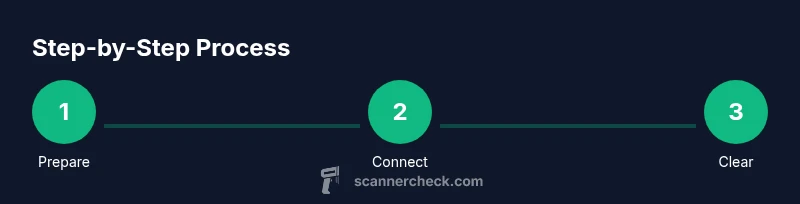
Step-by-step overview before you begin
Before clearing codes, ensure you have permission to work on the vehicle, a charged device, and a tool compatible with your car’s make and year. Document the current codes with photos or notes so you can compare after the reset. Have access to repair records in case you need to show what work was done. Finally, check that you’re in a safe environment and the vehicle is in park with the ignition off during setup.
Practical considerations and common pitfalls
Clearing codes can mask a problem that remains present. If the root cause isn’t repaired, codes can reappear and the light may return shortly afterward. Some codes are permanent or non-erasable until the fault is permanently resolved or until a specific condition is met. For safety-critical systems, never rely on erasure as a substitute for repair. Always perform a post-clear diagnostic run to confirm the issue is truly resolved.
Verification and ongoing maintenance after clearing codes
After clearing, immediately re-scan to confirm there are no active codes. If codes persist, review the repair steps, revisit diagnostic results, and consider performing a road test to ensure the issue isn’t intermittent. Driving sessions can also help readiness monitors complete, but some vehicles require longer driving to fully reset state or to recheck after repair. If problems recur, seek professional diagnostic support.
How to decide between DIY and professional tools
Consumer OBD2 scanners are affordable and sufficient for many common codes and maintenance tasks. For complex drivability problems, emission-related faults, or when codes keep returning after a repair, a professional diagnostic tool and technician may be necessary to avoid masking a serious issue. Scanner-based clears are a great entry point, but they do not replace expert analysis when symptoms continue.
Authoritative sources and safety reminders
For additional guidance, consult trusted sources on OBD-II and vehicle diagnostics. Helpful references include NHTSA’s OBD-II information, SAE publications on diagnostic tooling, and consumer reviews from major publications. Always follow the vehicle manufacturer’s service manual and safety precautions when performing diagnostic work.
Quick practical recap
Clearing codes with an OBD2 scanner is a common, useful step after repairs, but it should be paired with proper diagnosis and verification. Never clear codes to hide a problem. Always re-scan to confirm, document results, and, if in doubt, seek professional help.
Tools & Materials
- OBD-II scanner or Bluetooth adapter(Must be compatible with your vehicle's year, make, and model)
- Compatible smartphone, tablet, or laptop(With the appropriate app or software)
- Vehicle ignition key(Turn ignition to ON as required by your tool (engine off unless instructed))
- Vehicle owner’s manual or service history(Helpful for model-specific steps and repair notes)
- Notebook or camera to log codes(Capture before-and-after codes for comparison)
Steps
Estimated time: 15-25 minutes
- 1
Check compatibility and prep
Verify the tool works with your vehicle and gather any relevant repair notes. Ensure the workspace is safe, the car is in park, and the ignition is off before you begin. This prep minimizes misreads and prevents electrical issues.
Tip: Have repair notes handy to compare codes before clearing. - 2
Plug the OBD-II scanner into the port
Locate the OBD-II port beneath the dashboard near the steering column and securely insert the connector. A snug fit reduces data communication errors and prevents intermittent connections.
Tip: If the plug is stiff, gently wiggle while inserting; avoid forcing it. - 3
Power on the vehicle and the scanner
Turn the ignition to ON (engine off) unless your device requires the engine to be running. Establish a stable connection between the scanner and your device or app.
Tip: Some tools need the engine running to read live data; follow your device’s guide. - 4
Read current codes
Use the scanner to pull a list of stored codes (DTCs). Record every code and note the related symptoms or repairs performed.
Tip: Take photos or screenshots for reference; codes alone don’t tell the full story. - 5
Choose Clear Codes or Erase Codes
Select the erase/clear option in the tool’s menu to remove stored codes. Confirm the action when prompted by the tool.
Tip: If the tool offers multiple clear options, choose Clear Codes only for stored codes, not freeze frame data. - 6
Confirm the reset
After clearing, run a quick read to confirm no active codes remain. If codes persist, recheck connections and the repair work.
Tip: If a code persists, note whether it’s a pending or a current fault. - 7
Rescan after a test drive
Start the engine and drive to allow readiness monitors to run their tests. Re-scan to verify that codes do not return after the drive.
Tip: Some monitors require a specific drive cycle to complete. - 8
Evaluate results and decide next steps
If codes return, revisit the repair or consult a pro. If the scan is clean, document results and monitor the vehicle for any new symptoms.
Tip: Keep the logs for future reference and potential warranty checks.
Common Questions
Can I clear codes with any OBD2 scanner?
Most consumer OBD2 scanners can erase codes, but some brands may lock codes or require a professional tool for certain manufacturers. Always consult the manual for device-specific limits.
Most consumer tools will clear codes, but a few codes may require a professional tool.
Will clearing codes turn off the check engine light permanently?
Clearing codes can turn off the light if the fault isn’t active. If the underlying issue remains, the light can return after a drive cycle or when the fault reoccurs.
The light may return if the fault is not fixed or reoccurs.
Why do codes reappear after clearing?
If the root cause isn’t repaired, the ECU will re-detect the fault and re-store the DTCs. Clearing codes doesn’t fix the problem by itself.
Because the underlying issue stays, the codes can come back.
Is it safe to clear codes after a repair?
Yes, after confirming the repair, you can clear and re-scan to verify. If new codes appear, reassess the repair or seek professional help.
Yes, but re-scan to confirm the repair held.
What if a code is permanent?
Some permanent or hard codes may require multiple steps or a professional tool to clear. Always verify with the service manual or a pro.
Hard codes may need more than a simple reset.
Watch Video
Key Takeaways
- Understand what clearing codes does.
- Verify repairs with a follow-up scan.
- Differentiate between pending and permanent codes.
- Choose DIY tools or professional help as needed.