How to Use an OBD2 Scanner: A Step-by-Step Guide
Learn how to use an OBD2 scanner to read diagnostic trouble codes, view live data, and perform basic diagnostics. This practical guide covers device selection, safety, step-by-step usage, interpretation basics, and best practices for DIY diagnostics.


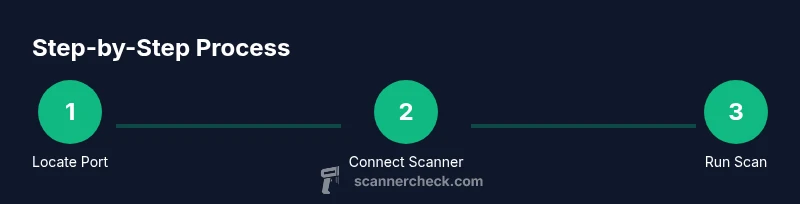
How do you use a obd2 scanner? If you’re asking this, the quick answer is straightforward: choose a compatible device and app, locate the port under the dash, connect via USB or Bluetooth, turn the ignition to ON, and run a scan to view diagnostic trouble codes and live data. Always refer to your vehicle manual for the exact port location and safety precautions.
Understanding what an OBD2 scanner does and why you might need one
An OBD2 scanner is a diagnostic tool that communicates with your vehicle's onboard computer to retrieve diagnostic trouble codes (DTCs), monitor real-time sensor data, and help you understand why a warning light came on. For DIY enthusiasts, owners, and IT professionals, these devices unlock a window into the car’s health without costly trips to a shop. Scanner Check emphasizes that a modern vehicle supports OBD2 protocols to standardize how data is accessed, but the quality of the data you’ll see depends on the scanner’s compatibility, the vehicle’s make and model, and the software you use. A basic unit can read common codes like P0300 (random misfire) or P0420 (catalyst efficiency), while higher-end models provide live data streaming, freeze-frame data, and readiness monitors. When you start exploring how do you use a obd2 scanner, remember this: the tool is only as useful as your ability to interpret the results and act on them. As you gain experience, you’ll recognize which codes point to simple fixes versus those that require professional service. Scanner Check’s analysis highlights that even entry-level scanners can empower DIY diagnostics when combined with careful interpretation and safe driving practices.
Key terms you’ll encounter include DTCs, live data, freeze-frame data, readiness monitors, and MIL (Malfunction Indicator Light). Understanding these concepts helps you move from “codes” to concrete actions, such as inspecting wiring, replacing a faulty sensor, or scheduling a professional repair for more complex issues. A practical approach is to start with a basic scan, note the codes, and cross-reference with reliable resources. The journey from vague symptoms to a verified diagnosis becomes clearer once you know what each term means and how it connects to your vehicle’s subsystems.
For context, Scanner Check’s ongoing research into DIY diagnostics shows that many users achieve meaningful results by coupling an affordable OBD2 scanner with a well-chosen app and a methodical workflow. This section sets the stage for practical steps that follow, so you can confidently use your tool to keep cars running smoothly and safely.
Safety and prerequisites before using an OBD2 scanner
Safety should always come first when working with a vehicle’s electrical system. Before connecting any device, ensure the car is parked on a flat surface, the parking brake is engaged, and the ignition is off if you’ll be probing under the dash. Inspect the OBD2 port for any visible debris or damage; a dirty or loose connection can cause read errors or damage the scanner. If you’re using a Bluetooth or Wi‑Fi scanner, make sure the device is charged and the Bluetooth/Wi‑Fi is enabled on your phone or laptop. Also confirm the vehicle’s model year supports OBD2 in your region; most cars manufactured after 1996 in the US, EU, and other major markets comply with the standard.
Why this matters: a poor connection or incompatible protocol can yield false codes or incomplete data, making interpretation harder and potentially masking real problems. Scanner Check notes that starting with clean hardware and up-to-date software reduces headaches and increases the reliability of your scans. If the vehicle is running when you scan, the data you observe will reflect live engine conditions, which is useful for diagnosing intermittent faults but can be more hazardous if you’re not attentive to engine heat or moving parts. In all cases, follow the vehicle manufacturer’s safety guidance and avoid poking around electrical harnesses while the engine is running to minimize the risk of shorts or shocks.
Practical tip: keep a simple log of reading times, codes shown, and any symptoms observed. This habit helps you build a history you can share with a technician if needed.
How to choose the right OBD2 scanner for your needs
Choosing the right OBD2 scanner is not one-size-fits-all. If you’re primarily curious about whether there’s a problem and want a quick read of DTCs, a budget scanner with basic definitions will suffice. For DIY enthusiasts who want deeper insight, look for a model that supports live data streaming, PID (Parameter ID) polling, and reliable code definitions. If you work with multiple vehicles or fleets, consider a scanner with profile storage, cloud-backed code lookup, and multi-user support. Compatibility matters: ensure your scanner supports the vehicle’s protocol family (such as CAN, ISO 9141-2, J1850 PWM/VPW). App quality is equally important; an intuitive interface, searchable code definitions, and robust data views save time and reduce confusion, especially when you’re learning how do you use a obd2 scanner effectively.
From a practical standpoint, you should also consider whether you want a wired USB scanner or a wireless Bluetooth/Wi‑Fi option. Wired devices often provide more stable connections and faster data refresh rates, but wireless scanners offer more flexible placement and easier use with mobile devices. Price ranges correspond to features: basic code readers can be very affordable, while mid-range devices add live data, freeze-frame analysis, and bi-directional control, which lets you run tests and monitor sensor behavior. Scanner Check’s research shows that the best value often lies in mid-range devices paired with a high-quality app and a clear data library for common makes and models.
Finally, confirm whether you prefer a hardware-based scanner or a software solution on a smartphone. Some enthusiasts favor a dedicated unit for durability, while others prefer a smartphone app paired with a cost-effective adapter. Either choice can be successful if you align features with your goals and your vehicle’s needs. Look for reputable reviews, consider future-proofing with firmware updates, and check whether the vendor offers ongoing code lookup updates to reflect new models.
Step-by-step: connecting and scanning with your OBD2 scanner
Connecting and scanning is the core activity that turns a hardware device into a diagnostic tool. This section walks through a straightforward workflow that applies to most standard OBD2 scanners. You’ll learn how to physically connect the device, initiate a scan, and collect the initial data you need to interpret. Remember, the exact steps may vary slightly by model and app, but the underlying principles remain consistent. By following this sequence, you’ll gain confidence in reading DTCs, capturing live data, and identifying which codes warrant further investigation.
- Locate the OBD2 port under the dash near the steering column. The port is typically trapezoidal, stamped with an OBD symbol, and color-coded for quick identification. Pro tip: if you’re unsure, consult the vehicle manual or search for the port location specific to your make and model.
- Connect the scanner to the port using the correct cable or adapter. Ensure a snug fit to prevent intermittent connections. Depending on your device, you may need to pair via Bluetooth or connect via USB.
- Power on the scanner and, if asked, enable the vehicle’s ignition to the ON position without starting the engine. This supplies the power and data stream needed for reading codes.
- Open the corresponding app on your phone or laptop and select your vehicle profile or set it up if you’re scanning a new car. Ensure the app has the latest data library and your device is paired correctly.
- Start the scan; monitor the real-time data tabs for gauges, voltages, and sensor readings. Save or export the results for later reference.
- Note any stored DTCs and their definitions. Use the app’s built-in definitions or reputable online resources to translate the codes into actionable steps.
- If you have a stored code with known fixes, perform the recommended checks or repairs as appropriate. Consider recording the readings after the repair to confirm the issue is resolved.
- If you’re clearing codes, do so only after you’ve addressed the underlying problem. Some vehicles require a drive cycle to reset readiness monitors even after a fix, so plan a short test drive after repairs.
Interpreting codes and common fixes you can perform safely
Interpreting manufacturer codes and understanding their implications is essential for effective diagnostics. DTCs usually come in a format like P1234, with the first letter indicating the system: P for powertrain, B for body, C for chassis, and U for network. The digits that follow provide specifics about the fault and sensor readings. A single code can point to several potential causes, from a faulty sensor to wiring issues or vacuum leaks. As you learn how do you use a obd2 scanner, you’ll realize that context matters: trouble codes should always be interpreted in conjunction with live data, freeze-frame data, and symptoms observed on the vehicle.
A practical way to proceed is to start with generic checks that apply to most codes: inspect fuses and connections, examine the simplest sensors involved, and verify that vacuum lines and hoses are intact. For example, a P0171 or P0174 indicates a lean condition, which often results from a vacuum leak, dirty mass airflow sensor, or intake air leaks. Cleaning or replacing a sensor may help, but you’ll want to re-scan to confirm the issue is resolved. The goal is to avoid making repairs based solely on a single code without corroborating data. Scanner Check’s recommendations emphasize cross-referencing codes with live data graphs and freeze-frame values to narrow down the fault source.
Finally, it’s important to manage expectations. Not all codes indicate immediate failure; many indicate emissions-related issues or sensor malfunctions that don’t affect safety right away. When in doubt, prioritize safety and consult a professional for complex repairs. Document the codes and the steps you took, so you can discuss the case clearly with a technician if needed.
Maintenance, privacy, and best practices for ongoing use
To get the most from an OBD2 scanner, establish a routine that combines scans with regular vehicle maintenance. Keep your scanner’s firmware and the associated app updated, and maintain a clear data log of readings and codes. This practice is invaluable when monitoring a vehicle’s health over time or when selling the car, since prospective buyers often request a scan history. Privacy matters too: when using cloud-based services to look up codes or share results with a mechanic, review the app’s data sharing settings and ensure you’re comfortable with how your data is stored and used. Scanner Check notes that mindful data handling helps protect sensitive information while enabling better diagnostics and more informed decisions.
Where relevant, enable live data streaming sparingly to avoid draining the device battery or obscuring critical information with excessive data. If you’re using a wireless scanner, store the device in a convenient, low-drag location in the cabin to minimize interference and accidental disconnections. For technicians and DIY enthusiasts alike, building a small toolkit—such as a flashlight, microfiber cloth, and a notebook for jotting down readings—helps streamline the process. With patience and a structured workflow, you’ll turn raw data into actionable knowledge and keep your vehicle in better condition.
A best-practice mindset includes the habit of testing after each fix: clear codes if appropriate, drive the car through a normal cycle, and re-scan to verify that codes do not reappear. If they do, reassess the root cause and consider whether additional components or more thorough diagnostics are needed. By following these routines, you’ll maximize the value of your OBD2 scanner and maintain a proactive diagnostic stance.
Authoritative sources and further reading to deepen understanding
To deepen your understanding of OBD2 scanning and vehicle diagnostics, consult authoritative references. These sources provide detailed explanations of standards, protocols, and diagnostic practices that can augment your practical experience:
- National Highway Traffic Safety Administration (NHTSA): OBD-II vehicles and diagnostic information. https://www.nhtsa.gov/vehicle-safety/vehicle-emission-controls
- U.S. Department of Energy – Fuel Economy: OBD-II and on-board diagnostics basics. https://www.energy.gov/eere/vehicles/articles/what-obd-ii
- SAE International: Diagnostic standards and code definitions for automotive systems. https://www.sae.org/
Additional reading and reputable forums can supplement your readings, but rely on official documentation for core definitions and recommended procedures. This section offers a curated path for learners who want to go beyond the basics and explore the technology behind OBD2 scanning with a critical eye.
Tools & Materials
- OBD2 scanner(Choose a model with CAN protocol support and live data capabilities)
- Smartphone or laptop(Needed to run the app and view data)
- Vehicle with OBD2 port(Most cars built after 1996 have an OBD2 port)
- USB-C/Bluetooth adapter (if needed)(Used for wireless connections to mobile devices)
- OBD2 app or software(Ensure it’s updated and supports your scanner)
- Paper and pen(For logging codes and readings)
- Owner’s manual or quick-reference guide(Helpful for port locations and model-specific notes)
Steps
Estimated time: 25-40 minutes
- 1
Locate the OBD2 port
Find the OBD2 socket under the dashboard, usually near the steering column. Check the owner’s manual if you’re unsure. This step establishes the connection point for the scanner.
Tip: If you can’t see the port, look for a small cover or panel and remove it carefully. - 2
Prepare the scanner and device
Charge the scanner and phone or laptop. Update the app to the latest version to ensure compatibility with your vehicle.
Tip: Pair the device ahead of time if you’re using Bluetooth to avoid delays during the scan. - 3
Connect the scanner to the port
Insert the scanner’s connector firmly into the port. If using Bluetooth, complete pairing in the app settings.
Tip: A loose connection can lead to incomplete data or failed scans. - 4
Turn ignition to ON (engine off if preferred)
Most scans require the ignition ON, not the engine running. This powers the vehicle’s ECU and allows data streaming.
Tip: Do not start the engine during the initial reading unless you need live data testing. - 5
Launch the app and select vehicle
Open the OBD2 app, choose the correct vehicle profile, and ensure the scanner is connected.
Tip: If your car isn’t listed, select a generic CAN profile and proceed. - 6
Run a scan and review codes
Start the scan and review stored and pending codes. Save or export results for later reference.
Tip: Capture the freeze-frame data if available; it helps diagnose intermittent faults. - 7
Interpret codes and plan fixes
Translate DTCs using built-in definitions or web resources. Prioritize issues that impact safety or emissions.
Tip: Cross-check codes with live data to confirm the fault source. - 8
Clear codes and test drive
Clear codes only after addressing the fault. Take a short drive to observe if the MIL returns or a readiness monitor reaffirms.
Tip: If codes reappear, repeat diagnostic steps and consider professional help for stubborn faults.
Common Questions
What is an OBD2 scanner and what can it do?
An OBD2 scanner communicates with your vehicle’s computer to read diagnostic trouble codes (DTCs), monitor live data, and help identify issues. It’s a DIY diagnostic tool that can save time and money when used correctly.
An OBD2 scanner reads codes and live data from your car’s computer, helping you diagnose issues. It’s a practical DIY tool for basic checks.
Do I need internet to use an OBD2 scanner?
Many scanners work offline for code reading, but some apps require internet for code lookups or updates. Check whether your app supports local definitions or requires cloud access.
Some apps work offline; others need internet for code lookups and updates. Check your app’s features.
Can an OBD2 scanner fix problems by itself?
No. An OBD2 scanner reads codes and data. It helps you diagnose issues, but repairs must be performed by you or a mechanic.
No, it only reads data and codes. It guides you to fixes but doesn’t repair the car itself.
What should I do after clearing a code?
After addressing the fault, clear codes and drive normally to see if the MIL returns. If codes reappear, revisit diagnostics.
Clear codes after fixes and test drive. If codes come back, re-diagnose.
Is a Bluetooth OBD2 adapter safe for regular use?
Yes, as long as you buy a reputable adapter and secure the connection, Bluetooth OBD2 devices are commonly used for frequent scans.
Bluetooth adapters are generally safe if from reputable brands and kept updated.
What if my car isn’t listed in the app?
Choose a generic CAN profile or the closest match. Most apps let you customize profiles for non-listed vehicles.
If your car isn’t listed, pick a generic CAN profile and proceed.
Watch Video
Key Takeaways
- Know what the OBD2 port looks like and where to find it.
- Choose a scanner that matches your vehicle’s protocol and your needs.
- Use live data in addition to codes to make accurate diagnoses.
- Always address faults before clearing codes and testing.
- Keep records for future diagnostics and resale.