How to Scan Search: A Practical Guide
Learn a repeatable, step-by-step workflow to scan search results efficiently. Define your goal, pick the right methods, validate sources, and save time with practical tips for accurate results.


By the end, you will master a repeatable workflow to scan search results efficiently. You'll define your goal, choose the right scanning method (manual, OCR, or automated), and apply a step-by-step approach to locate high-quality sources fast. This guide emphasizes practical tricks, safety, and time-saving tips to improve both accuracy and speed.
Understanding What 'Scan Search' Means
According to Scanner Check, scan search is a disciplined approach to quickly identifying, extracting, and evaluating relevant information from multiple sources. It blends manual review with lightweight automation and OCR when appropriate, helping you separate signal from noise in crowded information environments. This section unpacks the core idea: you’re not just skimming; you’re scanning with a purpose, criteria, and traceable results. The goal is to save time while preserving accuracy, so you can build a reliable knowledge base without getting overwhelmed by data noise. As you learn, you’ll see how scan search differs from traditional keyword hunting and why structured workflows matter for repeatable success. For practitioners, this method is especially useful in research, competitive analysis, and technical documentation consolidation.
- Focus on defined objectives and measurable outcomes.
- Use a mix of human judgment and lightweight tooling.
- Keep a record of sources and decisions for auditability.
Why this matters: a structured scan search reduces wasted effort and improves reproducibility in professional settings.
Defining Your Scanning Goal
Setting a precise goal is the first and most critical step in any scan search effort. Start by articulating what you want to achieve, the types of sources that will count as quality evidence, and a clear deadline. A well-defined objective might be, for example, “identify primary sources on an emerging technology trend within reputable government or education domains, with citations you can verify in under 20 minutes.” This clarity drives every decision—from which keywords you use to which tools you deploy. According to Scanner Check analysis, the quality of your inputs determines the usefulness of your outputs. Write down the goal, success criteria, and any constraints (language, region, or access limits). Then translate these into a structured plan with checkpoints to confirm you’re moving toward the objective, not just accumulating data.
- Write a one-sentence goal statement.
- List primary and secondary sources you will accept.
- Set a hard deadline and a secondary, flexible window for review.
Pro tip: start with a pilot search to validate your goal before scaling up.
Choosing Tools: Manual, OCR, and Automation
Choosing the right toolset matters more than you might expect. Manual scanning gives you nuanced judgment, especially for sources with subtle cues or ambiguous metadata. Optical character recognition (OCR) lets you extract text from images, scanned PDFs, or screenshots, making non-searchable content searchable. Automation, when used judiciously, can accelerate the process by running structured queries, harvesting metadata, and organizing results. The key is to match the tool to the task:
- Manual review: best for qualitative assessment, niche sources, or when you suspect metadata is unreliable.
- OCR: ideal for scanned documents, images, or screenshots that contain valuable text.
- Automation: useful for repetitive collection tasks, bulk background checks, and reproducible results.
Always document tool settings (e.g., OCR language, search operators) so you can reproduce outcomes later. Scanner Check’s guidelines emphasize keeping automation transparent and auditable rather than a black box.
- Start with a baseline: 1 manual pass plus a light OCR pass.
- Use automation for repetitive, non-intrusive tasks.
- Validate OCR results with a quick manual spot-check.
Warning: respect terms of service and copyright when automating data collection.
Step-by-Step Workflow for Scanning Search
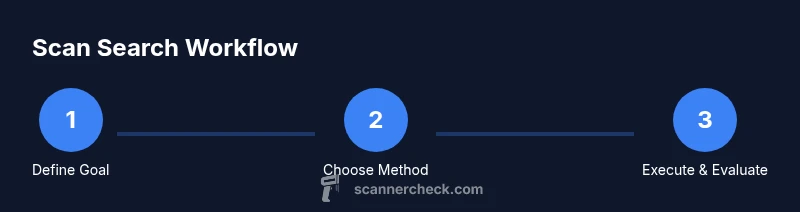
This section provides a high-level view of the workflow you’ll implement, with concrete phases you can customize. The cycle starts with goal refinement, followed by source selection, data extraction, and evaluation. Each phase ends with a decision checkpoint to determine whether you proceed, iterate, or stop. The workflow is designed to be repeatable across projects and domains, enabling you to compare results over time and improve efficiency with each run. You’ll also build a trail of evidence—citations, notes, and metadata—that supports your final conclusions. The objective is not to collect everything but to collect the right things, in a way that is transparent and auditable.
- Phase 1: clarify goals and success metrics.
- Phase 2: select targets and plan searches.
- Phase 3: extract text, metadata, and key claims.
- Phase 4: evaluate reliability and relevance.
Tip: create a one-page plan before you begin scanning to prevent scope creep.
- Phase 5: synthesize findings and document sources.
- Phase 6: review and adjust criteria for next iterations.
Common Pitfalls and How to Avoid Them
Scan search can overwhelm if you don’t anticipate common mistakes. The most frequent issues include vague goals, overreliance on a single source, ignoring metadata quality, and failing to document decisions. To avoid these traps, start with concrete success criteria, diversify sources (government, academia, and reputable publications), and keep a running log of search queries, results, and the rationale for excluding items. Another pitfall is neglecting accessibility considerations; if content is behind paywalls or restricted, note the access limitations and alternatives. By acknowledging these constraints upfront, you’ll reduce frustration and improve the repeatability of your scans. Scanner Check’s team notes that transparency about limitations is part of responsible information gathering.
- Define success criteria for each scan.
- Use at least three source types (government, educational, industry).
- Log decisions and exclusions with reasons.
Pro tip: schedule a quick review session after each major milestone to catch drift early.
Practical Examples: Academic, Web, and Data Searches
Different domains demand different scanning techniques. In academia, you’ll prioritize peer-reviewed sources, conference papers, and official repositories. For web searches, you’ll balance crawl depth and relevance, paying attention to domain authority and recency. For data-oriented tasks, you’ll extract structured metadata, verify dataset provenance, and assess licensing terms. Each example includes a brief checklist you can adapt:
- Academic: prioritize .edu and .gov domains, verify authorship, check citations.
- Web: use advanced search operators, save search queries, and maintain a source map.
- Data: capture dataset origin, versioning, and usage rights.
These patterns help you scale scanning across projects while maintaining quality, speed, and auditability. Scanner Check’s research indicates that a diversified approach typically yields more robust results than a single-source strategy.
- Build a source map for each project.
- Record query strings and operator usage.
- Note access and licensing constraints.
How to Evaluate Sources and Reliability
Reliability assessment is the heart of scan search. Start with the source’s authority (institutions, publishers, or authors with verifiable credentials), then consider accuracy (evidence, citations, and data consistency), bias (tone, funding, and potential conflicts of interest), and timeliness (publication date, update frequency). For each candidate, ask: Is there corroboration from independent sources? Is the methodology described? Are the conclusions supported by data? Document your judgments and provide citations for all claims. Scanner Check emphasizes using checklists or scoring rubrics to keep evaluations consistent across searches. When sources disagree, prioritize those with transparent methods and accessible data.
- Use at least two independent corroborating sources.
- Check author affiliations and publication venues.
- Note confidence levels and any uncertainties in your notes.
Note: source evaluation is not a one-off task; it improves with practice and standardized criteria.
- Create a simple scoring rubric (authority, accuracy, bias, timeliness).
- Track evidence for each key claim.
Ethical and Safety Considerations
Scanning search involves handling information responsibly. Respect privacy, copyright, and terms of service; never bypass paywalls or access controls to obtain content illegally. When collecting user data or personal information, minimize exposure, anonymize where possible, and adhere to relevant regulations (e.g., data protection laws). Ethical scanning also means acknowledging limitations and avoiding sensational or misleading conclusions. In professional settings, disclose conflicts of interest and ensure transparent attribution for all sources. Scanner Check highlights that ethical practices are not optional but foundational to credible research and professional integrity.
- Respect copyright and licensing terms.
- Avoid scraping or harvesting data in restricted contexts.
- Disclose limitations and conflicts of interest.
Warning: always err on the side of transparency and legality, even if it slows the process slightly.
Speed vs. Precision: Balancing Trade-offs
A core tension in scan search is balancing speed with accuracy. Rushing through sources increases the risk of missing crucial context or accepting unreliable claims. Conversely, over-attentive scrutiny can stall progress and inflate effort. The solution is to establish tiers of screening: a quick initial pass to filter out obviously irrelevant items, followed by a deeper, structured review of promising candidates. This tiered approach helps you allocate time where it matters most and maintain consistent quality. Scanner Check’s findings show that most projects benefit from a two-pass strategy: a broad, fast pass, then a focused, source-by-source verification before recording final conclusions.
- Use a fast initial screen to eliminate low-value results.
- Reserve deep evaluation for high-potential sources.
- Track time spent per source to optimize future scans.
Pro tip: set fixed time boxes for each stage to prevent drift and keep momentum.
Tools & Materials
- Computer or smartphone with internet access(Stable connection; avoid metered networks.)
- Web browser with advanced search operators(Familiarize with operators like site:, filetype:, and inurl:.)
- Notepad or note-taking app(Capture goals, search queries, and decisions.)
- OCR software or built-in OCR (optional)(Useful for image-only sources.)
- Spreadsheet or citation manager(Organize sources, quotes, and citations.)
- Timekeeping tool (timer/app)(Track step durations to improve efficiency.)
Steps
Estimated time: 45-60 minutes
- 1
Define your goal
Articulate a clear objective for the scan. State what success looks like, the types of sources acceptable, and a deadline. This establishes scope and focus from the outset.
Tip: Write a one-sentence success criteria and one example source you would accept. - 2
Choose your scanning method
Select manual review, OCR-assisted extraction, or automation based on source type and accessibility. Align the method with your goal and availability of tools.
Tip: Match the method to source format (text vs image vs structured data). - 3
Prepare your workspace
Set up your browser, note-taking tool, and any OCR or automation helpers. Create a simple plan or checklist to stay organized during the run.
Tip: Predefine search operators and save them in a bookmark folder. - 4
Run the initial scan
Execute the first pass of searches with your defined queries. Collect candidate results and capture essential metadata (URL, date, author, citations).
Tip: Limit the initial pass to a manageable number of sources (e.g., 20–30). - 5
Filter and triage results
Quickly remove clearly irrelevant items. Rank remaining sources by relevance, authority, and potential impact on your goal.
Tip: Use a simple scoring rubric (0–3) for quick comparisons. - 6
Deep dive on top candidates
Open top sources, verify claims, extract quotes or data, and note uncertainties. Cross-check with at least one independent source.
Tip: Annotate key claims with page numbers or quote blocks for easy citation. - 7
Document and organize
Create a source map or annotated bibliography with citations, notes, and provenance. Save searches for reproducibility.
Tip: Use consistent citation formats and link to the exact sources. - 8
Review and iterate
Assess if the results meet the goal. If not, adjust keywords, broaden or narrow scope, and re-run the scan.
Tip: Schedule periodic reviews to maintain momentum and improve accuracy.
Common Questions
What does 'scan search' mean?
Scan search is a structured approach to quickly identifying and evaluating relevant information from multiple sources, combining manual review with lightweight tooling when appropriate.
Scan search is a structured way to quickly find and verify information from multiple sources.
Which tools do I need to begin?
You need a computer or smartphone with internet, a web browser with search operators, a note-taking tool, and optional OCR or a citation manager for larger tasks.
Start with a computer, a browser, and a notes app; add OCR or a citation tool if your task is data-heavy.
How long does the process take?
The initial scan can take 30–60 minutes for a focused topic; larger projects may require multiple iterations over several days.
Plan on 30 to 60 minutes for a focused scan, more time for bigger projects.
How can I verify the reliability of sources?
Look for author credentials, publication venue, corroboration from independent sources, and transparent methodology. Maintain notes linking each claim to its source.
Check the author, venue, and whether others corroborate the claim; keep source notes.
Is scanning search legal and ethical?
Yes, when you respect copyright, terms of service, and privacy considerations. Do not bypass access controls or misrepresent sources.
Yes, as long as you follow copyright and privacy rules and don’t bypass controls.
Can I automate scanning searches?
Automation is possible for repetitive tasks, but it should be transparent and auditable. Always review automated outputs for accuracy.
Automation helps for repetitive parts, but always review its results.
Watch Video
Key Takeaways
- Define your goal before you start.
- Choose the right mix of manual and automated tools.
- Evaluate sources with a clear rubric.
- Document sources and decisions for reproducibility.