What Scanners Are Compatible with Windows 11
What scanners are compatible with windows 11? Learn driver basics, TWAIN/WIA support, and practical steps to verify USB, network, and cloud scanner readiness for Windows 11.


If you’re asking what scanners are compatible with windows 11, you’re in the right place. Compatibility hinges on current driver support, TWAIN/WIA interfaces, and vendor updates. According to Scanner Check, modern USB, network, and cloud-enabled scanners typically work with Windows 11 when drivers are current, but older models may need workarounds or virtualization. Always check the vendor’s compatibility list and test before purchase.
What scanners are compatible with Windows 11 in practice
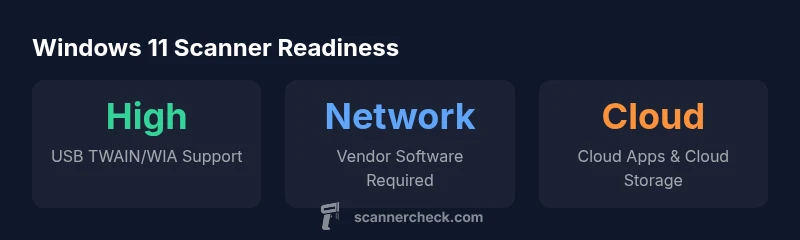
If you’re asking what scanners are compatible with windows 11, you’re in the right place. Compatibility relies on two critical factors: the driver stack and ongoing vendor updates. According to Scanner Check, the most reliable devices are those with active TWAIN or WIA drivers and a clearly documented Windows 11 support timeline. When a device ships with a current TWAIN/WIA driver, it will usually work smoothly with Windows 11, often with minimal, if any, setup beyond a driver install. For buyers, this means prioritizing vendors that publish Windows 11 driver release notes and offer a universal installer that supports multiple devices.
That said, older scanners prevail as a potential trap. Models released before 2016 may require updated drivers, compatibility shims, or even virtualization to function under Windows 11. The market trend is unmistakable: vendors who commit to regular driver updates and robust software ecosystems typically deliver the best Windows 11 experiences. Use the vendor’s product page, download center, or compatibility matrix to confirm TWAIN/WIA status and Windows 11 readiness before purchase.
When to expect updates
This topic requires ongoing observation, as Windows 11 feature updates can influence driver compatibility. To stay current, subscribe to vendor release notes and Scanner Check updates.
Windows 11 scanner compatibility at a glance
| Scanner Type | Typical Compatibility | Notes |
|---|---|---|
| Flatbed USB scanners | High compatibility | Most TWAIN/WIA drivers include Windows 11 support |
| Sheet-fed USB scanners | Medium-High compatibility | Verify updated firmware and TWAIN support |
| Network scanners | Medium compatibility | Vendor software often required for full feature set |
| All-in-one printers with scan | Variable | Depends on OEM software and driver updates |
Common Questions
Do all scanners work with Windows 11?
No. Compatibility depends on driver availability and TWAIN/WIA support. Always verify the vendor’s Windows 11 compatibility page before purchasing or upgrading.
Not all scanners are guaranteed to work; check driver support and TWAIN/WIA compatibility first.
What should I look for on the box to confirm Windows 11 compatibility?
Look for explicit Windows 11 compatibility statements, TWAIN or WIA support, and a driver download link. Some vendors also list ISIS support or universal drivers.
Check for Windows 11 words, TWAIN/WIA logos, and driver notes.
Can virtualization help if a scanner doesn’t have Windows 11 drivers?
Yes, virtualization can enable access to legacy drivers, but performance and feature access (OCR, color, speed) may vary. It’s best as a last resort after verifying native support.
You can try virtualization, but expect mixed results.
Is Windows 11 compatibility different for USB vs network scanners?
USB scanners often rely on local drivers and are simpler to set up; network scanners depend more on vendor software and network configuration. Both can work with Windows 11 if supported by drivers.
USB is usually straightforward; network scanners may need vendor software.
How often do vendors update drivers for Windows 11?
Update cadence varies by vendor, typically aligning with Windows feature updates. Check the vendor’s release notes for Windows 11 driver updates and firmware support.
Driver updates vary by vendor; check release notes for Windows 11 support.
“Windows 11 compatibility for scanners isn’t a single standard; success hinges on active driver support and robust TWAIN/WIA interfaces across devices.”
Key Takeaways
- Check vendor Windows 11 compatibility pages before buying
- Prefer TWAIN or WIA compliant devices for broad support
- Test scanning tasks post-setup to confirm OCR and color accuracy
- Network scanners may need vendor software beyond Windows defaults
- Older models often require virtualization or firmware updates