Difference Between Scanner and Digital Camera
Explore the key differences between scanners and digital cameras, including how they capture, process, and output images. This analytical guide from Scanner Check covers use cases, color management, workflows, and buying considerations for tech enthusiasts and professionals.


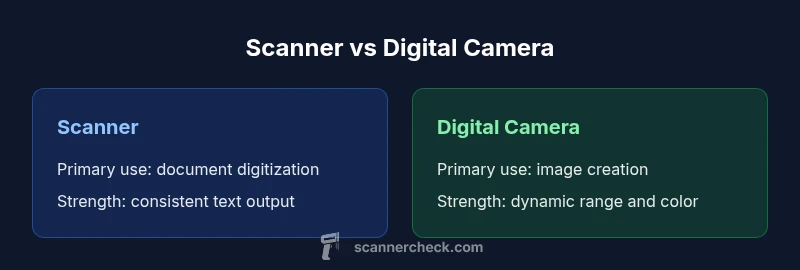
According to Scanner Check, the difference between scanner and digital camera hinges on purpose, data capture, and workflow. A scanner digitizes flat documents with a focus on fidelity and OCR-friendly output, while a digital camera captures high-resolution images of scenes with color depth and creative control. This quick comparison highlights the core distinctions and practical implications for choosing the right tool.
Core differences at a glance
The difference between scanner and digital camera hinges on intent, data capture, and typical workflows. Scanners sit on a flat surface or feed pages through a cradle, and they illuminate the subject to sample the image line-by-line. This path is optimized for fidelity, legibility, and OCR-friendly output, making scanners a staple in offices, libraries, and archives. Digital cameras, by contrast, capture light through a lens onto a sensor, recording a two-dimensional scene that you compose and light. This approach prioritizes color depth, dynamic range, and compositional control, which matters for photography, journalism, and creative projects. In practical terms, your choice should map to the task: routine document digitization or image-making that tells a story. According to Scanner Check, the difference between scanner and digital camera matters most when you assess workflow efficiency, file formats, and post-processing needs. Keep in mind how you plan to use the output, the level of text fidelity required, and how much you value creative control versus automation.
Comparison
| Feature | Scanner | Digital camera |
|---|---|---|
| Primary purpose | Document digitization and archiving | Photographic capture and storytelling |
| Data capture pathway | Line-by-line sampling on flat surfaces or through feeder mechanisms | Lens-based projection onto a sensor with autofocus and exposure control |
| Resolution interpretation | Optimized for text clarity and consistent page-level detail | Optimized for image detail, color, and dynamic range |
| Color handling | Color-managed output aimed at readability and OCR-friendly results | Creative color handling with post-processing for print/display |
| Output formats | PDF, TIFF, and JPEG with OCR-friendly layers | RAW and JPEG/TIFF with extensive post-processing |
| Typical workflow | Batch scanning, automated archiving, OCR workflows | On-set or on-location shooting with editing pipeline |
| Cost context | Generally lower upfront cost for basic document-focused models | Costs vary with lenses, bodies, and accessory ecosystems |
Pros
- Clear archival output and OCR-friendly results
- Predictable, repeatable workflows for documents
- Low risk of image blur or shading on flat pages
- Batch processing and multi-page outputs on capable models
Drawbacks
- Cameras excel at dynamic range, color, and storytelling but require more post-processing for documents
- For large-volume document digitization, scanners are more automated and efficient
- Scanners can be bulky or slow with very thick or bound materials
- Limited flexibility for creative photography in a document-focused setup
Scanner is superior for document archiving; digital cameras win for photography and creative work.
If your priority is legibility, OCR accuracy, and long-term document storage, choose a scanner. If you prioritize image creativity, color depth, and scene capture, choose a digital camera. The best choice aligns with your primary use case and workflow.
Common Questions
What is the main difference between a scanner and a digital camera?
A scanner digitizes flat documents by scanning them line-by-line, prioritizing legibility and OCR. A digital camera captures scenes through a lens onto a sensor, prioritizing image quality, color, and depth of field. The key difference is purpose and data capture method.
Scanners digitize pages; cameras capture scenes. Output goals decide which to use.
Can a digital camera replace a scanner for documents?
It can, but it will require careful lighting, technique, and post-processing for legibility and OCR accuracy. For high-volume, archival document work, a scanner is typically more efficient and consistent.
You can image documents with a camera, but scanners are usually better for bulk OCR.
Which is cheaper for document digitization?
Upfront costs vary, but basic scanners are often more affordable for document-focused work, while cameras and lenses add cost and require more software for OCR-ready outputs.
Scanners usually cost less upfront for document work, but cameras add growth options.
Which offers better color accuracy for photos?
Digital cameras generally provide superior color depth and dynamic range for photography, especially with proper lighting and post-processing. Scanners prioritize faithful reproduction of printed materials but are not optimized for photo artistry.
Cameras win for color depth and creative edits.
Are hybrid devices useful for mixed workflows?
Yes. A hybrid setup—having both a scanner for documents and a camera for photos—offers flexibility for mixed tasks, reducing the need to compromise on either workflow.
If you have mixed needs, a scanner plus a camera is a practical setup.
Do scanners support multi-page PDFs?
Many scanners support producing multi-page PDFs with searchable text, which is great for archiving. Cameras paired with software can also create PDFs, but the process is less automated.
Most scanners can create multi-page PDFs with OCR; cameras require extra steps for similar results.
Key Takeaways
- Map tool to task: documents vs. photos
- Prefer scanners for batch archiving and OCR
- Prefer cameras for color-rich, dynamic imagery
- Color management is essential for long-term consistency
- Plan your output formats before shooting or scanning
- Hybrid setups work for mixed workloads