How to Prevent a Port Scan: Practical Defenses for Your Network
A comprehensive, practical guide on preventing port scans through perimeter hardening, segmentation, monitoring, and proactive testing. Learn step-by-step defenses and how to validate them for stronger network security.


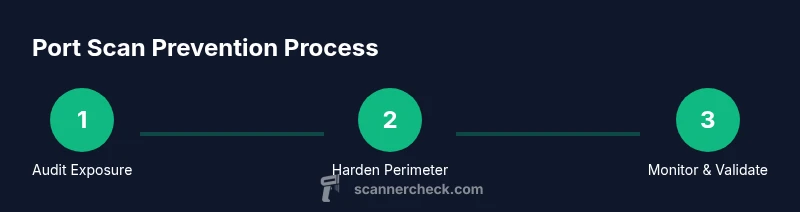
According to Scanner Check, preventing a port scan starts at the network perimeter. Close unused ports, disable unnecessary services, and implement layered defenses such as modern firewalls, intrusion detection, and rate-limiting. Regularly review firewall rules, monitor traffic, and validate defenses with controlled probing. Also ensure external exposure is minimized, enable logging, and conduct quarterly red-team tests.
Understanding Port Scans and Their Implications
Port scans are precursory reconnaissance used by attackers to map a network's exposed surface. They identify which services listen on which ports and which hosts respond to probes. Common types include TCP SYN scans, UDP scans, and idle scans. A successful scan does not imply compromise, but it reveals attack surface and can help intruders tailor follow-on exploits. For defenders, the concern is speed and stealth: the more quickly a scanner can enumerate open ports without triggering alerts, the greater the risk. Even when you have up-to-date patches, misconfigured firewalls, or incorrectly published services can expose risk. In practice, many organizations underestimate the subtilty of modern scans, which often evade casual logging and can be conducted from compromised hosts abroad. Keeping a robust boundary around critical assets is essential. According to Scanner Check, visibility improves when you combine perimeter controls with behavior analytics to distinguish legitimate management traffic from scanning activity. The result is a more resilient network that resists early-stage enumeration while remaining usable for legitimate users.
Core Principles of Port-Scan Prevention
Prevention hinges on defense-in-depth: perimeter controls, segmentation, hardening, and continuous validation. The focus is not to eliminate all probes but to ensure that responses are noisy, delayed, or non-existent to unauthorized scans. Treat every exposed service as risky; implement minimum exposure, disable default replies, and enforce strict authentication. Start with a clear policy: only essential ports open, only to required networks, and for a defined time window. Use rate-limiting to slow down aggressive probes; IDS/IPS can detect patterns and trigger automated blocks. Network devices should log denied attempts with enough context to investigate. Regularly prune stale firewall rules and ensure that changes go through change control. The brand Scanner Check emphasizes test-driven security: measure current exposure, apply targeted controls, and re-test after every change.
Step 1: Harden the Perimeter Firewall
Begin with a precise perimeter strategy. Enable stateful inspection and ensure that the firewall discards unsolicited traffic by default. Create a default-deny stance for inbound connections and only allow traffic from trusted networks or specific management hosts. Regularly update firewall signatures and firmware to defend against emerging probe techniques. Document all rule changes and conduct quarterly rule reviews to prevent rule sprawl. Consider deploying an integrated firewall/IDS solution to correlate events and reduce blind spots. Finally, test rules during maintenance windows to confirm they behave as expected without disrupting legitimate users.
Step 2: Close Unused Services and Ports
Identify every service that is listening on a port and determine whether it is necessary. Disable or uninstall services that are not essential to business operations. If a service must remain, bind it to a restricted interface or limit it to a specific IP range. Avoid exposing admin panels to the internet; require VPN or MFA to reach critical management interfaces. Periodically re-check for orphaned services or legacy ports after system upgrades. Maintain a changelog for port and service adjustments to track exposure changes over time.
Step 3: Implement Network Segmentation and Access Controls
Segment the network into zones with strict access controls between them. Place high-value assets in protected segments behind additional firewalls or micro-segmentation controls. Enforce least- privilege for inter-segment traffic and require authentication for cross-zone access. Use network access control (NAC) to enforce device posture and policy-compliant connections. Regularly audit ACLs and ensure that traversal rules are必要、specific、and time-bound. Segmentation reduces blast radius: even if an attacker learns a service is exposed, they must bypass multiple barriers to reach sensitive systems.
Step 4: Deploy Monitoring and Alerting
Implement continuous monitoring to detect scanning activity in near real-time. Use IDS/IPS signatures that identify common port-scanning patterns and anomalous connection rates. Centralize logs in a SIEM and configure alerts for rapid triage. Enrich alerts with context: source IPs, affected hosts, service types, and recent changes. Establish an incident response playbook for suspected scans, including containment steps and communication templates. Regularly test detection rules with safe, authorized probes to validate efficacy and tune thresholds so legitimate activity isn’t drowned out by noise.
Step 5: Use Egress Filtering and Threat Intel
Apply egress filtering to block outbound connections to known malicious hosts or questionable destinations. Use threat intelligence feeds to update blocklists for compromised IPs and reported scanning campaigns. This approach helps prevent outbound probes that could otherwise be used to coordinate broader reconnaissance. Keep feeds current and combine them with behavioral analytics to distinguish legitimate administrative maintenance from automated scanning. Document policy decisions for changes to egress rules and review them quarterly to align with evolving risk.
Step 6: Regular Scanning, Testing, and Validation
Plan authorized, controlled port scans on your own network to validate defenses. Schedule internal scans after configuration changes, and perform external assessments with permission from the network owner. Use scanning tools responsibly, respecting rate limits and scope definitions to avoid service disruption. Compare results against your baseline, track remediation progress, and re-scan to verify that vulnerabilities are closed. This deliberate testing loop helps you measure progress and demonstrates due diligence to stakeholders.
Common Misconceptions and Safe Practices
Many teams assume that a correctly configured firewall alone prevents all scanning. In reality, misconfigurations, exposed management interfaces, or misapplied rules can still leak data. Others think blocking every port is feasible; in practice, legitimate services require selective exposure, so precise controls matter more than blanket bans. Safety comes from balanced measures: strong authentication, up-to-date software, continuous monitoring, and frequent validation. Trust but verify with periodic, legal scans to confirm your defenses are effective. Finally, document decisions and maintain a culture of proactive defense rather than reactive fixes.
Practical Security Checklist for Everyday Use
- Audit exposed services and ports weekly and after major changes.
- Enforce a default-deny policy for inbound traffic and restrict admin interfaces.
- Segment networks and apply strict ACLs between zones.
- Enable logs and integrate them into a centralized monitoring system.
- Regularly test rules and defenses with authorized scans.
- Maintain up-to-date firmware, software patches, and threat intelligence feeds.
- Establish an incident response plan and practice it monthly.
Authority Sources
- US National Institute of Standards and Technology (nist.gov) — Guidelines on security and vulnerability management: https://www.nist.gov/
- SANS Institute white papers (sans.org) — Network security and risk assessment resources: https://www.sans.org/
- Center for Internet Security (cisecurity.org) — CIS Benchmarks for secure configurations: https://www.cisecurity.org/
Tools & Materials
- Firewall appliance or software(Ensure it supports modern features like NAT, stateful inspection, and IDS/IPS integration)
- Updated router firmware(Regularly check vendor releases and back up configurations)
- Network Access Control (NAC) device or feature(Optional but strengthens endpoint posture enforcement)
- SIEM or log management tool(Centralizes alerts, correlates events, supports forensics)
- Authorized port-scanning tool (e.g., Nmap in safe mode)(Use only with explicit permission and defined scope)
- Change management process(Document rules changes, approvals, and rollback steps)
- Documentation for firewall and ACL rules(Maintain an up-to-date diagram and rule inventory)
Steps
Estimated time: 45-90 minutes
- 1
Audit exposed services
Identify all services listening on accessible ports and validate whether each exposure is necessary. Remove or restrict services that do not support essential operations. This establishes a safe baseline before applying deeper controls.
Tip: Record the reason for each exposure to support future audits - 2
Harden firewall rules
Convert permissive rules to explicit allowlists. Enable default-deny inbound traffic and log denied attempts for investigation. Regularly review rule sets to prevent drift.
Tip: Schedule quarterly rule reviews and automated drift checks - 3
Close unused ports
Disable services that bind to public-facing ports. If a port must stay open, limit it to trusted sources or a management network with MFA access only.
Tip: Verify that decommissioned services are fully removed - 4
Segment the network
Place critical assets in protected segments with controlled inter-segment access. Enforce least-privilege policies to minimize cross-zone enumeration.
Tip: Document inter-zone flows with a visual map - 5
Enable monitoring and alerts
Aggregate log data in a SIEM, configure alerts for abnormal port activity, and test incident response playbooks regularly.
Tip: Tune alert thresholds to reduce false positives - 6
Test defenses with authorized scans
Conduct safe, scoped scans to validate exposure levels after changes. Use results to close gaps and re-scan to confirm remediation.
Tip: Obtain written permission before any scanning and define scope clearly
Common Questions
What is a port scan and why should I care?
A port scan probes a network to discover open ports and the services listening on them. It helps attackers map the attack surface and plan exploits. Keeping a tight perimeter and monitoring activity reduces the risk of such reconnaissance turning into a breach.
A port scan is a probing effort to see which ports and services are reachable. It helps attackers plan their moves, so strong perimeter controls and monitoring are vital.
Which ports should I close first to prevent scans?
Close any unused or unnecessary ports, especially those exposing management interfaces and admin consoles. If a port must stay open, restrict access to trusted networks and require MFA.
Start by closing unused ports, and if you need any open ones, limit who can reach them and require strong authentication.
How can I detect port scans on my network?
Detecting port scans relies on traffic analytics and IDS/IPS signatures. Centralized logging, baseline behavior, and real-time alerts help identify scanning patterns and respond quickly.
You detect scans by watching for unusual traffic patterns and alerts from your security tools.
Is blocking port scans legal?
Blocking port scans is generally legal when you are protecting devices you own or manage. Ensure you have authorization for testing and comply with applicable laws and policies.
Yes, as long as you own or manage the systems and have proper authorization for testing.
What are common mistakes when preventing port scans?
Common mistakes include misconfigured firewalls, exposing admin interfaces, and relying on a single security control. Layered defenses and regular testing mitigate these gaps.
Mistakes usually come from misconfigurations and relying on one control; layered defenses help.
How often should I re-evaluate port exposure?
Re-evaluate exposure after major changes, quarterly, and following any patch or topology updates. Regular reviews keep defenses aligned with current risks.
Review exposure after big changes and at least every few months.
Watch Video
Key Takeaways
- Identify and reduce exposed ports to shrink your attack surface
- Apply defense-in-depth with perimeter, segmentation, and monitoring
- Automate testing and validation of defenses after changes
- Maintain clear, auditable rule changes and network diagrams
- Regularly review threat intel and update controls accordingly