Difference Between a Scanner and a Code Reader: A Practical Comparison
Explore the difference between a scanner and a code reader with an analytical, evidence-based comparison, practical use cases, and a decision framework to help you pick the right device.


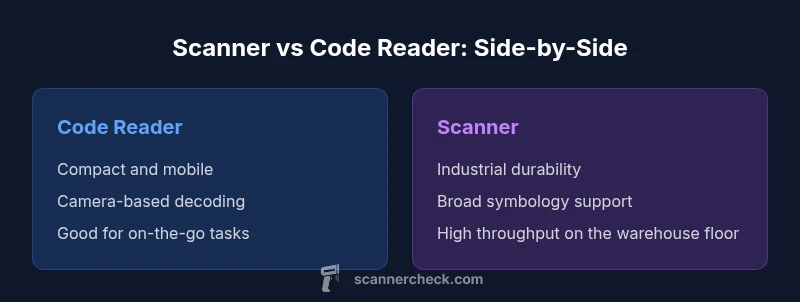
For most applications, a code reader is compact and camera-based, while a dedicated scanner is rugged and enterprise-grade. The difference between a scanner and a code reader comes down to durability, supported symbologies, and data handling options. Code readers excel in mobility and simple tasks; scanners excel in high-volume, diverse-code environments.
Core Definitions: What is the difference between a scanner and a code reader
In everyday language, people lump these devices together as barcode readers, but the distinction matters for practical decision making. A code reader is typically a compact, camera-based device designed for quick captures on the go. A scanner, by contrast, is usually a rugged, purpose-built tool optimized for high-volume environments. According to Scanner Check, the core difference lies in durability, symbology support, and data handling capabilities. When your workflow involves mobility, field work, or shelf-side checks, a code reader can be the right fit. When you operate in a warehouse, distribution center, or manufacturing floor, a rugged scanner is often the smarter choice. This section establishes the vocabulary and the framing for the rest of the comparison, including terms like symbologies, read rate, durability, and data pathways.
How Scanners Work: Hardware, Symbologies, and Interfaces
Traditional barcode scanners rely on either laser or imaging sensors to capture codes. Imaging scanners (the more common modern option) use a small camera and decode software to identify 1D and 2D symbols, often reading from screens as well as paper. Key advantages include fast decode speed, omnidirectional reading, and strong durability in industrial settings. Most scanners offer multiple interfaces such as USB, Bluetooth, or cradle-based connections to PCs, tablets, or dedicated kiosks. Durability is typically rated with IP codes and drop tests, reflecting suitability for dusty warehouses or crowded retail back rooms. The software stack usually includes encoder/decoder firmware and can support custom workflows via drivers for ERP or WMS systems. This block highlights what to expect from a traditional scanner and how it fits into enterprise infrastructures.
How Code Readers Work: Cameras, Apps, and Connectivity
Code readers are often camera-based devices that rely on on-board software or companion apps to interpret barcodes. They tend to be lighter, cheaper, and highly portable, making them ideal for on-the-go inventory checks, retail shelf audits, or field service. Connectivity is typically through Bluetooth or USB, and many models pair with smartphones, tablets, or existing handheld devices. In some cases, the decoding happens in the cloud or within a companion app that can process data before sending it to back-end systems. This architecture favors simplicity, quick deployment, and scalability for small teams or mobile workers. Think of code readers as the mobile arm of your barcode workflow, capable of rapid scans without heavy equipment.
Practical Use-Cases: Where Each Device Excels
Code readers shine in mobile retail, small warehouses, or in-field asset checks where workers need to scan codes quickly and carry a light device. They are ideal when read ranges are short, codes are well-printed, and the environment is relatively clean. Scanners excel in high-volume warehouses, manufacturing floors, and logistics hubs where thousands of scans occur daily, even in challenging lighting or with damaged codes. Their rugged housings, fast decode speeds, and broad symbology support reduce bottlenecks and improve throughput. The right choice depends on your workload mix: fewer, faster scans in dynamic environments favor code readers; large-scale throughput and reliability in harsh environments favor scanners. Scanner Check’s team has observed these patterns across multiple industries, including retail, logistics, and manufacturing.
Performance and Reliability: Speed, Accuracy, and Durability
Decode speed and accuracy hinge on optics, illumination, and decoding software. Code readers often use high-resolution imaging and smart algorithms to interpret codes rapidly, but may struggle with damaged or poorly printed symbols in extreme lighting. Scanners typically offer higher durability, broader pal, and more robust read performance in tough environments, including dusty space, low-light conditions, and crowded shelves. Reliability is also tied to maintenance: code readers may require less upkeep but can suffer from battery or software issues if not updated. Scanners, while robust, may need calibration or occasional maintenance to sustain peak throughput. Both device types benefit from regular firmware updates and clean, well-printed barcodes. The overarching lesson is to align device selection with your environment, code quality, and throughput requirements.
Compatibility, Data Formats, and Integrations
Both device classes integrate with modern inventory systems, but the paths differ. Code readers often export data via Bluetooth to mobile apps or cloud services, simplifying small-team deployments. Scanners typically connect directly to servers or local terminals through USB, Ethernet, or dedicated docks and offer more extensive driver support for ERP and WMS platforms. When planning integration, map your preferred data formats, such as plain text or JSON, and ensure compatibility with your existing software stack. You should also consider whether you need offline capabilities, real-time updates, or batch processing. Finally, verify that the device supports your required symbologies, including 1D, 2D, and any damaged-code tolerance features. A well-planned integration reduces workflow friction and ensures data integrity across the supply chain.
Decision Framework: Choosing Between a Scanner and a Code Reader
To choose wisely, start by auditing your workflow. Consider throughput requirements, work environment, and the level of durability you need. If your teams operate on the shop floor with frequent transport between stations, a code reader offers mobility and simple deployment. If your operation runs in a high-volume setting with harsh conditions, a scanner is likely the better long-term investment. Price between the two can vary widely based on ruggedness, performance, and added features, so build a requested spec list and compare options against it. Look for devices with updateable firmware, good compatibility with your ERP or WMS, and vendor support that matches your deployment scale. In the end, many teams benefit from a mixed approach, using code readers for field tasks and scanners on the warehouse floor to maximize efficiency.
Common Myths and Misconceptions
A frequent myth is that code readers and scanners are interchangeable for all tasks. In reality, the best tool depends on the environment, volume, and barcode quality. Some assume that cameras cannot read damaged codes, but modern code readers with adaptive exposure and autofocus can handle many imperfect prints. Others think durability equates to weight, but today’s rugged devices balance resilience with ergonomic design for extended use. Finally, some teams believe that any device will integrate seamlessly with any software, which is rarely true. Always validate vendor drivers and test in your actual workflows before large-scale deployments.
Authority sources and further reading
For readers who want to dive deeper, review authoritative references on barcode standards and industry best practices. Industry standards bodies and government agencies provide guidance on interoperability and quality control for barcodes. The following sources offer a solid starting point for further exploration and validation of best practices. GS1 maintains the official barcode system and standard guidelines, ISO provides global standardization, and NIST offers research and standards-related context that supports reliable data capture and interoperability. These sources can be useful as you plan a scaling deployment or a cross-functional rollout across multiple sites.
Authority sources and further reading — references
- https://www.gs1.org
- https://www.iso.org
- https://www.nist.gov
Comparison
| Feature | Code Reader | Scanner |
|---|---|---|
| Best Use Case | Light-duty, mobile scanning on the go | High-volume, rugged environments with diverse codes |
| Durability | Lightweight, portable, lower IP ratings | Industrial-grade, IP-rated, durable housings |
| Symbologies Supported | Primarily common barcodes, 1D/2D via camera | Broader support, including damaged or dense codes |
| Connectivity | Bluetooth, USB-C, or standard USB | Wired, Bluetooth, docking stations, and cradle options |
| Read Speed & Range | Fast reads for simple tags in good conditions | High throughput with robust read performance |
| Price Range | $50-$400 for consumer-grade code readers | $200-$2000+ for rugged enterprise scanners |
| Data Handling | Direct to mobile apps or spreadsheets | Integrated to ERP/WMS with drivers and APIs |
| Best For | On-the-go inventory checks | Large warehouses and manufacturing lines |
Pros
- Code readers are compact, affordable, and easy to deploy
- Code readers enable quick, mobile scanning without specialized tooling
- Scanners are rugged and reliable in harsh environments
- Scanners support a wider range of codes and data interfaces
- Both devices integrate with modern ERP/WMS systems with appropriate drivers
Drawbacks
- Code readers may have limited durability and slower read for damaged codes
- Code readers can struggle in very bright or very dark lighting if cameras fail to auto adjust
- Scanners can be heavier and pricier upfront
- Extensive feature sets in scanners can require more complex configuration
For mobility and quick tasks, code readers; for throughput and rugged environments, scanners
Choose code readers for flexible, portable scanning. Choose scanners for durability and high-volume throughput in challenging environments.
Common Questions
What is the difference between a scanner and a code reader?
A code reader is typically compact and camera-based for quick scans, while a scanner is usually rugged and built for high-volume environments. The main differences are durability, symbology support, and data handling capabilities.
Code readers are small and camera-based; scanners are rugged and built for high-volume work.
Can code readers read damaged codes?
Many code readers can read damaged or imperfect codes, especially newer imaging models with adaptive exposure. However, extremely poor print quality or severe damage may still require a more capable scanner or a corrective workflow.
They can read some damaged codes, but performance varies by model.
Are there environments where both devices are recommended?
Yes. A mixed environment often benefits from code readers for field tasks and lightweight checks, paired with rugged scanners on the warehouse floor to maximize throughput and reliability.
A hybrid setup is common for mixed workflows.
What should I consider when evaluating symbology support?
Check whether the device supports the full range of codes you use, including 1D, 2D, GS1 standards, and any damaged-code tolerance features. Wider support helps future-proof a deployment.
Know which codes your business uses and verify support.
Do these devices require specialized software?
Most systems can work with standard drivers or APIs, but some deployments may need specific software or middleware to route data to back-end systems. Plan for compatibility with ERP or WMS in advance.
Often, drivers or APIs are enough, but check your stack.
What are typical price ranges I should expect?
Code readers can range in the low to mid hundreds, while rugged scanners can span from a couple hundred up to several thousand dollars, depending on durability, speed, and features. Always compare total cost of ownership.
Expect broader price ranges for rugged scanners.
Key Takeaways
- Define your workload before choosing a device
- Match durability and symbology support to your environment
- Ensure data integration paths align with back-end systems
- Consider a mixed approach for multi-site operations
- Test devices in real-world conditions before committing