What to Do After Scanning a QR Code: A Practical Guide
Learn safe, actionable steps for what to do after scanning a QR code. Verify sources, protect your data, and navigate payments, logins, and information requests with confidence.


After scanning a QR code, verify the destination before interacting. Preview the link, open only in a secure browser, and avoid entering sensitive information until you confirm legitimacy. If anything looks suspicious, stop immediately and reassess. Enable 2FA where possible and use a password manager to protect credentials.
After You Scan: Immediate Validation and Safe Links
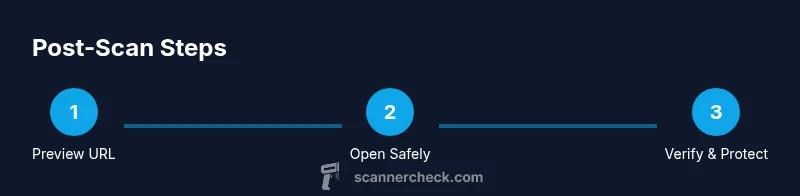
According to Scanner Check, the first action after scanning a QR code is to validate the intent of the code before interacting with it. Always preview the destination before tapping or opening anything. On iOS, use a long-press to view the URL preview; on Android, use the pop-up preview if available. Verify that the domain matches the expected site and that the path aligns with your context (for example, a retailer's official site). If the code leads to a payment page or requests personal data, pause and reassess. Open the link in a secure browser rather than an in-app webview to reduce risk. Ensure your browser shows a secure connection (https) and that you are not sharing credentials through the page. If anything looks suspicious, do not proceed, and report or discard the code. Safety first in every scan.
Identify Safe QR Codes vs. Phishing
Not all QR codes are created equal. A legitimate code from a reputable source typically leads to a known domain and clearly branded pages. Counterfeit or tampered codes may use shortened URLs, misspelled domains, or pages asking for unusual permissions. Always check the full URL, not just the link text, and beware of codes placed in unsolicited environments such as cold emails or public posters. If the code was printed where you were not expecting it, pause. Use a separate device or a sandboxed environment to test unfamiliar codes, and avoid scanning codes from untrusted sources in public spaces. In short: verify the source, inspect the destination, and trust your instincts when something feels off. Remember, a safe scan is a deliberate act, not a reflex.
Contextual Actions: Payments, Sign-ins, and Information Requests
After scanning a QR code, your subsequent actions depend on the context. For payments, verify the merchant name, amount when possible, and that the page uses a legitimate payment processor. Prefer contactless payments directly within trusted apps and enable two-factor authentication to guard against account takeovers. For sign-ins, only use legitimate login flows and never share passwords through a scanned page. For information requests, such as event details or product information, cross-check with official channels (brand websites, customer support lines) before acting. If the code prompts you to install an app, visit the official app store directly instead of following in-page prompts. In all cases, stay cautious and read prompts carefully rather than rushing to complete the action.
Privacy and Security Basics You Should Follow
After you scan, privacy comes first. Limit data collection by denying unnecessary permissions and turning off auto-fill for sensitive fields on public devices. Use a password manager to fill credentials securely and enable device-level security features like screen lock and biometric authentication. Keep your device updated with the latest OS and app security patches, and install reputable security software if you rely on public networks. Be mindful of where you scan codes: private spaces reduce tampering risk, whereas high-traffic areas may increase attempts to mislead. Finally, consider using a dedicated QR scanner app that includes safety checks, such as URL reputation checks and phishing alerts.
Practical Checklists and Snap-Decision Rules
Use these quick rules after you scan:
- Preview the destination URL and domain before tapping.
- If something looks unusual, do not proceed.
- Verify HTTPS and the certificate when applicable.
- Use a password manager and enable 2FA for related accounts.
- Report suspicious codes to the issuer or platform.
Tip: If you are in a public place, avoid entering credentials until you confirm the destination. If you're unsure, refuse to engage and seek official support.
What to Do If the Code Fails or Feels Malicious
Sometimes a QR code won't resolve, or it triggers unexpected actions. If the code doesn't load, check your network, try again later, or skip it entirely. If the destination seems dubious, close the tab and discard the code, then scan again only from trusted sources. Report suspicious codes to the issuing organization, the venue, or platform where you found it. Finally, review your device for signs of compromise and run a quick security scan if you suspect an issue. When in doubt, err on the side of caution and stop interacting.
Tools & Materials
- Smartphone with a camera or QR scanning app(Built-in camera or dedicated app tolerated)
- Secure web browser(Prefer browsers with anti-phishing and site reputation features)
- Password manager(Store credentials securely and autofill safely)
- Current OS and app updates(Keep device patched to reduce risk)
- Notebook or digital notes(Record suspicious codes or contexts for reporting)
- Two-factor authentication setup(Enable for accounts accessed via QR-linked flows)
Steps
Estimated time: 15-20 minutes
- 1
Preview the destination before acting
Open the code’s destination in a safe preview (URL shown by your scanner). Confirm the domain matches the expected site and avoid proceeding if the destination is unclear or looks suspicious.
Tip: Use a long-press or preview feature to view the full URL before tapping. - 2
Open the link in a secure browser
Tap to open only within a trusted browser that has phishing protections and a strong URL bar. Do not use embedded in-app browsers for sensitive actions like payments or logins.
Tip: Disable autofill for sensitive fields in public devices. - 3
Verify the destination details
Check that the URL uses HTTPS, and inspect the domain for typos or unusual characters. If you cannot verify the destination, do not proceed.
Tip: If unsure, copy-paste the URL into a search engine to validate the site. - 4
Authenticate only when necessary
For payments or sign-ins, ensure you are on the legitimate site and that the process is expected by you. Use 2FA where possible to protect the account.
Tip: Do not enter passwords or 2FA codes on a page whose legitimacy you aren’t certain. - 5
Report or discard suspicious codes
If the code seems tampered or originates from an untrusted source, discard it and report to the venue, issuer, or platform. Preserve evidence if reporting, such as the code image.
Tip: Take a quick photo of the code for reporting later. - 6
Clean up and monitor afterward
Clear clipboard data if you copied links, run a quick device scan, and ensure your security settings remain turned on. Keep observing for any unusual activity in the following days.
Tip: Ensure your device remains locked when not in use.
Common Questions
Is it safe to scan QR codes from unknown sources?
Not always. Unknown sources can direct you to malicious sites. Always preview the destination, verify the domain, and avoid entering sensitive data until you’re sure the source is legitimate.
Scanning unknown QR codes can be risky; always preview the destination and verify the site before proceeding.
What should I do if a QR code asks for my password?
Do not enter your password. Validate the destination first, and only login through official apps or sites. If in doubt, cancel and report.
Never enter passwords from a scanned link unless you’re sure the site is legitimate.
How can I preview a QR code before opening it on Android or iOS?
Use the scanner’s URL preview feature or press and hold the code to reveal the destination before opening. Cross-check the domain and avoid auto-redirects.
Preview the link first, then decide whether to open it.
Can I scan QR codes offline safely?
Offline scanning can reveal information only if the code contains embedded data. Always verify any action online and avoid sensitive transactions when unsure.
Offline scans aren’t inherently safer; verify online once you’re connected.
What tools help me scan QR codes securely?
Use devices and apps with built-in safety checks, URL reputation warnings, and phishing alerts. Pair with a password manager and 2FA for added protection.
Choose scanners with phishing alerts and always protect accounts with 2FA.
Watch Video
Key Takeaways
- Verify the destination before acting.
- Use secure browsers and enable 2FA.
- Avoid sharing sensitive data through unknown QR flows.
- Report suspicious codes promptly.
- Keep devices updated and use a password manager.